EasyManua.ls Logo

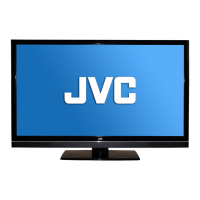
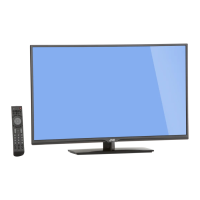
JVC Black Sapphire SL42B-C - User Manual

JVC Black Sapphire SL42B-C
63 pages
Print Icon
To Next Page IconTo Next Page
Loading...

Questions and Answers

Summary

Important Safety Information

Setting Up The TV

Attaching the Stand

Instructions for securely attaching the TV stand to the unit.

TV Placement For Best 3 D Experience

Best 3 D Viewing Effect

Optimal viewing distance and alignment for the best 3D experience.

Parts and Functions - TV

Parts and Functions - Remote

Remote Control Functions (1-5)

Explains the functions of the first set of remote control buttons.

Remote Control Functions (6-11)

Explains the functions of the second set of remote control buttons.

Remote Control Functions (12-17)

Explains the number keypad and other remote control buttons.

Remote Control Functions (18-24)

Explains navigation and special function buttons on the remote.

Remote Control Functions (25-27)

Explains navigation and QWERTY keypad functions on the remote.

Making A;V Connections

Connecting To The Internet

Making a Hard-Wired Ethernet Connection

Step-by-step guide to connecting the TV to a home network via Ethernet.

Wireless Connection

Steps for connecting the TV to a home network wirelessly.

One Time Setup Wizard

Viewing 3 D Content

Connecting Your 3 D Source Device

How to connect 3D source devices using HDMI cables.

Start Viewing Your 3 D Contents

Steps to turn on the TV and source device to view 3D content.

3 D HEALTH AND SAFETY

Important health and safety precautions for viewing 3D content.

I.C.E Apps & Multimedia

ICE Apps and Multimedia Operations

Using pre-loaded Internet Connected Experience (ICE) applications.

TV Operation - TV Channels

TV Operation - Aspect Ratio

TV Operation - Input Sources

Advanced TV Settings - Video Menu

Accessing TV Menu

How to navigate to and access the TV's settings menus.

Picture Mode Selections

Options for standard, movie, game, vivid, sport, and custom picture modes.

Advanced TV Settings - Audio Menu

XinemaSound 3 D, XinemaSound Leveler

Features for immersive 3D sound and automatic volume leveling.

Advanced TV Settings - Setup Menu

CEC Settings, System Audio Control, Device Discovery

Controls CEC, system audio, and manages connected device discovery.

Parental Control

Sets content restrictions based on channel, TV rating, or movie rating.

Advanced TV Settings - Network Configuration

Wireless Network List

Displays available wireless networks for connection to the TV.

Advanced TV Settings - Closed Caption

Advanced TV Settings - Channel Management

Advanced TV Settings - Sleep Timer

Troubleshooting

No Power

Troubleshooting steps for the TV not turning on.

Poor or No Sound

Troubleshooting steps for issues with audio output.

Poor or No Picture

Troubleshooting steps for problems with the video display.

Poor Reception on Some Channels

Solutions for weak or intermittent channel reception.

The Remote Control does not work

Troubleshooting steps for issues with the remote control functionality.

No Internet Access (Hard Line)

Troubleshooting steps for wired internet connection issues.

No Internet Access (Wireless)

Troubleshooting steps for wireless internet connection issues.

No 3 D contents

Solutions for issues preventing the display of 3D content.

Specifications

Limited Warranty

On Parts and Labor

Details warranty coverage for parts and labor for the product.

JVC Black Sapphire SL42B-C Specifications

General IconGeneral
Screen Size42 inches
Display TechnologyLED
Display TypeFlat
Refresh Rate60 Hz
Aspect Ratio16:9
HDMI Ports3
USB Ports2
Built-in Wi-FiYes
Smart TVYes
Resolution1920 x 1080

Related product manuals