EasyManua.ls Logo

JVC EM32TS - User Manual

JVC EM32TS
16 pages
Print Icon
To Next Page IconTo Next Page
Loading...
11/13 Rev. A EM32TS QUICK START GUIDE
QUICK START GUIDE
TV MODEL: EM32TS
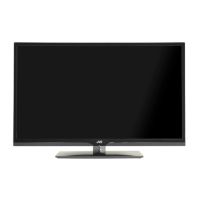
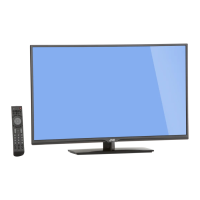
32” CLASS LED TV

Questions and Answers

  • D
    Dawn RiveraJul 26, 2025
    Why is my JVC HDTV remote control not working?
    • S
      stephen59Jul 26, 2025
      If your JVC HDTV remote isn't working, it might be due to weak, dead, or incorrectly inserted batteries. Ensure you're pointing the remote directly at the remote sensor on the TV within a 35º angle. Also, remove any obstructions between the remote and the TV, and make sure you're within the remote's operational range.
  • N
    Nicole MillerJul 30, 2025
    How to fix a JVC HDTV that won't turn on?
    • R
      robert86Jul 30, 2025
      If your JVC HDTV isn't turning on, first ensure the power cord is securely plugged into the outlet. Then, press the Power button on the TV to turn it on. If it still doesn't work, try plugging the TV into another outlet. As a last resort, unplug the unit for an hour, then plug it back in.
  • E
    Eric AustinAug 3, 2025
    How to troubleshoot sound issues on JVC HDTV?
    • C
      Curtis ChapmanAug 3, 2025
      If you're experiencing poor or no sound on your JVC HDTV, try the following: First, press the VOL button on the remote or the VOL + button on the TV. Also, press the MUTE button on the remote to ensure mute is not enabled. If that doesn't work, tune to another channel to rule out channel-specific issues and check the TV audio settings. Finally, check for any possible sources of interference.
  • R
    Robin BellAug 8, 2025
    What to do if my JVC HDTV has poor picture quality?
    • B
      Brenda HardingAug 8, 2025
      If your JVC HDTV has poor picture quality or no picture, try tuning to another channel to rule out channel-specific problems. Make sure that channels are properly set into memory. Check the connections of your antenna or cable TV. Also, check for possible sources of interference.
  • S
    Sherry WallsAug 12, 2025
    Why is my JVC HDTV getting poor reception on some channels?
    • C
      Crystal Coleman MDAug 12, 2025
      If your JVC HDTV is experiencing poor reception on certain channels, try tuning to another channel to see if the problem persists. Ensure that channels are correctly set into memory. Adjust the antenna to improve reception if the network signal is weak. Also, check for any potential sources of interference.
  • T
    Todd MurphyAug 17, 2025
    Why does my JVC HDTV keep shutting off?
    • J
      Joseph BrownAug 17, 2025
      Your JVC HDTV might be shutting off because the sleep timer is set, or due to a power interruption.
  • L
    Lindsay AllenAug 21, 2025
    How do I fix no CATV reception on my JVC HDTV?
    • M
      Megan JohnsonAug 21, 2025
      To fix no CATV reception on your JVC HDTV, first check all cable TV connections to ensure they are secure. Then, set the TV Mode in the Channel menu.

JVC EM32TS Specifications

General IconGeneral
Screen Size32 inches
Resolution1366 x 768
Display TypeLED
HDMI Ports2
USB Ports1
Audio Output10W x 2
Smart TVNo
Aspect Ratio16:9
Refresh Rate60Hz
Built-in SpeakersYes
Power Consumption45W
Weight5.5 kg

Related product manuals