11/13 Rev. A EM32TS QUICK START GUIDE
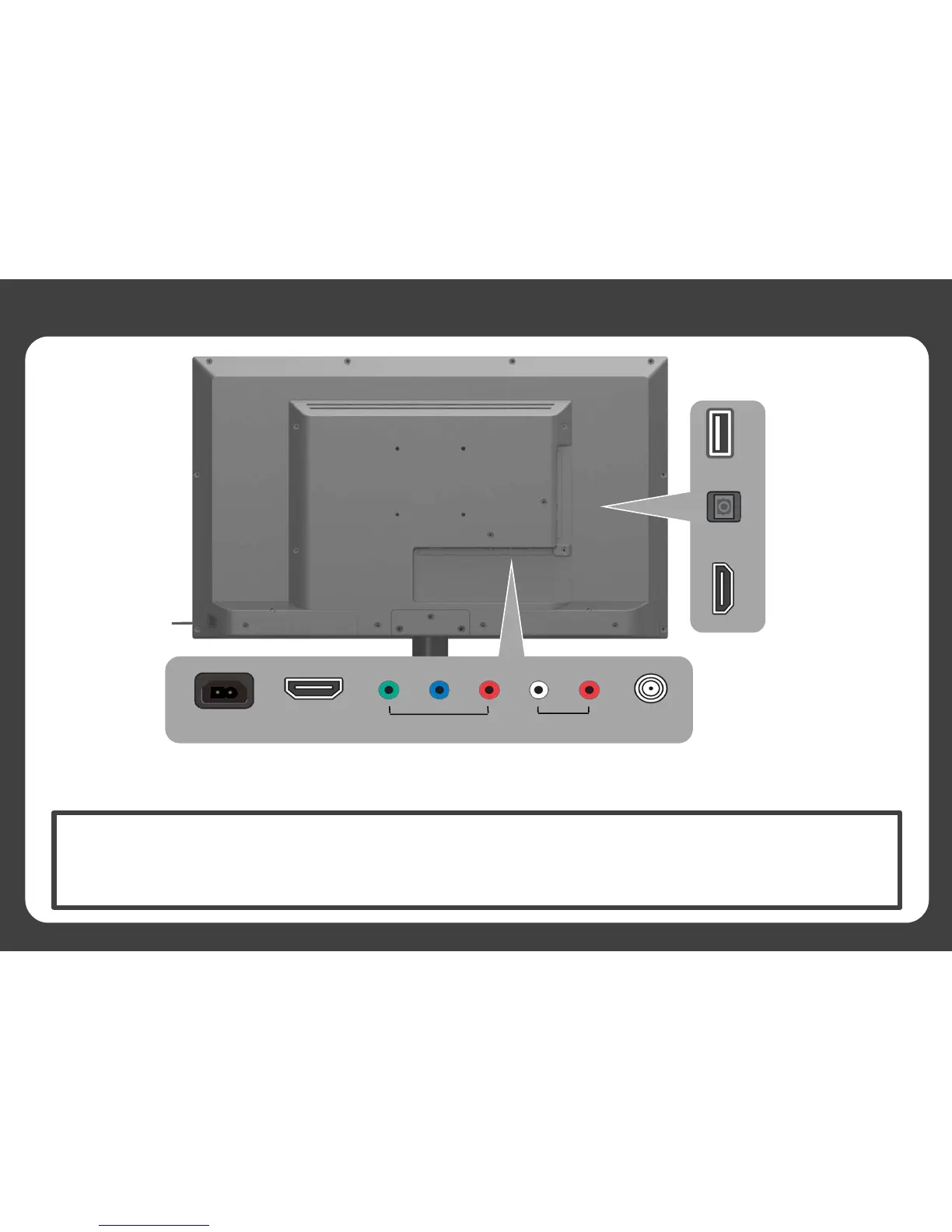
REAR VIEW
Power / Multi-
Function Button
AC Power
Component /
Video Input
Audio Input/
Music Port
Antenna
Input
HDMI - 1
USB
Digital Optical Out
HDMI - Side
Power / Multi-Function Button Operation:
• Press the button to show Quick Control Menu and switch between options
• Press and hold the button to select highlighted option
• To power off TV, press and hold the button while Quick Control Menu is not on screen


 To Next Page