EasyManua.ls Logo

JVC EM55FTR - User Manual

JVC EM55FTR
48 pages
Print Icon
To Next Page IconTo Next Page
Loading...
User Manual
Emerald FTR Series LED HDTV
EM42FTR
EM48FTR
EM55FTR
EM65FTR
42” Class
48” Class
55” Class
65” Class
Before operating your LED TV, please read this manual thoroughly.
Rev. 12/13
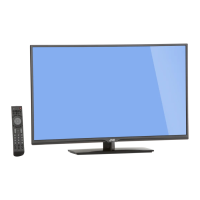
(*Images shown in this user manual are for illustration purpose only.)

Table of Contents

Other manuals for JVC EM55FTR

Questions and Answers

JVC EM55FTR Specifications

General IconGeneral
Screen shapeFlat
Response time- ms
Display diagonal55 \
Display brightness- cd/m²
Native aspect ratio16:9
LED backlighting typeDirect-LED
Supported video modes1080p
Contrast ratio (dynamic)6000000:1
Supported graphics resolutions1920 x 1080 (HD 1080)
Motion interpolation technologyCrystalMotion 120 Hz
3DNo
Tuner typeAnalog & digital
Analog signal format systemNTSC
Digital signal format systemATSC
Audio systemDolby Digital
RMS rated power20 W
Number of speakers2
HDMI ports quantity3
DVI-D ports quantity0
USB 2.0 ports quantity1
USB 3.2 Gen 1 (3.1 Gen 1) Type-A ports quantity-
Product colorBlack
Panel mounting interface400 x 400 mm
Power consumption (standby)- W
Sustainability certificatesENERGY STAR
Weight and Dimensions IconWeight and Dimensions
Depth (with stand)279.908 mm
Height (with stand)768.096 mm
Weight (with stand)19913 g
Depth (without stand)69.088 mm
Width (without stand)1239.52 mm
Height (without stand)726.186 mm
Weight (without stand)17509 g

Summary

Stand Installation and Removal

Unpacking the TV

Instructions for removing the TV from its packaging and preparing it for stand attachment.

Removing the Stand

Steps to detach the stand from the TV for transportation or storage.

Package Contents

Remote Control Batteries

Instructions for inserting and replacing batteries in the remote control.

Parts and Functions

Front View

Overview of the TV's front panel, identifying the power indicator and IR receiver.

Rear View

Details of the TV's rear panel, showing input/output ports and buttons.

Remote Control

Detailed explanation of each button and its function on the TV remote control.

Making Connections

Connecting Antenna; Cable

Guide on how to connect a coaxial cable for antenna or cable TV service.

Connecting HD Devices

Instructions for connecting devices like Blu-ray players, consoles via HDMI, Composite, Component.

Connecting External Speakers; Soundbar; AV Receivers

Steps for connecting audio systems using optical digital audio out.

Connecting Music Port

How to connect portable music players via the audio input port.

Basic Operations

Initial Setup and Configuration

Guide to Setup Wizard, exiting store demo, and changing channels.

Volume, Timer, and Information Display

Managing TV volume, setting sleep timers, and displaying system information.

Input and Aspect Ratio Settings

Switching input sources and adjusting screen aspect ratios.

Multimedia and Audio Only Modes

Using the TV for media playback and activating audio-only mode.

Wall Mount Installation

Installing Wall Mount

Instructions and safety precautions for mounting the TV on a wall.

Wall Mount Specifications (VESA)

Technical details on VESA mounting patterns and compatible screws.

Adjusting the Menu Settings

Menu Operation

Guide on how to navigate and use the TV's on-screen menu system.

Input and Picture Settings

Selecting video sources and adjusting picture parameters like brightness and contrast.

Audio and Advanced Picture Settings

Configuring sound options and fine-tuning picture elements for optimal viewing.

Setup Menu and Parental Control

Accessing system settings, naming inputs, and managing parental control features.

Closed Caption and Aspect Ratio

Enabling closed captions and adjusting the TV viewing aspect ratio.

Channel Menu

Antenna;Cable Selection and Scanning

Choosing signal input and performing channel scans for TV reception.

Channel Management

Managing channels by partial scanning, adding, or deleting from the list.

Appendix

Supported Resolution

List of supported PC timing and video resolutions for different TV models.

Specifications

Roku Streaming Stick Setup Guide

Unpacking and Requirements

Contents of the box, required items, and identification of the Streaming Stick.

Initial Setup Steps

Connecting the stick, establishing network connection, and completing the guided setup.

Roku Streaming Stick Troubleshooting

Picture, Sound, and Network Issues

Solutions for common problems with picture, sound, and network connectivity.

JVC TV Limited Warranty

Parts, Labor, and Service

Details on warranty coverage, service procedures, and limitations for JVC TVs.

Data and Software Notices

Information on personal data handling and open source software used in the device.

Roku Streaming Stick Warranty

License Agreement and Warranty Terms

Acceptance of license terms and details of Roku's one-year hardware warranty.

Warranty Service Process

Steps to obtain warranty service, including RMA number and shipping instructions.

Legal and Regulatory Information

FCC and Industry Canada Compliance

Statements on FCC interference, radiation limits, and Industry Canada regulations.

Roku Streaming Stick Safety and Handling

Safety precautions and proper use guidelines for the Roku Streaming Stick.

Related product manuals