EasyManua.ls Logo

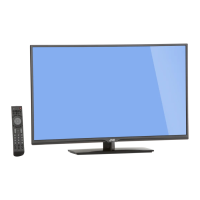
JVC EM48FTR - User Manual

JVC EM48FTR
48 pages
Print Icon
To Next Page IconTo Next Page
Loading...
User Manual
Emerald FTR Series LED HDTV
EM42FTR
EM48FTR
EM55FTR
EM65FTR
42” Class
48” Class
55” Class
65” Class
Before operating your LED TV, please read this manual thoroughly.
Rev. 12/13
(*Images shown in this user manual are for illustration purpose only.)

Table of Contents

Other manuals for JVC EM48FTR

Questions and Answers

JVC EM48FTR Specifications

General IconGeneral
Screen shapeFlat
Response time- ms
Display diagonal48 \
Display brightness- cd/m²
Native aspect ratio16:9
LED backlighting typeDirect-LED
Contrast ratio (dynamic)6000000:1
Supported graphics resolutions1920 x 1080 (HD 1080)
Motion interpolation technologyCrystalMotion 120 Hz
3DNo
Tuner typeAnalog & digital
Analog signal format systemNTSC
Digital signal format systemATSC
Audio systemDolby Digital
RMS rated power20 W
Number of speakers2
HDMI ports quantity3
DVI-D ports quantity0
USB 2.0 ports quantity1
USB 3.2 Gen 1 (3.1 Gen 1) Type-A ports quantity-
Product colorBlack
Panel mounting interface200 x 200 mm
Power consumption (standby)- W
Sustainability certificatesENERGY STAR
Weight and Dimensions IconWeight and Dimensions
Depth (with stand)228.6 mm
Height (with stand)680.72 mm
Weight (with stand)12973 g
Depth (without stand)66.04 mm
Width (without stand)1082.04 mm
Height (without stand)635 mm
Weight (without stand)11430 g

Summary

Customer Support Information

Television Support

Phone number and types of help available for television issues.

Roku Streaming Stick Support

Contact information and website for Roku Streaming Stick assistance.

Safety and Compliance Information

Location of Required Marking

Indicates where to find the rating sheet and safety caution on the unit.

Important Safety Instructions

Child Safety Guidelines

Provides essential tips for safe TV placement and usage to prevent child injury.

LED Panel Handling and Care

Instructions for safely handling the LED panel and potential adverse effects.

Condensation and Interference Advice

Advises on preventing condensation and avoiding interference from other devices.

Antenna and Electrical Safety

External Television Antenna Grounding

Details on grounding antenna systems to protect against surges and static charges.

Lightning and Power Line Protection

Recommends unplugging TV and antenna during storms and avoiding power lines.

DTV Transition Advisory

TV Setup and Stand Management

Unpacking and Stand Installation

Steps to safely unpack the TV and attach the stand.

Removing the TV Stand

Instructions for detaching the TV stand for transport.

Package Contents and Remote Setup

Remote Control Battery Installation

Step-by-step guide for inserting batteries into the remote control.

TV Parts and Functions Overview

Front View Identification

Illustrates and labels the visible components on the front of the TV.

Rear View Ports and Buttons

Details the ports and buttons located on the back of the TV.

Remote Control Operation

Explains the functions of each button on the TV remote control.

Connecting Audio and Video Sources

Connecting Antenna or Cable

Instructions for connecting a 75-ohm coaxial cable to the TV's antenna jack.

Connecting HD Devices

Details on using HDMI, Composite, and Component connections for HD devices.

Connecting Audio Systems

How to connect speakers or sound systems using digital or music ports.

Connecting Portable Music Players

Steps for connecting portable music players via the dedicated music port.

Basic TV Operations and Setup

Initial TV Setup Wizard

Step-by-step process for configuring language, time zone, and TV mode.

Setup Completion and Demo Mode Exit

Finalizing setup and instructions to exit the store demonstration mode.

Changing TV Channels

Methods for selecting channels directly or by browsing.

Volume, Timer, Info, and Aspect Ratio

Features for muting volume, setting sleep timer, displaying info, and changing aspect ratio.

Selecting Input Sources

How to choose between different input signals like HDMI, TV, or AV.

Multimedia Playback from USB

Instructions for playing media files from a USB storage device.

Audio Only Mode Operation

Feature to turn off the TV display while keeping audio for power saving.

TV Mounting and Specifications

Installing a Wall Mount

Safety precautions and steps for mounting the TV on a wall.

VESA Wall Mount Specifications

Table listing VESA hole patterns and screw sizes for different models.

Adjusting Menu Settings

Menu Navigation and Operation

Explains how to display, select, adjust, and exit menu options using the remote.

Input and Picture Settings

Configuring input sources and adjusting picture parameters like mode and brightness.

Input Source Selection

How to select active input signals for video sources.

Picture Menu Adjustments

Details on adjusting picture modes, backlight, contrast, brightness, color, and tint.

Picture and Audio Settings

Fine-tuning picture settings and adjusting audio parameters like bass and treble.

Advanced Picture Settings

Options for CrystalColor, Dynamic Contrast, Adaptive Backlight, and Noise Reduction.

Audio Menu Controls

Adjusting bass, treble, balance, lip sync, and speaker settings.

Audio, Setup, and Parental Controls

Configuring audio output, input labels, CEC, language, and parental controls.

Setup Menu Configuration

Setting up input labels, CEC, menu language, time, and parental controls.

System Settings and Parental Controls

Managing parental controls, power indicator, setup wizard, system info, and resetting settings.

Parental Control Features

Locking channels and restricting content based on TV/movie ratings.

Closed Caption and Aspect Ratio

Enabling and configuring closed captions and adjusting viewing aspect ratios.

Channel Management

Selecting Antenna or Cable

How to choose the signal source for TV channels.

Scanning for Channels

Process for performing automatic and partial channel scans.

Managing Channels and Sleep Timer

Adding, deleting channels, and setting the sleep timer function.

Appendix and Troubleshooting

Supported Resolution Formats

Table detailing compatible PC and video timing resolutions for various models.

Troubleshooting Common Problems

Solutions for issues like no power, poor sound/picture, remote control problems, and no CATV reception.

Product Specifications (Models EM42;48)

Product Specifications (Models EM55;65)

Detailed technical specifications for EM55FTR and EM65FTR models.

Roku Streaming Stick Setup Guide

Roku Stick Components and Needs

Identifies the MHL connector, status light, reset button, and required items.

Getting Started with Roku Stick

Guides on plugging in, connecting to network, and setting up a Roku account.

Roku Streaming Stick Troubleshooting

Roku Support and Resources

Information on where to find additional help, FAQs, and user forums for the Roku stick.

JVC Limited Warranty Information

Warranty Coverage and Limitations

Explains what the warranty covers, exclusions, and limitations on liability.

Data Handling and Software Notice

Information on personal data deletion during service and notice regarding open-source software.

Roku Streaming Stick Limited Warranty

Roku Warranty Service Process

Steps to obtain warranty service, including RMA process and shipping instructions.

Regulatory Compliance

Details FCC interference statements, radiation exposure, and Industry Canada compliance.

Roku Stick Safety and Handling

Safety precautions and guidelines for using and handling the Roku Streaming Stick.

Related product manuals