EasyManua.ls Logo

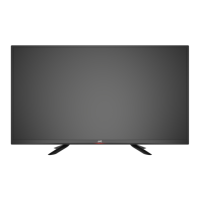
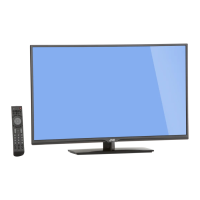
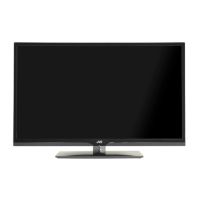
JVC Emerald EM37T - User Manual

JVC Emerald EM37T
44 pages
Print Icon
To Next Page IconTo Next Page
Loading...
User Manual
Emerald Series LED HDTV
EM32T
EM37T
32” Class
37” Class
Before operating your LED TV, please read this manual thoroughly.

Table of Contents

Questions and Answers

JVC Emerald EM37T Specifications

General IconGeneral
Screen Size37 inches
Display TypeLED
USB Ports1
Refresh Rate60 Hz
Aspect Ratio16:9
Built-in SpeakersYes

Summary

Safety and Advisories

General Safety Precautions

General safety rules for TV operation, installation, and handling, including electrical and fire prevention.

Child Safety Guidelines

Guidance on safe placement and use of the TV to prevent injuries to children.

Handling and Environmental Safety

Precautions for handling the LED panel, avoiding condensation, and understanding adverse effects.

Connection and Electrical Safety

Safety measures for TV antenna connections, lightning storms, and proximity to power lines.

DTV Transition Advisory

Information regarding the switch to digital broadcasting and requirements for analog TV sets.

Initial Setup and Hardware

Unpacking and Stand Installation

Instructions for unpacking the TV and installing or removing the stand.

Package Contents

List of all items that should be included in the TV package.

TV Components and Controls

Front and Rear Views

Identification of key components and ports on the front and rear of the TV.

Remote Control Operation

Guide to the functions and usage of all buttons on the TV remote control.

Connections

Connecting External Devices

How to connect various external devices like antennas, media players, and audio systems.

Basic Operations

Initial Setup Wizard

Walkthrough of the TV's initial setup process, including language and channel tuning.

Basic TV Controls

Fundamental operations such as changing channels, adjusting volume, and selecting inputs.

Aspect Ratio and Input Selection

Adjusting picture aspect ratio and selecting the active input source.

Multimedia and Audio Only Modes

Using multimedia playback and the audio-only mode for power saving.

Wall Mounting

Instructions and specifications for mounting the TV on a wall.

Adjusting Menu Settings

Quick Menu Navigation

Overview of accessing and navigating the TV's quick menu.

Picture Settings

Customizing picture parameters like brightness, contrast, and color.

Audio Settings

Adjusting audio parameters including bass, treble, balance, and equalizer settings.

System and Channel Settings

Configuring system preferences, parental controls, and managing TV channels.

Special Features Settings

Settings for special features like CEC, closed captioning, and aspect ratio modes.

Reference and Support

Appendix: Supported Resolutions

List of supported video and PC timing resolutions for different connection types.

Troubleshooting Guide

Solutions for common TV problems such as no power, poor picture, or remote issues.

Product Specifications

Detailed technical specifications of the EM32T and EM37T TV models.

Limited Warranty Information

Details the limited warranty coverage, terms, exclusions, and service procedures.

Related product manuals