EasyManua.ls Logo

JVC EM65FTR - User Manual

JVC EM65FTR
48 pages
Print Icon
To Next Page IconTo Next Page
Loading...
User Manual
Emerald FTR Series LED HDTV
EM42FTR
EM48FTR
EM55FTR
EM65FTR
42” Class
48” Class
55” Class
65” Class
Before operating your LED TV, please read this manual thoroughly.
Rev. 12/13
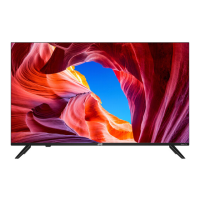
(*Images shown in this user manual are for illustration purpose only.)

Table of Contents

Other manuals for JVC EM65FTR

Questions and Answers

  • C
    Christopher CarrollAug 12, 2025
    What to do if my JVC EM65FTR has no power?
    • K
      Kevin JohnsonAug 13, 2025
      If your JVC LED TV isn't turning on, first ensure the power cord is securely plugged into the outlet. Then, press the Power button on the TV to turn it on. If it still doesn't work, try plugging the TV into another outlet. As a last resort, unplug the unit for an hour, and then plug it back in.
  • R
    Robin PerezAug 16, 2025
    Why is there poor picture or no picture on my JVC LED TV?
    • M
      Mike BryanAug 16, 2025
      If you're getting a poor picture or no picture on your JVC LED TV, try tuning to another channel to rule out issues with the current channel or cable TV. Ensure that channels are properly set into memory. Check the antenna or cable TV connections to make sure they are secure. Also, check for possible sources of interference.
  • P
    Paul RuizAug 20, 2025
    Why does my JVC LED TV shuts off by itself?
    • R
      Richard MeltonAug 20, 2025
      If your JVC LED TV is shutting off unexpectedly, the sleep timer may be enabled; disable it in the settings. Also, check the power connection to ensure that the power is not interrupted.
  • G
    Grant StaffordAug 25, 2025
    What to do if my JVC EM65FTR remote control does not work?
    • C
      Christopher PatelAug 25, 2025
      If your JVC LED TV remote isn't working, start by checking the batteries to ensure they are not weak, dead, or inserted incorrectly. Then, point the remote directly at the remote sensor on the TV, keeping an angle of 35º. Remove any obstacles that might be blocking the signal between the remote and the TV. Finally, make sure you are within range of the TV.
  • A
    Alyssa SandersAug 27, 2025
    How to fix no CATV reception on JVC EM65FTR LED TV?
    • T
      Tracy TuckerAug 27, 2025
      If you're not getting any CATV reception on your JVC LED TV, begin by checking all cable TV connections to ensure they are properly connected. Then, set the TV Mode in the Channel menu.
  • J
    Jacqueline StoneAug 31, 2025
    Why is there poor sound or no sound on my JVC LED TV?
    • R
      Ronald BrownAug 31, 2025
      If you're experiencing sound issues with your JVC LED TV, try these steps: First, press the VOL button on the remote or the Power/Multi Function button on the TV to adjust the volume. Also, make sure the mute function isn't enabled by pressing the MUTE button on the remote. Try tuning to another channel, as the current channel or cable TV might be experiencing problems. Finally, check the TV audio settings and check for any potential sources of interference.
  • L
    Lindsey WilliamsonSep 4, 2025
    Why is the reception poor on some channels on my JVC LED TV?
    • L
      ljohnsonSep 4, 2025
      If you're experiencing poor reception on certain channels with your JVC LED TV, try tuning to another channel to see if the issue persists, as the problem may be with the channel or cable TV itself. Ensure that channels are set into memory. Adjust the antenna to improve reception if the network signal is weak. Also, check for possible sources of interference.
  • S
    Sierra LarsonSep 7, 2025
    What to do if closed caption is not activated on JVC LED TV?
    • N
      Noah JonesSep 8, 2025
      If closed captioning isn't working on your JVC LED TV, it could be that the program you're watching is not closed captioned; try another channel. You can also enable Closed Caption in the menu.

Summary

User Manual

Important Safety Instructions

Safety Precautions and Advisories

Covers condensation, LED panel handling, adverse effects, antenna grounding, lightning, power lines, and DTV transition.

TV Setup and Installation

Unpacking and Stand Management

Steps for unpacking the TV and attaching or removing the stand.

Package Contents and Parts

Lists included items, remote batteries, and identifies TV parts like front/rear views.

Making Connections

Guides on connecting antennas, cables, HD devices, and audio systems.

TV Operations and Settings

Basic Operations

Covers setup wizard, channel changing, volume, timers, aspect ratio, and multimedia.

Menu Settings

Details input, picture, audio, setup menus, and specific options like CEC, parental control, closed captions.

Channel Menu Functions

Covers antenna/cable selection, channel scanning, adding, deleting, and sleep timer.

Roku Streaming Stick

Getting Started

What's in the box, what's needed, and how to plug in the Roku Stick.

Setup and Account

Guides through network connection, guided setup, and creating a Roku account.

Troubleshooting and Notices

Common issues, legal notices, FCC statements, safety precautions, and usage guidelines.

Warranty and Legal

Limited Warranty

Details warranty coverage, service, limitations, exclusions, personal data, and open source software.

JVC EM65FTR Specifications

General IconGeneral
Resolution3840 x 2160 (4K UHD)
HDRYes
Smart TVYes
Wi-FiYes
HDMI Ports3
Refresh Rate60 Hz
Display TypeLED

Related product manuals