EasyManua.ls Logo

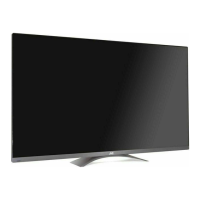
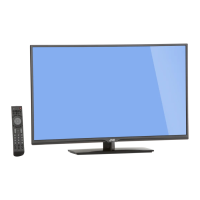
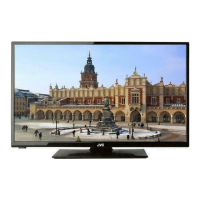
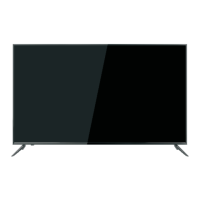
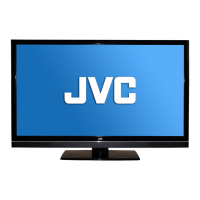
JVC BlackCrystal JLE47BC3500 - User Manual

JVC BlackCrystal JLE47BC3500
44 pages
Print Icon
To Next Page IconTo Next Page
Loading...
User Manual
BlackCrystal
3500 Series LED TV
JLE47BC3500
47” Class
Before operating your LED TV, please read this manual thoroughly.

Table of Contents

Other manuals for JVC BlackCrystal JLE47BC3500

Questions and Answers

  • A
    Alexis PorterAug 12, 2025
    What to do if my JVC BlackCrystal JLE47BC3500 LED TV has poor picture or no picture?
    • T
      Terri McdonaldAug 13, 2025
      If your JVC LED TV is showing a poor picture or no picture, try tuning to another channel to rule out channel-specific issues. Ensure that channels are properly set into the TV's memory. Check the connections of your antenna or cable TV. Additionally, check for any potential sources of interference that might be affecting the picture quality.
  • R
    Robert BauerAug 16, 2025
    Why does my JVC BlackCrystal JLE47BC3500 shut off by itself?
    • K
      kimbatesAug 16, 2025
      Your JVC LED TV might be shutting off automatically because the sleep timer is set, or the power is interrupted.
  • B
    Bailey DonovanAug 20, 2025
    Why does my JVC BlackCrystal JLE47BC3500 LED TV have poor reception on some channels?
    • D
      Drew PattersonAug 20, 2025
      If your JVC LED TV is experiencing poor reception on certain channels, try tuning to another channel to make sure the problem isn't with the broadcast itself. Ensure that the channels are correctly set into the memory. If the network signal is weak, adjust the antenna to improve reception. Also, check for any potential sources of interference.
  • W
    willie45Aug 25, 2025
    What to do if there is no CATV reception on my JVC LED TV?
    • B
      bkingAug 25, 2025
      If you're not getting any CATV reception on your JVC LED TV, start by checking all the cable TV connections to ensure they are secure. Then, set the TV Mode in the Channel menu.
  • L
    lynchjimmyAug 28, 2025
    What to do if my JVC BlackCrystal JLE47BC3500 has no power?
    • D
      Daniel LewisAug 28, 2025
      If your JVC LED TV isn't turning on, ensure the power cord is properly plugged into the outlet. Press the Power button to turn the TV on. Try plugging the TV into a different outlet to rule out an outlet issue. As a last resort, unplug the unit for an hour, then plug it back in.
  • L
    Lawrence PatelAug 31, 2025
    Why does my JVC BlackCrystal JLE47BC3500 have poor sound or no sound?
    • D
      Dr. Carol MacdonaldSep 1, 2025
      If you're experiencing sound issues with your JVC LED TV, first, press the VOL button on the remote or the VOL + button on the TV itself. Make sure the mute function isn't enabled by pressing the MUTE button on the remote. If the issue persists, try tuning to another channel to rule out channel-specific problems. Check the TV audio settings to ensure they are configured correctly and check for any potential sources of interference.
  • T
    tami73Sep 4, 2025
    What to do if my JVC BlackCrystal JLE47BC3500 LED TV remote control does not work?
    • J
      Jesus WalkerSep 4, 2025
      If your JVC LED TV remote isn't working, make sure to point it directly at the remote sensor on the TV, keeping the remote within a 35º angle of the sensor. Also, remove any objects that might be blocking the signal between the remote and the TV. Ensure you are close enough to the TV for the remote to function properly. The batteries may be weak, dead, or inserted incorrectly.
  • D
    dmooneySep 8, 2025
    What to do if closed caption is not activated on my JVC LED TV?
    • D
      Darius GarciaSep 8, 2025
      If closed captioning isn't working on your JVC LED TV, it could be that the program you're watching doesn't have closed captions. Try switching to another channel to see if captions appear. If they still don't appear, enable Closed Caption in the menu.

Summary

Safety Warnings and Precautions

Electric Shock and General Hazards

Warnings about electrical shock, water, ventilation, and general safety precautions.

Important Safety Instructions

General Safety Guidelines

Comprehensive list of safety instructions for product usage and handling.

Child Safety Guidelines

Guidance on safe placement and interaction for children.

Handling, Environment, and Panel Care

Instructions for handling the panel, dealing with condensation, and adverse effects.

Connection Safety Measures

Guidance on safe antenna grounding, lightning protection, and power lines.

DTV Transition Advisory

Information regarding the transition to digital television broadcasting.

Product Setup and Installation

Attaching and Removing the Stand

Step-by-step guide for installing and detaching the TV stand.

Package Contents and Battery Installation

Identifies included items and instructions for remote control battery installation.

Kensington Lock Installation

Instructions for using a Kensington lock for security.

Wall Mount Installation

Guide for mounting the TV on a wall using a VESA mount.

Parts and Functions Overview

Identifying TV Ports and Controls

Overview of front and rear panel features and connection ports.

Remote Control Operation

Explanation of buttons and their functions on the remote control.

Basic Operations Guide

Initial Setup Wizard

Step-by-step guide for initial TV setup and configuration.

Basic TV Usage and Channel Selection

Instructions for changing channels, exiting retail mode, and basic TV operations.

Volume, Timer, and Display Settings

Adjusting volume, setting sleep timers, and displaying information.

Aspect Ratio Adjustments

Guide to changing the picture aspect ratio for different content.

Input Source Selection

Methods for selecting different input sources for the TV.

USB Multimedia Playback

Instructions for playing media files from a USB memory stick.

Photo Playback and Audio Only Mode

Using multimedia features for photos and activating audio-only display mode.

Adjusting Menu Settings

Quick Menu Navigation

How to access and navigate through the TV's menu system.

Input Source and Picture Menu

Configuring input sources and accessing picture settings.

Advanced Picture and Color Settings

Fine-tuning picture quality with advanced options, color temperature, and sharpness.

Audio Menu Options

Adjusting sound settings like bass, treble, balance, and audio modes.

Setup Menu Configuration

Configuring language, time, input labels, and CEC settings.

Time, Local Settings, and Parental Control

Setting time zones, local preferences, and managing parental controls.

Setup Menu: Advanced Functions

Changing passwords, system info, and resetting all settings.

Closed Captioning Setup

Decoding and displaying closed caption data for programs.

Channel Scan and Management

Scanning for channels, selecting antenna/cable, and managing channels.

Advanced Channel Management

Performing partial scans, adding, and deleting channels.

Support and Documentation

Appendix: Supported Resolutions

Lists the supported video resolutions and PC timings for the TV.

Troubleshooting Common Issues

Solutions for common problems like no power, poor picture, or remote issues.

Product Specifications

Detailed technical specifications of the TV model.

Limited Warranty Information

Information on warranty coverage, terms, and service procedures.

Warranty Limitations and Exclusions

Details on what the warranty does and does not cover.

Personal Data Protection

Information on data deletion and protection during service.

Product Registration

Instructions for registering the product for warranty and safety notifications.

JVC BlackCrystal JLE47BC3500 Specifications

General IconGeneral
Screen Size47 inches
Display TypeLED
HDMI Ports3
USB Ports1
Refresh Rate60 Hz
Aspect Ratio16:9
Built-in Wi-FiNo
Smart TVNo
Resolution1920 x 1080
Weight14.3 kg

Related product manuals