EasyManua.ls Logo

JVC CL-S500 Series - User Manual

JVC CL-S500 Series
32 pages
Print Icon
To Next Page IconTo Next Page
Loading...
B5A-2908-40
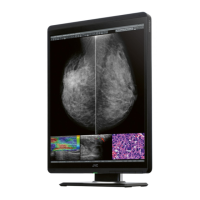
21.3-inch (54 cm) Color LCD Monitor
Operation Manual
Important
Please read this “Operation Manual” carefully before use.
Please make sure to read the “Safety precautions” rst and keep this “Operation
Manual” in a safe and easily accessible place for future reference.
Model: CL-S500BG0UA
CL-S500BG0EA
CL-S500BG2UA
CL-S500BG2EA

Other manuals for JVC CL-S500 Series

Questions and Answers

  • K
    Karen JacksonAug 11, 2025
    How to turn on JVC CL-S500 if it's not powering on?
    • N
      Nathan ReedAug 11, 2025
      If your JVC Monitor isn't powering on and the LED indicator is off, ensure the monitor is properly plugged in. Also, check that the POWER switch is turned on.
  • M
    Melanie LopezAug 21, 2025
    What to do if the screen does not come on for my JVC CL-S500?
    • K
      Keith SchneiderAug 21, 2025
      If your JVC Monitor screen remains dark, even with the power on, the workstation might be in power save mode. To resolve this, simply press any key on the keyboard to wake up the workstation. Also, ensure that the cables are correctly connected and the workstation is turned on. Incompatible input signal frequency or screen resolution can also cause this issue. Refer to the workstation instruction manual to adjust the frequency and/or resolution. Lastly, if the LED indicator is red, it indicates an error, and you should contact your dealer.
  • C
    cookmarkAug 31, 2025
    What to do if the OSD “Check the system settings” appears on JVC CL-S500 Monitor?
    • R
      Richard BurnettAug 31, 2025
      If the OSD displays “Check the system settings” on your JVC Monitor, it might be because the color depth has dropped to 6 bpc due to noise via DisplayPort. To fix this, change the setting on your graphics card driver to a value other than 6 bpc.

JVC CL-S500 Series Specifications

General IconGeneral
BrandJVC
ModelCL-S500 Series
CategoryMonitor
LanguageEnglish

Related product manuals