2
Preparation
22
Installing the Projector and Screen
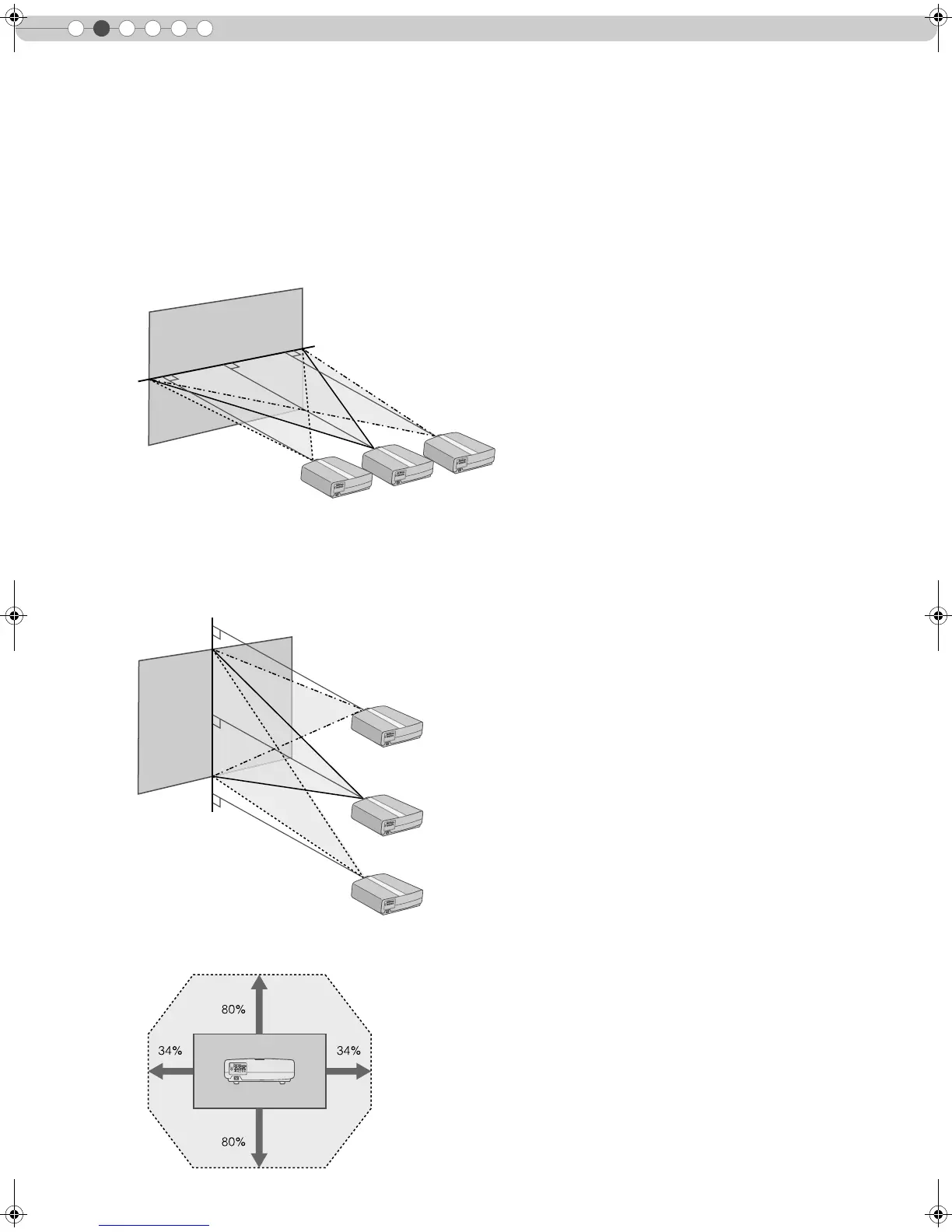
Install this unit and the screen. Place this unit and the screen perpendicular to each other.
Failing to do so may give rise to trapezoidal distortion of the projected image.
A Install the projector and screen
Left/Right position
*0 % up/down position (center)
Up/Down position
*0 % left/right position (center)
Approximately 34 % (maximum) of the projected image
(Turn the dial to the left for maximum)
Approximately 34 % (maximum) of the projected image
(Turn the dial to the right for maximum)
Approximately 80 % (maximum) of the projected image
(Turn the dial to the left for maximum)
Approximately 80 % (maximum) of the projected image
(Turn the dial to the right for maximum)
Shifting range of projected image
DLA-HD1D_EN.book Page 22 Tuesday, January 30, 2007 2:54 PM



 To Next Page