44
Replacing the Lamp (Continued)
5
Troubleshooting
After installing a new lamp unit, reset the lamp time.
A Insert the power plug to the power outlet
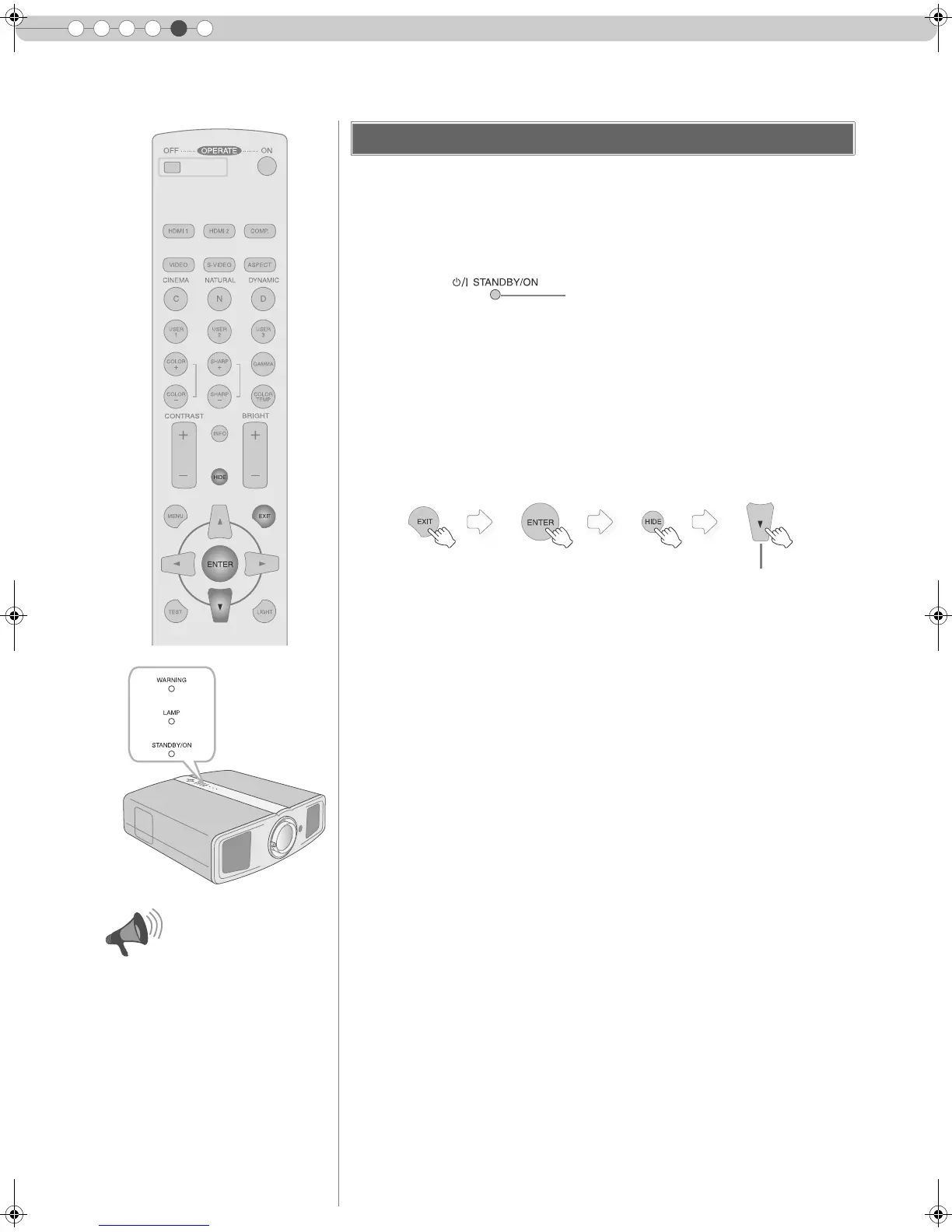
B Reset lamp time
Resetting Lamp Time
z The [LAMP] indicator and [STANDBY/ON] indicator blink alternately for 3
seconds. After that, the unit switches to standby mode.
z Reset the lamp time only when you
have replaced the lamp.
z Never reset it when the lamp is still
in use. Otherwise, the approximate
standard for gauging replacement
time may be inaccurate and lamp
blowout may occur.
CAUTION
Light on (Red)
Press for 2 seconds or more
z Press in the order as shown.
DLA-HD1D_EN.book Page 44 Tuesday, January 30, 2007 2:54 PM



 To Next Page