21
ON
ENTER
OFF
FOCUS
TEST
MENU EXIT
PRESET
HIDE
LIGHT
OPERATE
LAMP TEMP
STAND BY
OPERATE
PRESET
MENU
EXIT
ENTER
HIDE
5-1
5-1
4
4
LAMP TEMP
STAND BY
OPERATE
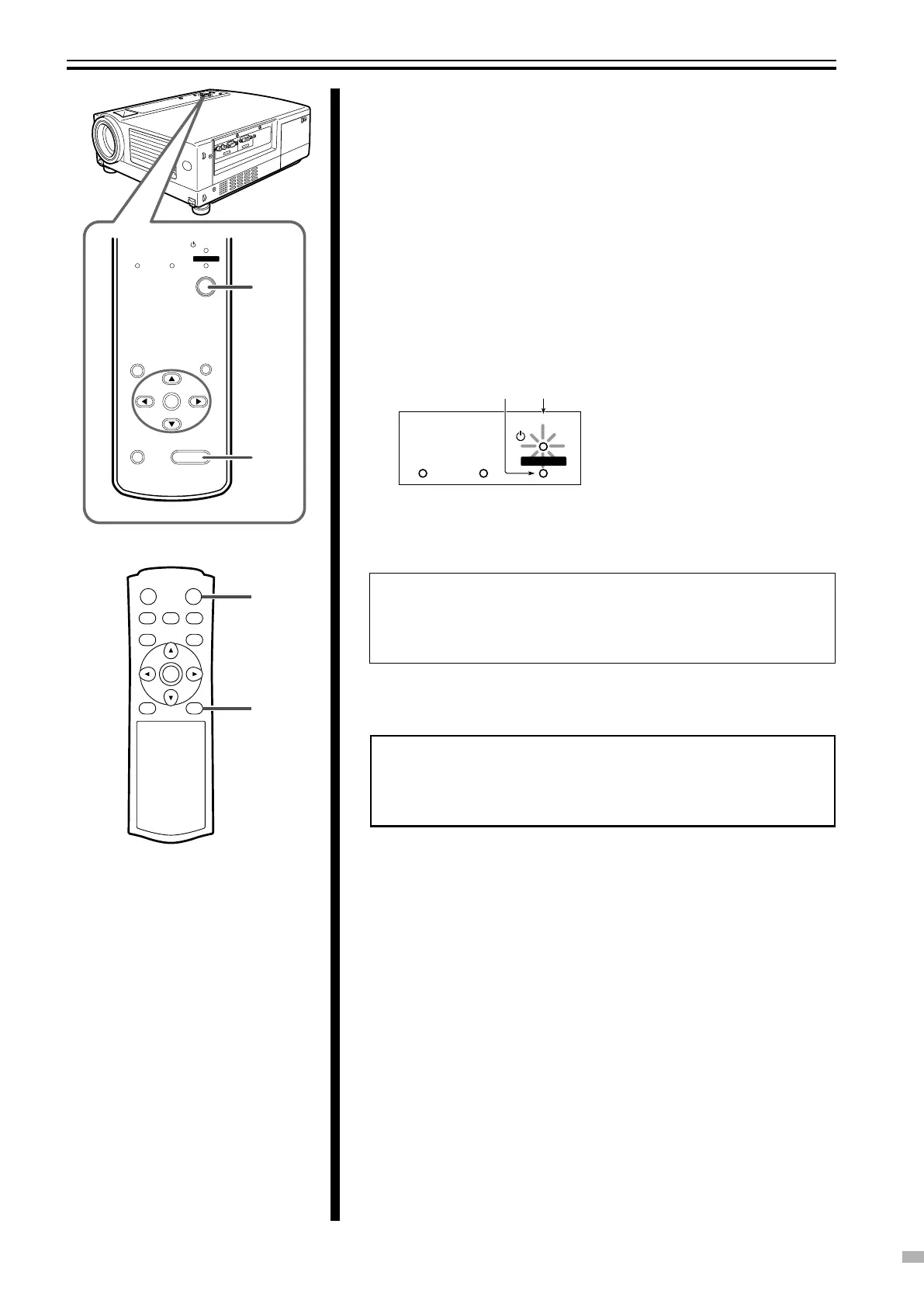
4 Hiding the image temporarily
Press [HIDE]
● The displayed image will disappear.
● Press [HIDE] again to restore the image.
5 Turning off the power
1
Press the [OPERATE] button on this unit (or the [OPERATE
OFF] button on the remote control unit) for 1 second or more
● The [OPERATE] indicator turns off, the [STAND BY] indicator starts
blinking and this unit switches to the cool down mode. The cool down
mode is to allow the temperature of the light source lamp to cool off.
(☞ Page 11)
Note
● The [OPERATE OFF] button will not work within approximately 1 minute
after the light source has been turned on. Start operation only after 1
minute’s time.
Note
● Do not pull out the plug when the [STAND BY] indicator is blinking.
This may shorten the lamp life and cause a malfunction.
2 Pull out the power plug from the power outlet
Indicators on this unit
Light off Blinking



 To Next Page