26
PRESET
MENU
EXIT
ENTER
HIDE
ON
ENTER
OFF
FOCUS
TEST
MENU EXIT
PRESET
HIDE
LIGHT
OPERATE
2, 5
2, 5
3, 4
3, 4
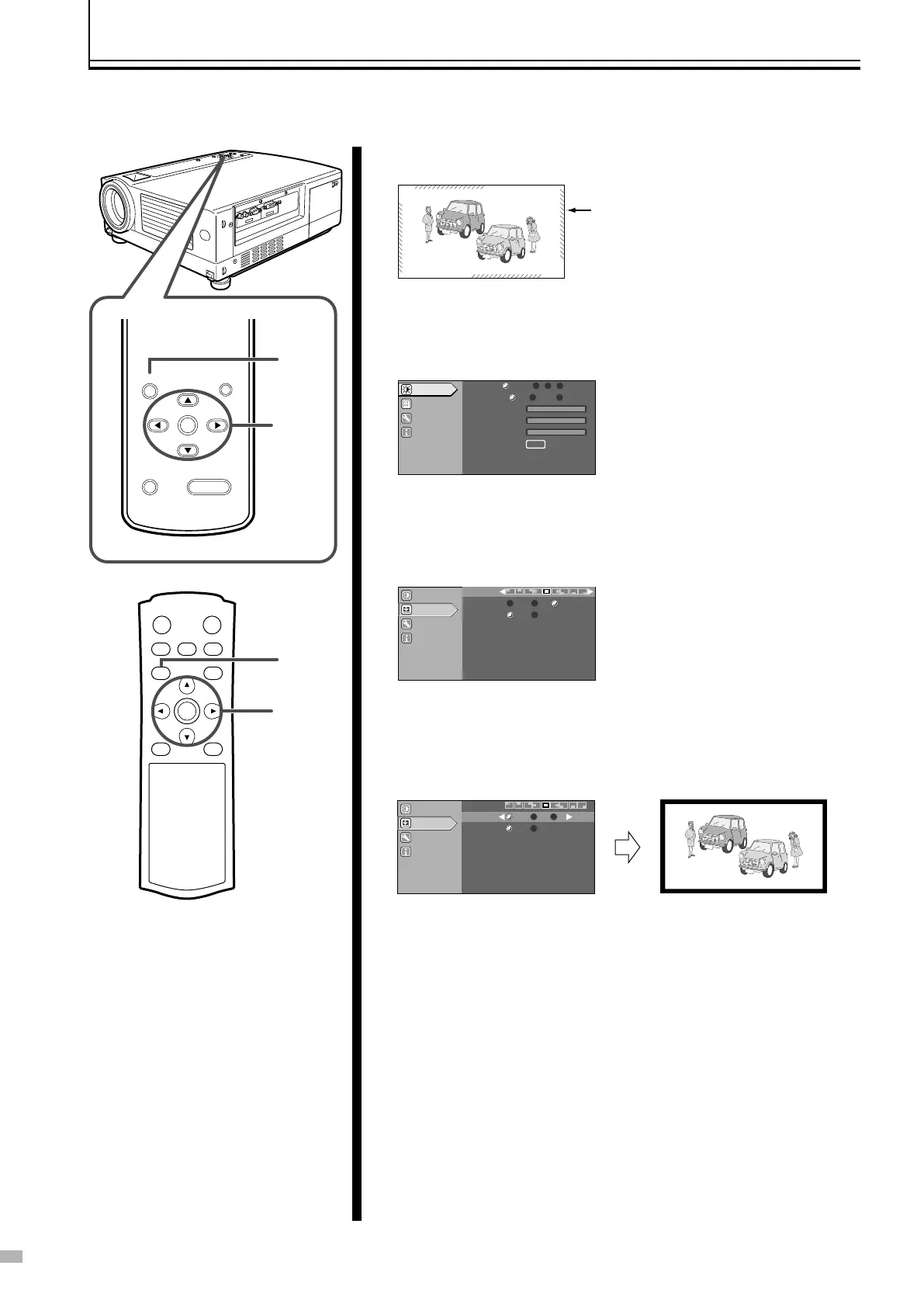
Screen Masking
Images for which quality at the outer area has deteriorated can be projected by masking (hiding) the outer area of the projected
image.
1 Project image onto the screen
2 Press the [MENU] button
● The main menu is displayed on the screen.
3 Press [5/∞] to select “Set up”, followed by pressing
[ENTER]
● The “Set up” menu appears on the right side of the screen.
4 Press [5/∞] to select “Mask”, followed by pressing
[2/3] to select the setting value
● Masks (hides) the outer area of the projected image.
5 Press the [MENU] button to end
● The menu will disappear from the screen.
E.g.: When “Mask” value is changed from “OFF” to “2.5%”
Image for which the outer area has
deteriorated
Image adjust
Set up
Options
Information
GREEN
BLUE
RED
Color temp
.
Test patter
n
USER2
USER1
D65
ENTER
Gamma
NORMAL
A CUST
OM
B
Image adjust
Options
Information
Mask
Off
5%2.5%
Source
50P
60P
Set up
Men
u Position
Image adjust
Options
Information
Source
50P
60P
Set up
Men
u P
osition
Mask
Off
5%
2.5%



 To Next Page