20
3
Basic Operation
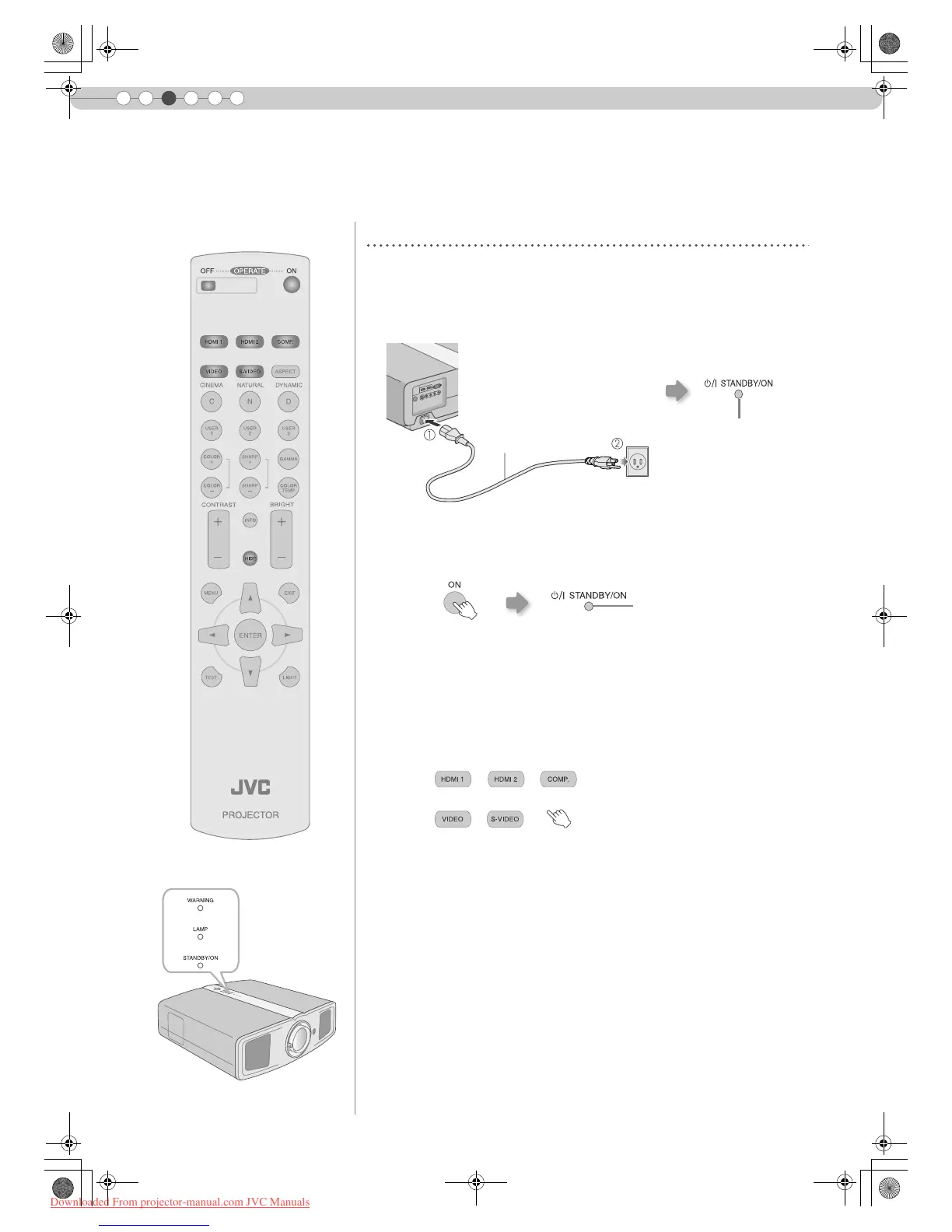
Projecting Image
Preparation
z Remove the lens cap.
A Insert the power plug to the power outlet
B Turn on the power
C Project the image
a Select input mode
b Play back the selected device
D Adjust the position of the projection screen
This section describes the basic operations to project input images on the screen.
z You can also press the [STANDBY/ON] button on the unit to turn on the
power. (pP11)
z You can also select the input mode by pressing the [INPUT] button on
the unit. (pP11)
z See AInstalling the Projector and ScreenB for procedures on adjusting the
position. (pP18)
Light on (Red)
Power Cord
(Supplied)
A Connect to this unit
B Connect to the power outlet
Light on (Green)
DLA-RS1_EN.book Page 20 Wednesday, January 24, 2007 9:23 AM
Downloaded From projector-manual.com JVC Manuals



 To Next Page