Filename [DR-MV1SE_05DVD Operation1.fm]
Masterpage:Left+
34 EN
Page 34 March 11, 2004 7:27 pm
OPERATIONS ON DVD DECK
Repeat Playback
You can repeat playback as you like according to the type of disc.
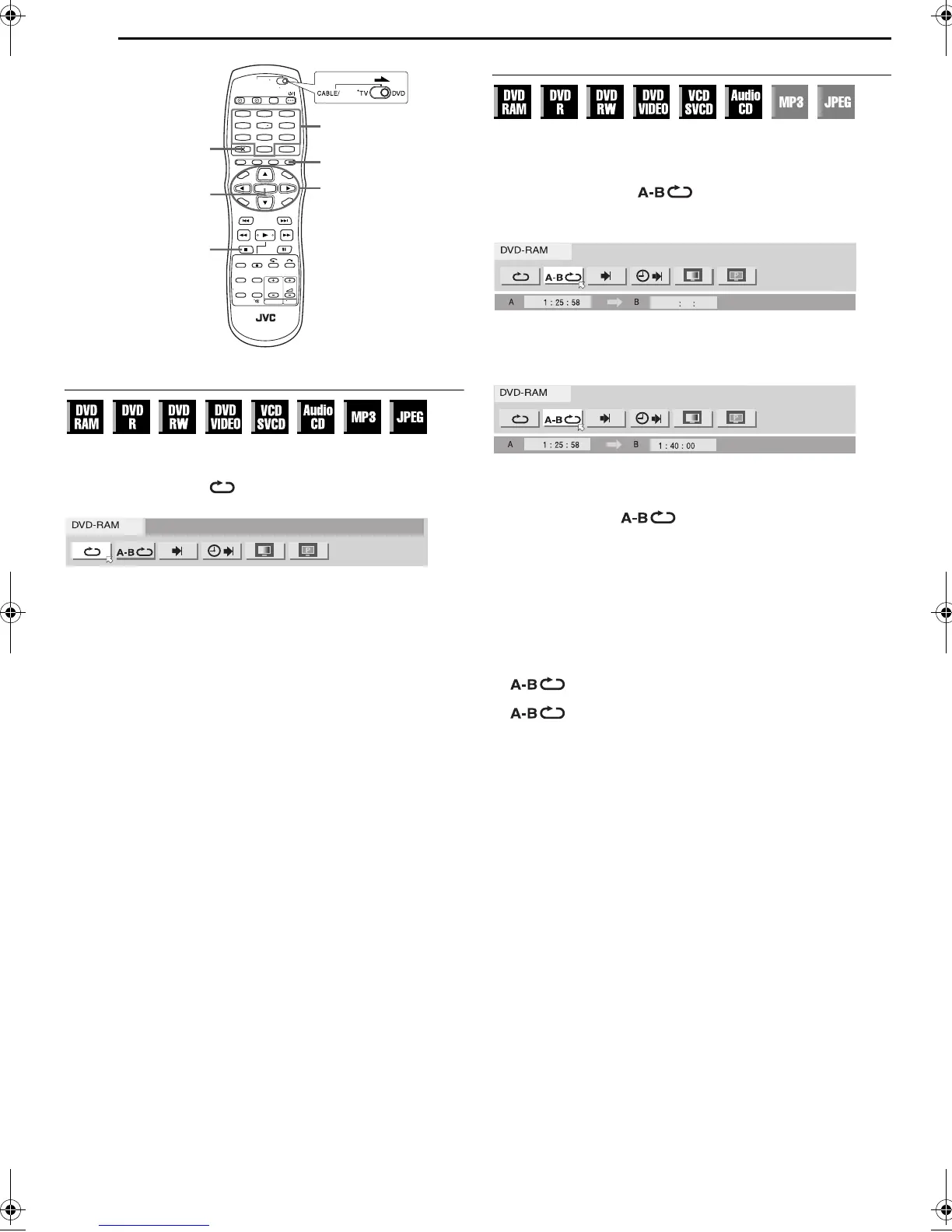
1 Press ON SCREEN twice to access the on-screen bar.
2 Press we to select “ ”, then press ENTER. The pop-up
window appears under the selected item.
3 Press rt repeatedly to select the desired Repeat mode, then
press ENTER.
DVD-RAM/RW/R
OFF: Repeat playback is not performed.
ALL REPEAT: The whole disc is played back repeatedly.
TITLE REPEAT: The current title is played back repeatedly.
DVD VIDEO
OFF: Repeat playback is not performed.
TITLE REPEAT: The current title is played back repeatedly.
CHAPTER REPEAT: The current chapter is played back repeatedly.
Audio CD/Video CD/SVCD/JPEG/MP3
OFF: Repeat playback is not performed.
ALL REPEAT: The whole disc is played back repeatedly.
TRACK REPEAT*: The current track is played back repeatedly.
* “TRACK REPEAT” cannot be selected for JPEG discs.
To clear the on-screen bar
Press ON SCREEN.
To cancel Repeat Playback
Repeat the above procedure from step 1, select “OFF” in step 3,
then press ENTER.
NOTES:
● Repeat Playback is not possible for a Video CD/SVCD with PBC
function.
● Repeat Playback may not work properly depending on the type of the
disc being used.
A-B Repeat Playback
You can repeat the desired part.
During playback
1 Press ON SCREEN twice to access the on-screen bar.
2 Press we to select “ ”.
3 Press ENTER at the beginning of the desired part you want to
repeat (point A). The elapsed playing time of the point A appears
4 Press ENTER at the end of the desired part you want to repeat
(point B). The elapsed playing time of the point B appears.
● The selected part of the disc (between point A and B) is played
repeatedly.
To clear the on-screen bar
Press ON SCREEN.
To cancel A-B Repeat Playback
Press we to select “ ”, then press ENTER.
NOTES:
● A-B Repeat Playback may not work properly depending on the type
of disc being used.
● The subtitles recorded around the A-B point may not appear.
● When the end of the item is reached before the end point is set, the
on-screen bar disappears from the TV screen. In such a case, repeat
the procedure from step 1.
● The point B must be set at least 3 seconds after the point A.
● When playing back a DVD, A-B Repeat Playback is possible only
within the same title.
● “ ” cannot be selected during Programme and Random
Playback.
● “ ” cannot be selected while stopped.
1
4
7
2
5
8
0
3
6
9
ON SCREEN
0 – 9
ENTER
rtw e
CLEAR (8)
CANCEL
SAT
DR-MV1SE_00.book Page 34 Thursday, March 11, 2004 7:28 PM


 To Next Page