EasyManua.ls Logo

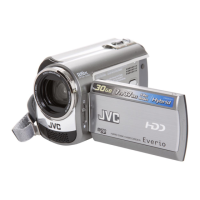
JVC GZ-MG575AA - User Manual

JVC GZ-MG575AA
74 pages
Print Icon
To Next Page IconTo Next Page
Loading...
ENGLISH
LYT1707-001A
EN
INSTRUCTIONS
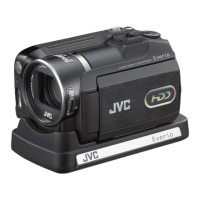
HARD DISK CAMCORDER
Dear Customer
Thank you for purchasing
this hard disk camera. Before
use, please read the safety
information and precautions
contained in pages 2 and 3 to
ensure safe use of this product.
GZ-MG575AA
GZ-MG575AA_EN.indb 1GZ-MG575AA_EN.indb 1 3/3/2007 8:40:16 AM3/3/2007 8:40:16 AM

Table of Contents

Questions and Answers

  • J
    James MyersAug 20, 2025
    What to do if JVC GZ-MG575AA Camcorder has no power?
    • D
      Daniel RichardsonAug 20, 2025
      If your JVC Camcorder isn't getting power, ensure the AC adapter is securely connected. Try detaching and re-attaching the battery pack firmly. If that doesn't work, replace the battery with a fully charged one.
  • S
    sromanAug 22, 2025
    Why does my JVC GZ-MG575AA Camcorder battery die so fast?
    • R
      Robert BrownAug 22, 2025
      If your JVC Camcorder's battery life is extremely short even after a full charge, make sure you're using the camera within appropriate operating temperatures. If the problem persists, the battery is likely worn out and needs replacement.
  • A
    Anita WilliamsonAug 25, 2025
    What to do if JVC GZ-MG575AA recording cannot be performed?
    • K
      Kaitlyn WashingtonAug 25, 2025
      If your JVC Camcorder isn't recording, it might be because the recording medium is full. Try deleting unnecessary files or replacing the SD card. Also, make sure you've selected the correct recording medium.
  • J
    John SimonAug 26, 2025
    What to do if JVC Camcorder has no display?
    • A
      andrewkimAug 26, 2025
      If your JVC Camcorder display isn't showing anything, remember that the camera turns off automatically after 5 minutes of inactivity to save power. If using a battery, switch the power/mode to OFF, then ON again. If using an AC adapter, try zooming or another operation. Also, adjust the brightness of the LCD monitor.
  • C
    charlesirwinAug 28, 2025
    What to do if JVC Camcorder files cannot be deleted?
    • D
      dthomasAug 28, 2025
      If you can't delete files from your JVC Camcorder, remove any protection from the files before attempting to delete them.
  • A
    Albert RuizAug 29, 2025
    What to do if JVC Camcorder SD card cannot be removed?
    • M
      Maria DavisAug 30, 2025
      If the SD card is stuck in your JVC Camcorder, try pushing it in a few more times to release it.
  • D
    danieljacksonAug 31, 2025
    Why JVC Camcorder was turned off accidentally?
    • B
      Brittney Hill DDSSep 1, 2025
      If your JVC Camcorder turned off unexpectedly, it might be due to vibration or excessive sound triggering the drop detection function. Move to a more stable environment. Reset the power switch to OFF and then ON. To disable this feature, set [DROP DETECTION] to [OFF].
  • D
    Dana ThomasSep 2, 2025
    Why is JVC GZ-MG575AA access/charge lamp not lighting?
    • P
      pgeorgeSep 3, 2025
      If the access/charge lamp on your JVC Camcorder doesn't light during charging, it could be due to extreme temperatures. Charge the battery in a place where the temperature is between 10°C and 35°C. Also, the lamp won't light if the battery is already fully charged, so check the remaining battery power.
  • W
    wwardSep 4, 2025
    Why do images on JVC GZ-MG575AA Camcorder LCD monitor appear dark or whitish?
    • J
      Jason PenningtonSep 4, 2025
      If images on your JVC Camcorder's LCD monitor appear dark or whitish, try adjusting the brightness and angle of the LCD monitor. If the problem persists, the LED light may be nearing the end of its service life.
  • R
    ryan94Sep 6, 2025
    What to do if JVC GZ-MG575AA Camcorder playback cannot be performed?
    • S
      santosgarySep 6, 2025
      If your JVC Camcorder isn't playing back footage, ensure that you've selected the correct recording medium. If you're trying to watch images on a TV, make sure the TV's input mode or channel is set correctly for video playback.

JVC GZ-MG575AA Specifications

General IconGeneral
BrandJVC
ModelGZ-MG575AA
CategoryCamcorder
LanguageEnglish

Related product manuals