EasyManua.ls Logo

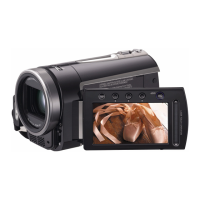
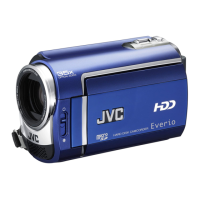
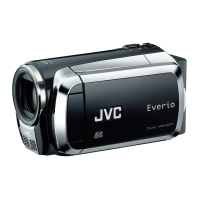
JVC GZ-MG730 - User Manual

JVC GZ-MG730
44 pages
Print Icon
To Next Page IconTo Next Page
Loading...
ENGLISH
EN
HARD DISK CAMCORDER
Dear Customer
Thank you for purchasing this hard
disk camera. Before use, please read
the safety information and precautions
contained in pages 4 and 5 to ensure
safe use of this product.
LYT1862-001B
INSTRUCTIONS
GZ-MG730
GZ-MG530
E/EK
E
GZ-MG530&730EK(1B)_EN.indb 1 5/2�/200� 3:59:05 PM

Other manuals for JVC GZ-MG730

Questions and Answers

  • G
    George MendozaSep 23, 2025
    Why can't I set white balance on my JVC GZ-MG730 Camcorder?
    • L
      Lisa YoungSep 23, 2025
      If you can't activate the white balance setting on your JVC Camcorder, ensure that you haven't selected the sepia (SEPIA) or monotone (MONOTONE) mode before setting the white balance.
  • R
    Robert PittmanAug 25, 2025
    Why can't I play videos on my JVC Camcorder?
    • K
      Kevin TownsendAug 25, 2025
      If you can't play back videos on your JVC Camcorder, ensure that the correct recording medium is selected. If you're trying to watch images on a TV, make sure the TV's input mode or channel is set correctly for video playback.
  • J
    Joseph AcevedoAug 25, 2025
    How to fix JVC GZ-MG730 Camcorder when no power is supplied?
    • W
      Whitney CampbellAug 26, 2025
      If your JVC Camcorder isn't getting power, ensure the AC adapter is securely connected. If that doesn't work, try detaching and reattaching the battery pack firmly. As a last resort, replace the battery with a fully charged one.
  • V
    Vicki KennedyAug 27, 2025
    Why JVC GZ-MG730 Camcorder power/charge lamp does not light during charging?
    • R
      Ronald MorrisAug 27, 2025
      If the power/charge lamp on your JVC Camcorder doesn't light during charging, it may be due to extremely high or low temperatures. Charging is recommended in temperatures between 10°C and 35°C. Also, check if the battery is already fully charged.
  • C
    Carrie HodgeAug 27, 2025
    Why won't my JVC GZ-MG730 power on, or why is the battery life so short?
    • A
      Alexander McguireAug 27, 2025
      If your JVC Camcorder isn't turning on or the battery life is very short after a full charge, ensure you're using the camera within appropriate operating temperatures. It's also possible the battery is worn out and needs replacement.
  • E
    Erin SilvaSep 14, 2025
    Why is the battery reading on my JVC Camcorder inaccurate?
    • L
      Lauren BeckerSep 14, 2025
      If the displayed battery power on your JVC Camcorder doesn't match the actual operating time, fully charge the battery and then let it run down completely. If the problem continues, the battery may be worn out and need replacing.
  • E
    Eric RamirezSep 12, 2025
    What to do if my JVC GZ-MG730 Camcorder is not recording?
    • Q
      qmarshallSep 12, 2025
      If your JVC Camcorder isn't recording, it might be due to a full recording medium. Try deleting unnecessary files or replacing the microSD card. Also, ensure that you have selected the correct recording medium.
  • H
    howardwillisSep 13, 2025
    Why are the images on my JVC GZ-MG730 LCD dark or whitish?
    • T
      Theodore PruittSep 13, 2025
      If images on your JVC Camcorder's LCD monitor appear dark or whitish, try adjusting the brightness and angle of the LCD monitor. If the flash is old, consider consulting a JVC dealer.
  • J
    Jason WilsonSep 5, 2025
    Why is JVC GZ-MG730 data processing so slow?
    • A
      Ariana OnealSep 5, 2025
      If your JVC Camcorder's data processing is slow after powering on or changing modes, it could be due to a large number of still images (approximately 1,000 or more) stored on the recording medium. Try copying the stored files to other devices and then deleting them from the recording medium.
  • A
    Angela KingSep 2, 2025
    How to fix JVC GZ-MG730 Camcorder focus that is not adjusted automatically?
    • M
      Matthew BakerSep 2, 2025
      If the focus on your JVC Camcorder isn't adjusting automatically, first, ensure that the [FOCUS] setting is set to [AUTO]. If the problem continues, clean the lens and check the focus again.

JVC GZ-MG730 Specifications

General IconGeneral
Recording MediumHDD
Storage Capacity30 GB
Video FormatMPEG-2
LCD Screen Size2.7 inches
Image stabilizerOptical
SensorCCD
Image Resolution640 x 480
Camcorder typeHard disk drive camcorder
Optical Sensor Size1/6 inch

Related product manuals