Masterpage:Right-NoTitle0
EN
37
Filename [DVS3U_1a-EN.fm]
Page 37 January 14, 2002 10:52 am
Basic Recording
(DV deck)
A
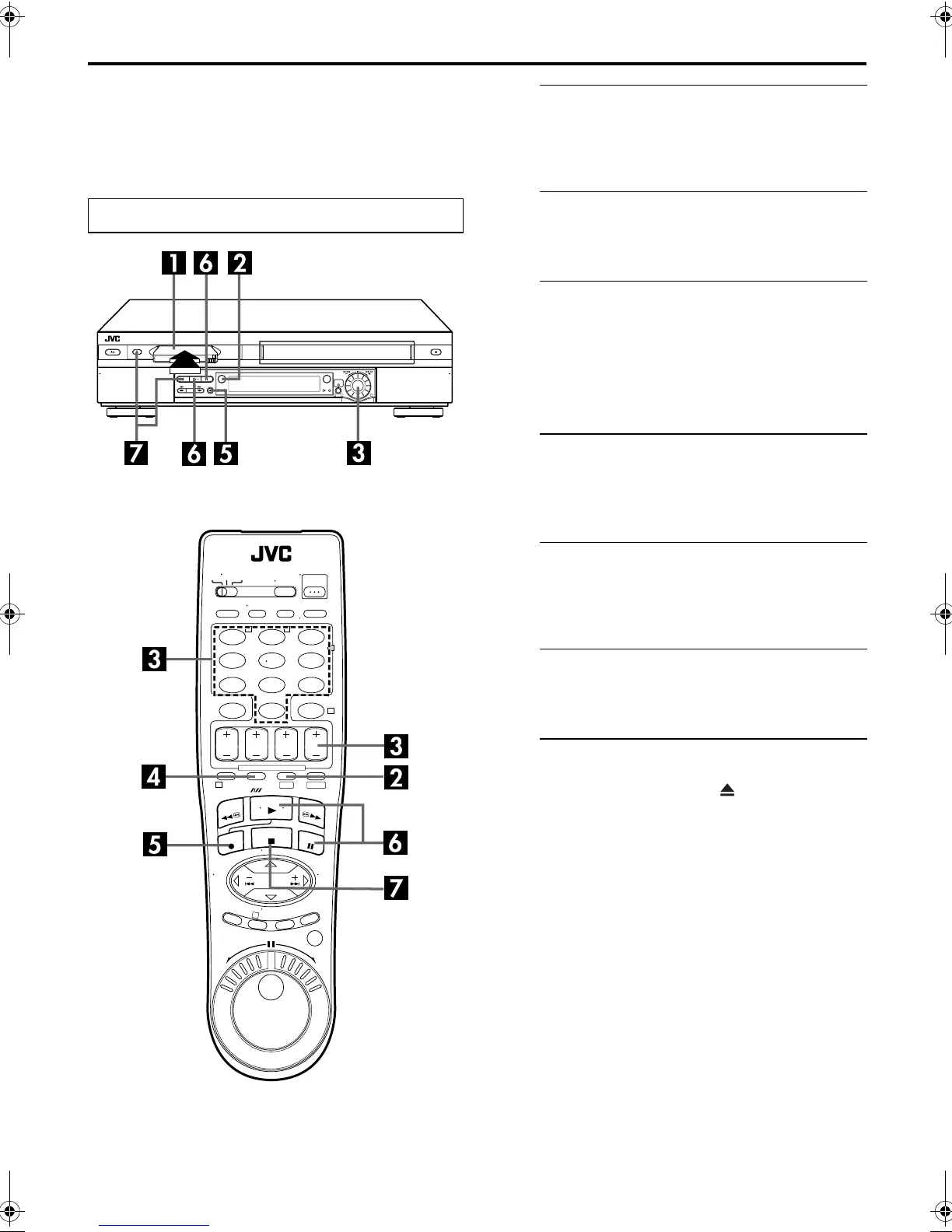
Load a cassette.
Insert a Mini DV cassette with the erase protection switch
set to “REC”.
● The VCR’s power comes on automatically.
B
Select the DV deck.
Press
DV
.
● The DV button lights on the VCR.
C
Choose a program.
On the Remote
Press
CH +/–
or the
number keys
.
On the VCR
Push the
ADVANCED JOG
dial and turn it to the left or
right to select the channel you wish to record.
D
Set the tape speed.
Press
SP/LP
(
p
). Check the SP/LP indicator on the
VCR’s front display panel to confirm the selected tape
speed.
E
Start recording.
Press and hold
REC
(
7
) and press
PLAY
(
4
) on the
Remote, or press
REC
(
7
) on the VCR.
● The DV recording indicator lights on the VCR.
F
Pause/Resume recording.
Press
PAUSE
(
9
). Press
PLAY
(
4
) to resume recording.
● You can select channel during the Record Pause mode.
G
Stop recording.
Press
STOP
(
8
). Then press
EJECT
( ) to remove the
cassette.
● The DV recording indicator turns off.
NOTES:
● It is not possible to record a TV program on both the VHS deck
and the DV deck simultaneously. In addition, it is not possible
to record simultaneously from the same external input.
● When you record a tape on the DV deck with the recording
speed set to “LP”, it is recommended to play back the tape on
this DV deck. Digital video recorder from other manufacturers
may not be able to play back the tape properly.
Turn on the TV and select the AV mode.
123
456
7
89
0
2
4
1
3
T W
DV S-VHS
1
32
DVS3U_1a-EN.fm Page 37 Monday, January 14, 2002 10:52 AM



 To Next Page