Filename [DVS3U_3-EN.fm]
Masterpage:Left
64
EN
Page 64 January 10, 2002 10:43 am
EDITING (cont.)
Random Assemble
Editing
64-program Editing Memory
(8 programs x 8 scenes)
By using the Random Assemble Editing function, you can select
up to 8 scenes from a previously recorded Mini DV cassette and
automatically dub them onto a VHS (or S-VHS) cassette.
Random Assemble Editing is possible only when dubbing from
the DV deck to the VHS deck.
A
Load cassettes.
For the VHS deck
Insert a VHS (or S-VHS) cassette with the record safety
tab intact, or cover the hole using adhesive tape.
For the DV deck
Insert a Mini DV cassette with the erase protection switch
set to “SAVE”.
B
Select the DV deck.
Press
DV
.
C
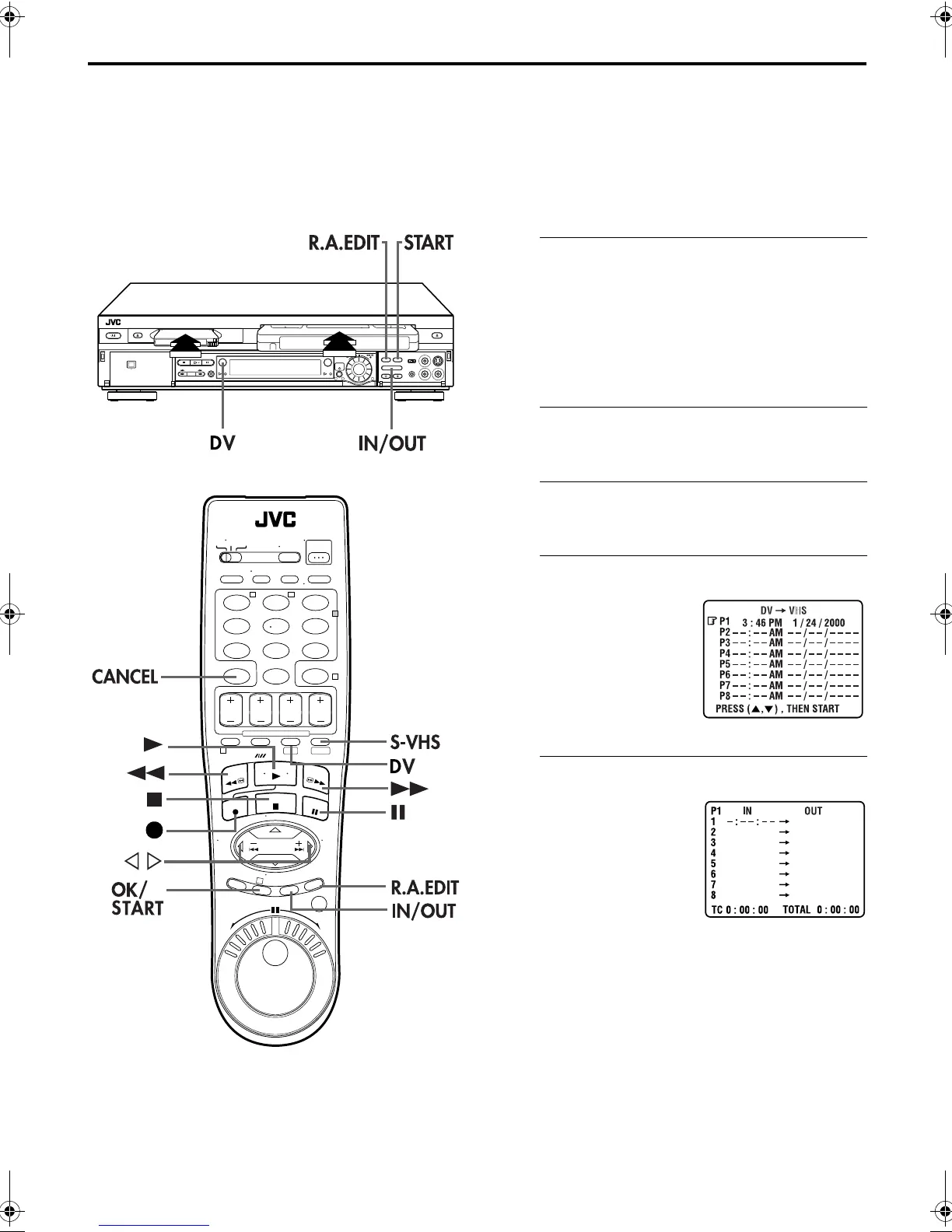
Access the R.A.Edit screen.
Press
R.A.EDIT
. The R.A.Edit screen appears.
D
Select the program.
E
Locate the start point.
123
456
7
89
0
2
4
1
3
T W
DV S-VHS
1
32
Press
rt
to move the arrow
to select one program you
want to edit, then press
OK
or
e
.
● To remove a program from the
R.A.EDIT screen, select the
program number, then press
CANCEL
for more than 2
seconds.
Press
PLAY
(
4
) to start
playback. Find the edit-in
point on the source tape from
where you want the edited
scene to begin by pressing
PAUSE
(
9
), then press
IN/
OUT
.
● The edit-in point is registered
in memory and appears on the
screen.
DVS3U_1-EN.book Page 64 Thursday, January 10, 2002 10:51 AM



 To Next Page