25
ENGLISH
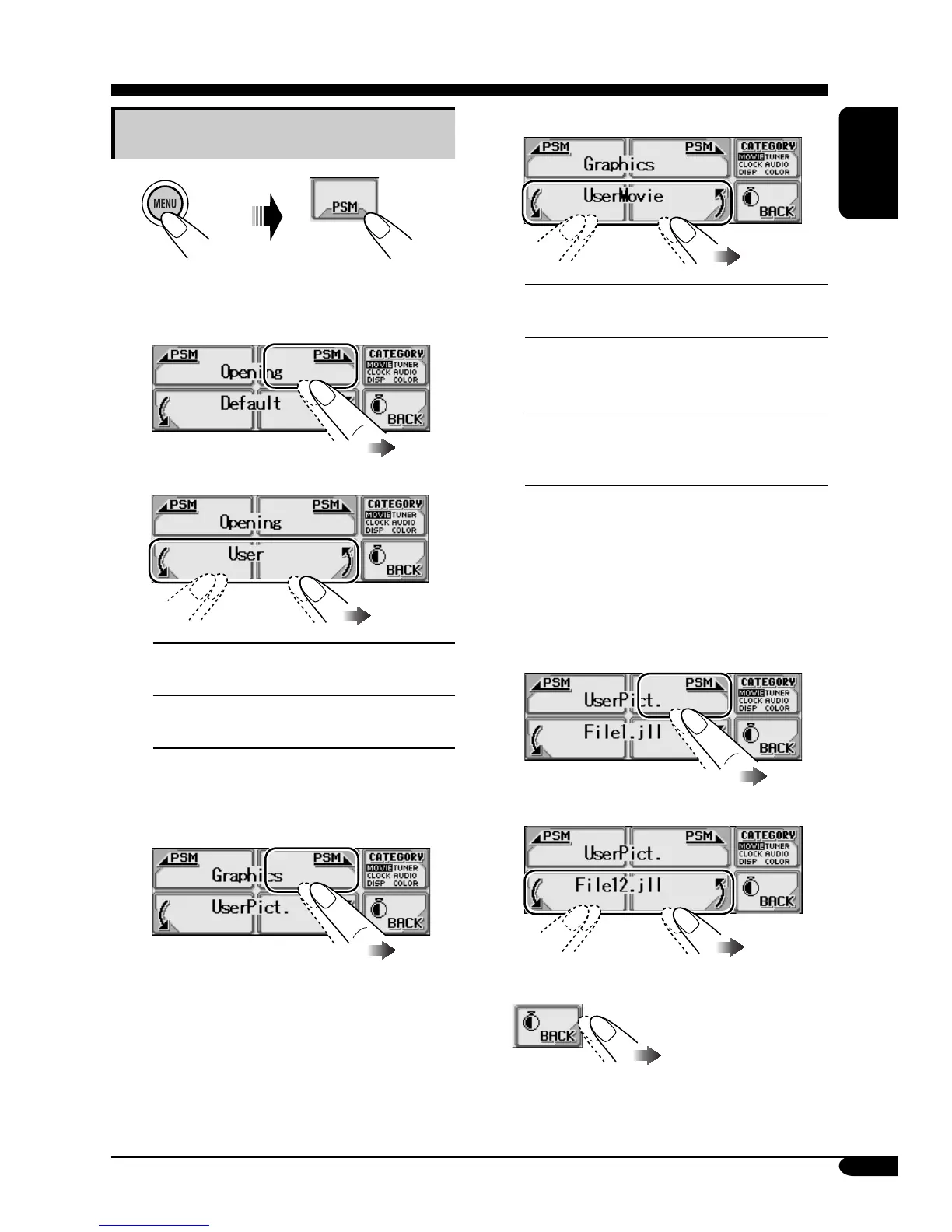
2 Select a setting you want.
UserMovie: Your edited animation
stored in “MOVIE” is activated.
UserSlide: Your edited still images
stored in “PICTURE” are activated
and shown in sequence.
UserPict.: One of your edited still
images stored in “PICTURE” is
activated.
• To select a still image for
“UserPict.”
If “UserPict.” is not selected for
“Graphics,” you cannot select “UserPict.”
(see page 26).
1 Select “UserPict.”
2 Select a file you want.
3 Exit from the setting.
Activating the downloaded files
1
2
• To activate the animations stored
for opening and ending screens
1 Select “Opening” or “Ending.”
2 Select a setting you want.
Default:
Factory-preset animation is
used.
User:
Your own edited animation is
used.
• To activate the graphic screen
using either picture or movie
1 Select “Graphics.”



 To Next Page