EasyManua.ls Logo

JVC KD-HDW10 - Selecting the playback modes

JVC KD-HDW10
45 pages
Print Icon
To Next Page IconTo Next Page
To Previous Page IconTo Previous Page
Loading...
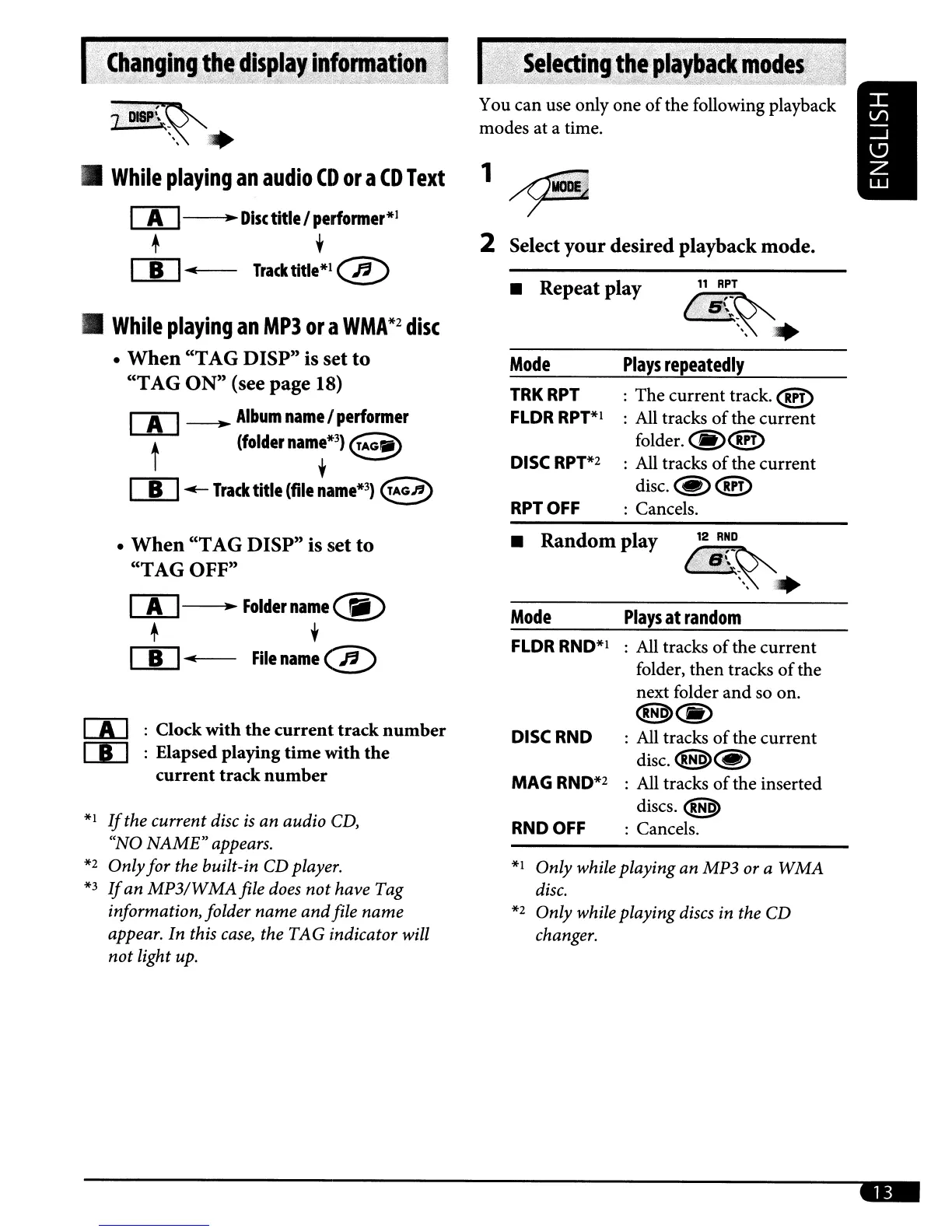
You can use only
one
of
the following playback
modes
at
a time.
1~
2 Select
your
desired playback mode.
11
RPT
~~~
.
Plays
repeatedly
:
The
current
track.
@!)
: All tracks
of
the
current
folder.
(§)@!)
DISC
RPT*2
: All tracks
of
the
current
disc.~@D
RPT
OFF
: Cancels.
Mode
TRKRPT
FLDR
RPT*l
Repeat play
j_£:~
.
:~
'.
While
playing
an
audio
CD
or
a
CD
Text
00---..
Disc
title I
perfonner*1
+ ,
rn....
Tracktitle*l@
While
playing
an
MP3
ora
WMA*2
disc
When
"TAG DISP" is set
to
"TAG
ON"
(see page 18)
rn
~
Album
name
I
performer
t
(folder
namr3)
E~
rn
.-
Track
title
(file
name*3)
e
When
"TAG DISP" is set
to
"TAG OFF"
rn
~
FOldername~)
+ ,
rn
...
File
name
@
[A]
: Clock with
the
current
track
number
[I]
: Elapsed playing
time
with
the
current
track
number
*1
If
the current disc
is
an audio
CD,
"NO
NAME"
appears.
*2
Onlyfor the built-in CD player.
*3
If
an
MP3/WMAfile
does
not
have Tag
information, folder name
and
file name
appear. In this
case,
the TAG indicator will
not
light up.
Random play
12
RND
6.B~~.
Mode
Plays
at
random
FLDR
RND*I
: All tracks
of
the
current
folder,
then
tracks
of
the
next folder
and
so on.
@>@)
DISC
RND
: All tracks
of
the
current
disc.
<!H9>@)
MAG
RND*2
: All tracks
of
the inserted
discs.
@>
RND
OFF
: Cancels.
*1
Only while playing an MP3
or
a
WMA
disc.
*2
Only while playing discs in the CD
changer.
-

Related product manuals