43
ENGLISH
STOP
PLAY
4
Adjust the volume.
To drop the volume in a moment
Press ATT (STR) while listening to any source. “ATT” starts flashing on the display, and the
volume level will drop in a moment.
To resume the previous volume level, press the button again.
To check the registered voice and stored operations
Follow the procedure below.
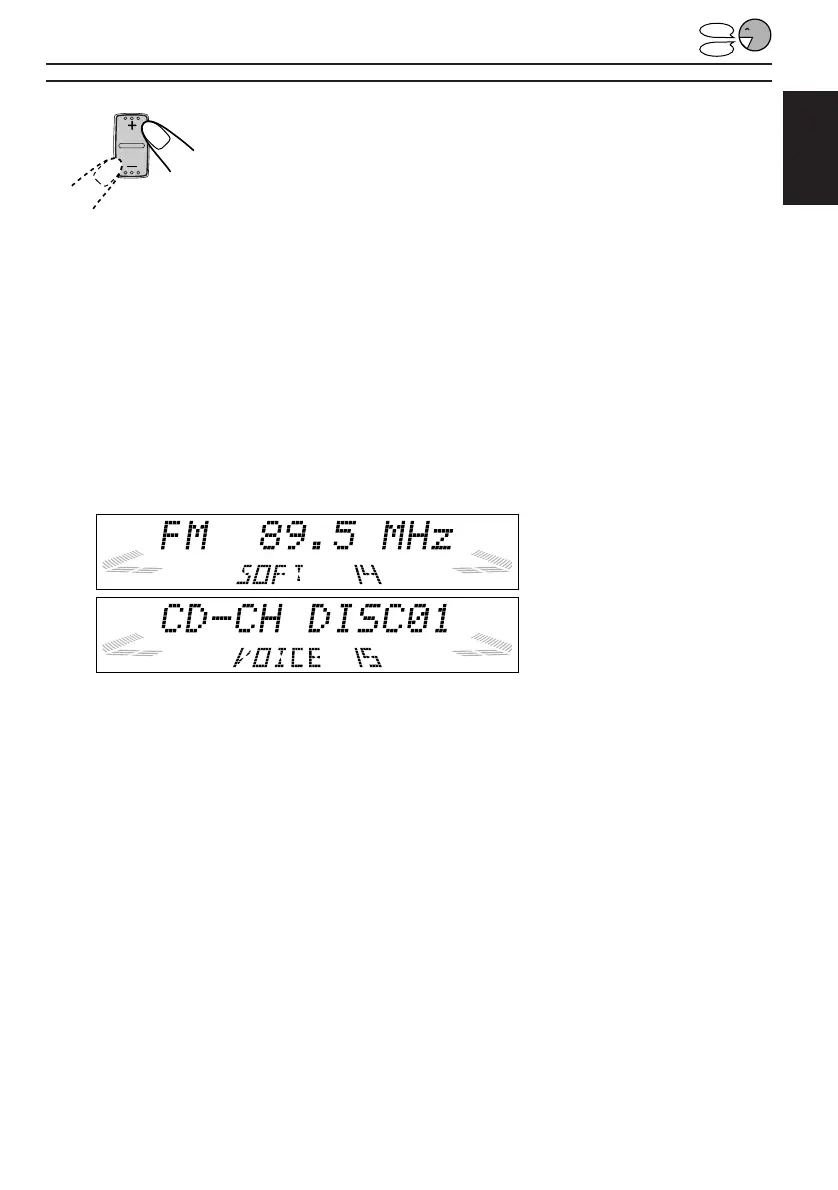
1 Press and hold VOICE until one of the Access Commands appears on the display.
2 Press + or – to confirm the command contents.
• Each time you press + or –, the commands appear on the display in sequence.
You can check the command contents on the display.
The recorded voice is also reproduced.
If you want to check the recorded voice again
Press VOICE while the voice command number you want to confirm is selected.
3 Press and hold VOICE again to finish the checking.
EXAMPLE: A station of 89.5 MHz
is stored in the Access Command
14 (with sound mode — “SOFT”)
EXAMPLE: Disc no. 01 of the CD
changer is stored in the Access
Command 15 (without any sound
mode)
EN30-47.KD-LX50R[E]/f 00.3.22, 10:36 AM43



 To Next Page
 Loading...