56
ENGLISH
Assigning names to the sources
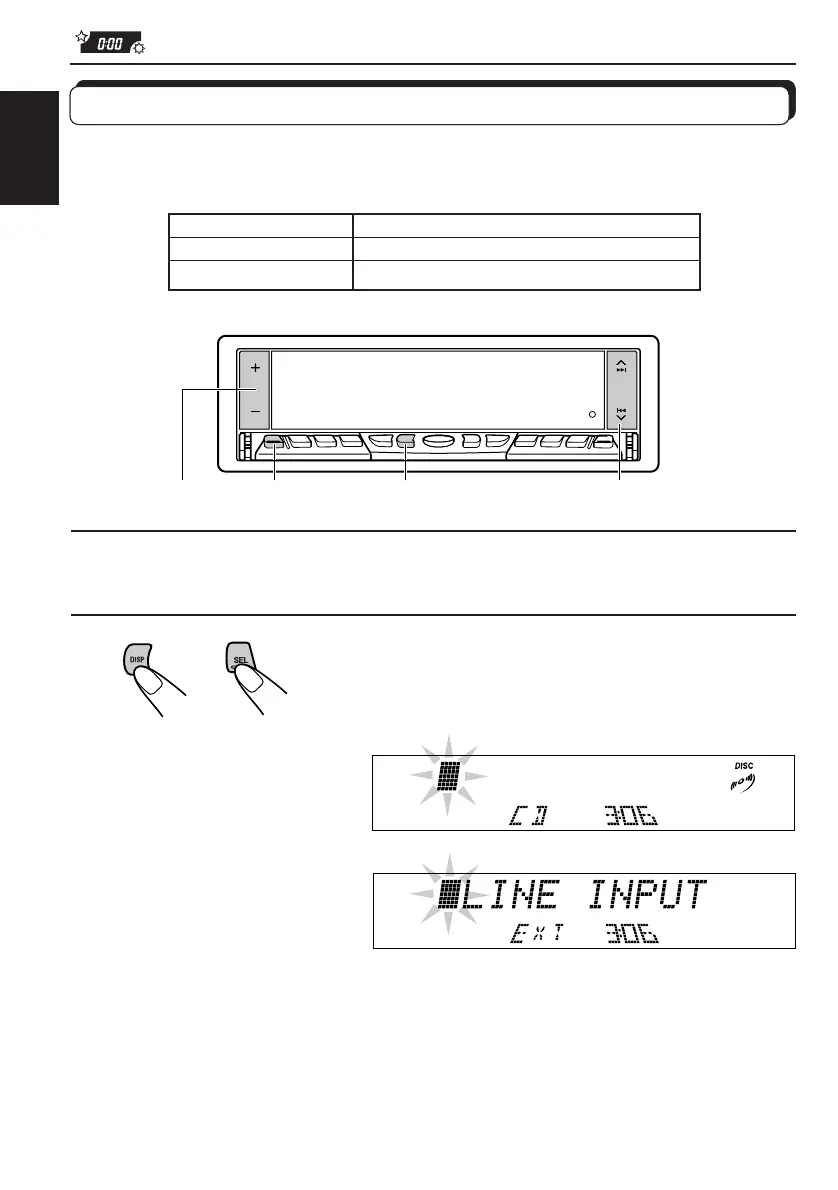
You can assign names to CDs and the external component connected to the LINE IN plugs.
After assigning a name, it will appear on the display when you select the source.
Sources Maximum number of the characters
CD* and CD changer*
up to 32 characters (up to 40 discs)
External component up to 12 characters
* You cannot assign a name to a CD Text.
4 2,7
2,3
5
1
Select a source you want to assign a name to.
2
Press and hold SEL (Select) for more than 2
seconds while pressing DISP.
When you select the CD
as the source:
When you select the
external component
connected to LINE IN as the
source:
EN48-58.KD-LX50R[E]/f 00.3.22, 10:37 AM56


 To Next Page
 Loading...