57
ENGLISH
3
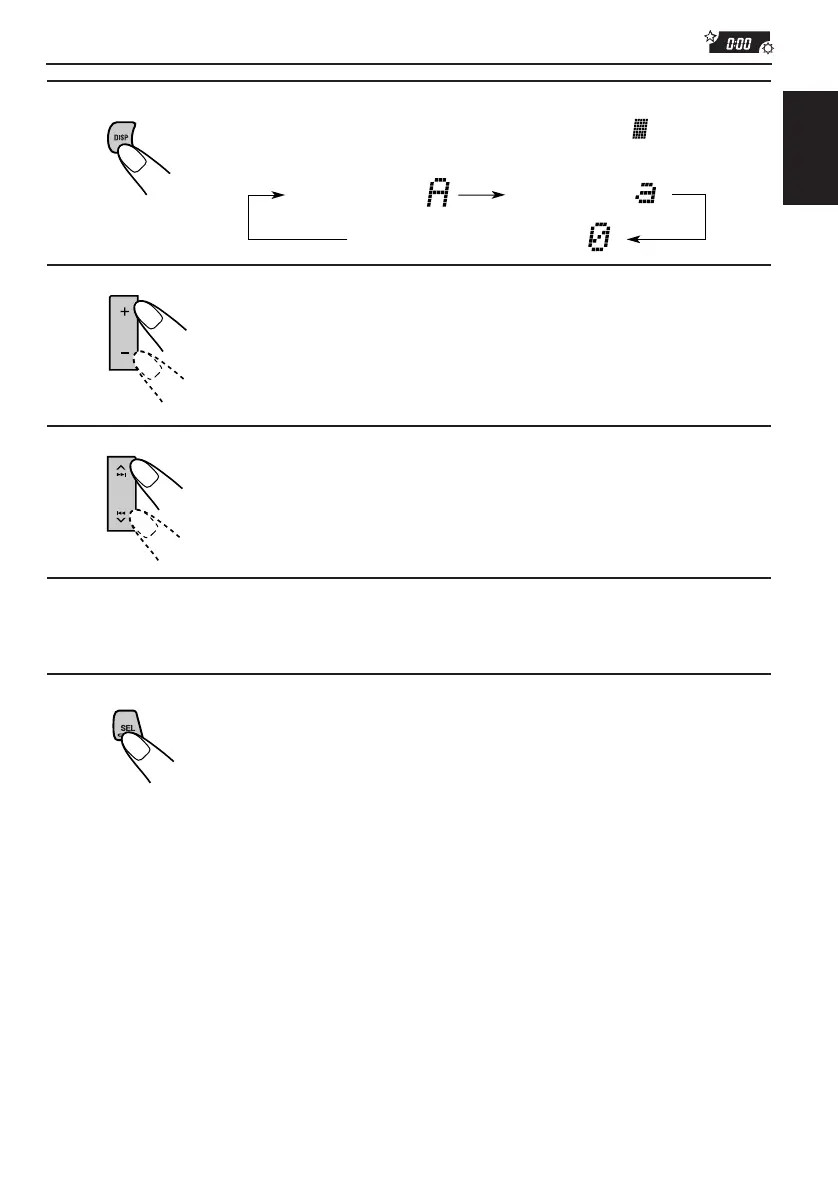
Select the character set you want while “ ” is flashing.
Each time you press the button, the character set changes as follows:
4
Select a character.
About the available characters, see page 58.
5
Move the cursor to the next (or previous) character
position.
6
Repeat steps 3 to 5 until you finish inputting the name.
7
Press the button while the last selected character is
flashing.
The input name is stored in memory.
To erase the input characters
Insert spaces using the same procedure described above.
Small letter ( )
Capital letter ( )
Numbers and symbols ( )
EN48-58.KD-LX50R[E]/f 00.3.22, 10:37 AM57



 To Next Page
 Loading...