To
copy
the
current
track
1
2 AV
Menu
~Copy
~Current
Track
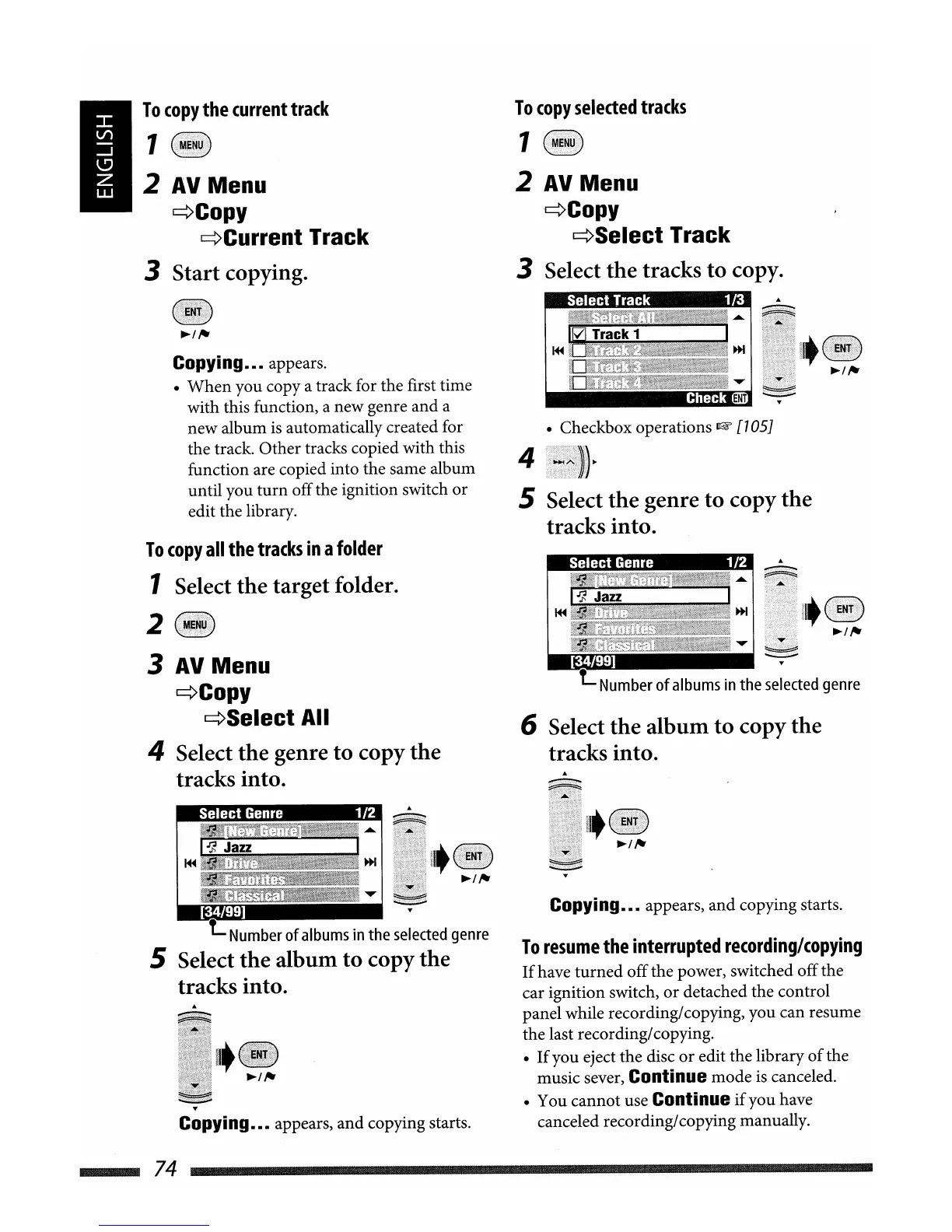
3 Start copying.
To
copy
selected
tracks
1
2 AV
Menu
'~Copy
~Select
Track
3 Select the tracks
to
copy.
I
~
IJ)
Jazz
~
. .
....
Iv'"
'raCl
I
~
~
.......
ENT]
• Checkbox operations
~
[105J
t=
Number
of
albums
in
the
selected
genre
Copying••• appears,
and
copying starts.
To
resume
the
interrupted
recording/copying
If
have
turned
offthe power, switched offthe
car ignition switch,
or
detached the control
panel while recording/copying, you can resume
the last recording/copying.
•
If
you eject the disc
or
edit the library
of
the
music sever,
Continue mode
is
canceled.
• You cannot use
Continue
if
you have
canceled recording/copying manually.
6 Select the album to copy the
tracks into.
4
5 Select the genre
to
copy the
tracks into.
I
~
1.Jl
lazz
~
t=
Number
of
albums
in
the
selected
genre
5 Select the album
to
copy the
tracks into.
T
Copying••• appears, and copying starts.
Copying••• appears.
•
When
you copy a track for the first time
with this function, a new genre and a
new album
is
automatically created for
the track. Other tracks copied with this
function are copied into the same album
until you
turn
offthe ignition switch
or
edit the library.
To
copy
all
the
tracks
in
a
folder
1 Select the target folder.
2
3 AV
Menu
~Copy
~Select
All
4 Select the genre to copy the
tracks into.
74


 To Next Page