12
Data Size: B6L (182 mm x 128 mm)
Book Size: B6L (182 mm x 128 mm)
MORE INFORMATION
About discs and audio files
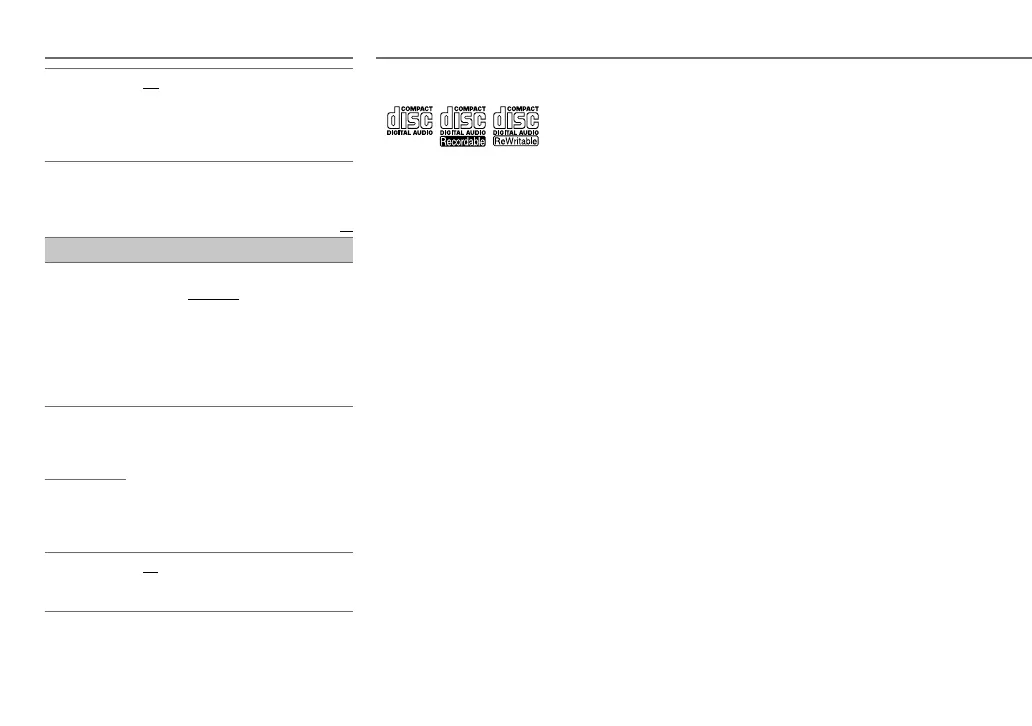
• This unit can only play the following CDs:
• This unit can play back multi-session discs; however,
unclosed sessions will be skipped during playback.
•
Unplayable discs:
- Discs that are not round.
- Discs with coloring on the recording surface or discs
that are dirty.
- Recordable/ReWritable discs that have not been
finalized.
- 8 cm CD. Attempting to insert using an adapter may
cause malfunction.
•
DualDisc playback:
The Non-DVD side of a “DualDisc”
does not comply with the “Compact Disc Digital Audio”
standard. Therefore, the use of Non-DVD side of a DualDisc
on this product cannot be recommended.
•
Playable files:
- File extensions: MP3(.mp3), WMA(.wma)
- Bit rate: MP3: 8kbps — 320kbps
WMA: 32kbps — 192kbps
- Sampling frequency:
MP3: 48kHz, 44.1kHz, 32kHz, 24kHz, 22.05kHz,
16kHz, 12kHz, 11.025kHz, 8kHz
WMA: 8kHz — 48kHz
- Variable bit rate (VBR) files.
•
Maximum number of characters for file/folder
name:
It depends on the disc format used (includes 4 extension
characters—<.mp3> or <.wma>).
- ISO 9660 Level 1 and 2: 32 characters
- Romeo: 32 characters
- Joliet: 32 characters
- Windows long file name: 32 characters
About USB devices
• This unit can play MP3/WMA/WAV files stored on a USB
mass storage class device.
• You cannot connect a USB device via a USB hub.
• Connecting a cable whose total length is longer than 5m
may result in abnormal playback.
• The maximum number of characters for:
- Folder names: 64 characters
- File names: 64 characters
- MP3 Tag: 64 characters
- WMA Tag: 64 characters
- WAV Tag: 64 characters
• This unit can recognize a total of 20 480 files, 999 folders
(999 files per folder including folder without unsupported
files), and of 8 hierarchies.
• This unit cannot recognize a USB device whose rating is
other than 5V and exceeds 1A.
About iPod/iPhone
• Made for
- iPod touch (1st, 2nd, 3rd, 4th, and 5th generation)
- iPod classic
- iPod nano (3rd, 4th, 5th, 6th and 7th generation)
- iPhone, iPhone 3G, 3GS, 4, 4S, 5
• It is not possible to browse video files on the “Videos”
menu in
[HEAD MODE]
.
• The song order displayed on the selection menu of this unit
may differ from that of the iPod/iPhone.
• If some operations are not performed correctly or as
intended, visit: <http://www.jvc.net/cs/car/>.
COLOR GUIDE ON
:Changes the button, display and USB
input terminal illumination when settings
are performed on menu and list search.
Display zone will automatically change
depending on volume level.;
OFF
:Cancels.
[NIGHT COLOR]
or
[DAY COLOR]
is changed by turning
on or off your car’s headlight.
Default:
XX
COLOR
(for
KD-R557
/
KD-R551
)
PRESET
Select a color for [
BUTTON ZONE
].
Default: [
COLOR 06
]
•
COLOR 01
to
COLOR 29
•
USER
: The color you have created for
[
DAY COLOR
] or [
NIGHT COLOR
] is
shown.
•
COLOR FLOW 01
to
COLOR FLOW 03
:
Color changes at different speeds.
DAY COLOR
Store your own day and night colors.
1
RED
/
GREEN
/
BLUE
:Select a primary
color.
2
00
to
31
:Select the level.
Repeat steps
1
and
2
for all the primary
colors.
• Your setting is stored to
[USER]
in
[COLOR]
.
NIGHT COLOR
MENU COLOR
ON
:Changes the button illumination to
white color when settings are performed
on menu and list search.;
OFF
:Cancels.
DISPLAY SETTINGS
EN_KD-R757_R751[EE_E]4.indd 12EN_KD-R757_R751[EE_E]4.indd 12 10/11/2013 11:28:21 AM10/11/2013 11:28:21 AM



 To Next Page
 Loading...