EasyManua.ls Logo

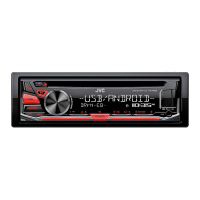
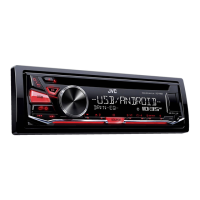
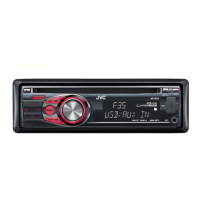
JVC KD-R481 - User Manual

JVC KD-R481
84 pages
Print Icon
To Next Page IconTo Next Page
Loading...
Data Size: B6L (182 mm x 128 mm)
Book Size: B6L (182 mm x 128 mm)
ENGLISH
ไทย
B5A-1350-00 [M]
KD-R681 / KD-R489 / KD-R486 / KD-R481
CD RECEIVER
INSTRUCTION MANUAL
เครื่องเลน CD

JS_JVC_KD_R681_M_C_00.indd 1JS_JVC_KD_R681_M_C_00.indd 1 6/20/2016 4:11:55 PM6/20/2016 4:11:55 PM

Questions and Answers

  • K
    Kimberly ChristensenSep 4, 2025
    What to do if iPod/iPhone doesn't work with JVC KD-R481 Car Receiver?
    • F
      Frances TerrySep 4, 2025
      If your iPod/iPhone does not turn on or work with the JVC Car Receiver: * Check the connection between the unit and your iPod/iPhone. * Detach and reset the iPod/iPhone using a hard reset.
  • A
    Amy CaseySep 4, 2025
    What does 'PLEASE EJECT' mean on my JVC Car Receiver?
    • N
      Nancy MoodySep 4, 2025
      If the message “PLEASE EJECT” appears on your JVC Car Receiver, press the eject button, then insert the disc correctly.
  • M
    Mary TurnerSep 5, 2025
    Why can't I playback in [AUTO MODE] on my JVC KD-R481?
    • R
      Rachel BrockSep 5, 2025
      If you cannot playback in [AUTO MODE] on your JVC Car Receiver: * Make sure the JVC MUSIC PLAY APP is installed on your Android device. * Reconnect the Android device and select the appropriate control mode. * If the problem persists, the connected Android device may not support [AUTO MODE].
  • S
    samanthaholtSep 6, 2025
    Why does 'READING' keep flashing on my JVC Car Receiver?
    • C
      Christopher StarkSep 6, 2025
      If “READING” keeps flashing on your JVC Car Receiver: * Do not use too many hierarchical levels and folders. * Reload the disc or reattach the USB device.
  • A
    Autumn HansenSep 6, 2025
    What does 'NOT SUPPORT' mean on my JVC Car Receiver?
    • L
      Linda LesterSep 6, 2025
      If “NOT SUPPORT” appears on your JVC Car Receiver and the track skips, check whether the track is in a playable format.
  • S
    suarezvictoriaSep 7, 2025
    Why are correct characters not displayed on JVC Car Receiver?
    • R
      Rodney GibsonSep 7, 2025
      If correct characters are not displayed on your JVC Car Receiver: * This unit can only display uppercase letters, numbers, and a limited number of symbols. * Depending on the display language you have selected, some characters may not be displayed correctly.

Summary

BASICS: Device Overview and Controls

Faceplate Description

Overview of the unit's physical controls, display, and ports.

Basic Operations

Procedures for detaching the unit, resetting, replacing battery, and basic controls.

GETTING STARTED: Initial Setup and Configuration

Set Clock and Date

Steps to configure the unit's time and date settings.

Set Basic System Settings

Configure system parameters like key beep, source selection, and display language.

RADIO: Tuning and Station Management

Search for a Station

How to find FM, AM, SW1, SW2 radio stations using manual or auto search.

MEDIA PLAYBACK: Sources and Control

Playback Control

Operations for navigating and controlling playback: FF/REW, track/file select, folder select, repeat, random.

IHEARTRADIO: Setup and Listening

Station Management

Finding, searching, creating, and managing iHeartRadio stations and favorites.

AUDIO SETTINGS: Sound Customization

Equalizer Settings

Configure PRESET EQ, EASY EQ, and PRO EQ modes for music genres.

Volume and Gain Settings

Adjust overall volume, source volume offsets, and amplifier gain (LOW/HIGH POWER).

TROUBLESHOOTING: Problem Solving Guide

General Troubleshooting

Common issues and solutions for audio, source selection, radio reception, and disc errors.

Media Playback Issues

Troubleshooting for discs, USB, iPod, iPhone, and Android devices during playback.

Pandora Error Codes

Specific error messages and their remedies for the Pandora application.

iHeartRadio Error Codes

Specific error messages and their remedies for the iHeartRadio application.

INSTALLATION AND WIRING

Installation Precautions

Safety warnings and cautions for installing the unit in a vehicle.

Installation Procedures

Step-by-step guide for mounting the unit in-dash and removing it.

WIRING DETAILS: Connection Guide

Installation Recommendations

Advice on using custom wiring harnesses and professional installation for safety.

Connection Guide

Detailed wiring diagram and color-coded connections for power, speakers, and antenna.

JVC KD-R481 Specifications

General IconGeneral
MP3 playbackYes
DVD Audio playbackNo
Playback disc formatsCD audio
Audio formats supportedFLAC, MP3, WAV, WMA
FM band range87.5 - 108 MHz
LW band range153 - 279 kHz
Supported radio bandsAM, FM, LW, MW
Preset stations quantity24
DIN size1 DIN
Product colorBlack
Disc types supportedCD-R, CD-ROM, CD-RW
Equalizer bands quantity13
Mobile operating systems supportedAndroid, iOS
Display typeLCD
Illumination colorWhite
Display number of lines2 lines
Bluetooth-
USB version2.0
USB port positionFront
Line outputs (RCA)1
File format systemFAT 12/16/32
Package weight1600 g
Storage temperature (T-T)-30 - 85 °C
Operating temperature (T-T)-10 - 60 °C
Weight and Dimensions IconWeight and Dimensions
Depth159 mm
Width182 mm
Height53 mm
Weight1500 g
Dimensions (WxDxH)182 x 53 x 159 mm

Related product manuals