To Next Page
J
Jeffrey GreenAug 28, 2025
What does “PROTECTING SEND SERVICE” mean on my JVC Car Receiver?
- CCharlotte MorrisAug 28, 2025
If your JVC Car Receiver displays “PROTECTING SEND SERVICE”, send the unit to the nearest service center.

What does “PROTECTING SEND SERVICE” mean on my JVC Car Receiver?
If your JVC Car Receiver displays “PROTECTING SEND SERVICE”, send the unit to the nearest service center.
What to do if “CHECK ANTENNA” appears on JVC KD-RD88BT?
If your JVC Car Receiver displays “CHECK ANTENNA”, verify that the antenna and its connection are in good condition.
Why does “NO SIGNAL” appear on my JVC KD-RD88BT Car Receiver?
If the message “NO SIGNAL” appears on your JVC Car Receiver, make sure the antenna is mounted outside the vehicle.
What to do if “UNSUPPORTED DEVICE” appears on my JVC KD-RD88BT Car Receiver?
If your JVC Car Receiver displays “UNSUPPORTED DEVICE”, verify that the connected device is compatible with the unit and ensure the file systems are in supported formats. You may also try reattaching the device.
Why is the phone sound quality poor on my JVC Car Receiver?
If the sound quality is poor on your JVC Car Receiver, try reducing the distance between the unit and the Bluetooth device. Alternatively, move the car to a location with better signal reception.
What to do if “CANNOT PLAY” appears when using Android device with JVC KD-RD88BT Car Receiver?
If your JVC Car Receiver displays “CANNOT PLAY”, make sure the Android device contains playable audio files. You may also try reconnecting or restarting the Android device.
What to do if “UNRESPONSIVE DEVICE” appears on JVC KD-RD88BT Car Receiver?
If your JVC Car Receiver displays “UNRESPONSIVE DEVICE”, make sure the device is not malfunctioning and reattach it.
Why does my JVC KD-RD88BT Car Receiver say “USB HUB IS NOT SUPPORTED”?
If your JVC Car Receiver displays “USB HUB IS NOT SUPPORTED”, know that the unit cannot support a USB device connected via a USB hub.
What to do if iPod/iPhone does not turn on or does not work with JVC KD-RD88BT Car Receiver?
If the iPod or iPhone does not turn on or work with your JVC Car Receiver, check the connection between the unit and the iPod/iPhone. You can also detach and reset the iPod/iPhone using a hard reset.
Why are correct characters not displayed on my JVC KD-RD88BT?
If correct characters are not displayed on your JVC Car Receiver, note that the unit can only display uppercase letters, numbers, and a limited number of symbols. Also, depending on the display language you have selected, some characters may not be displayed correctly.
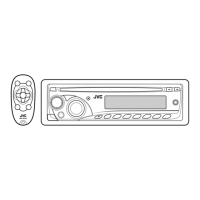
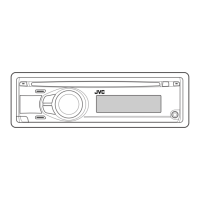
Describes the front panel layout and controls of the JVC receiver.
Details the functions and operation of the included remote control.
Configuration options for system, sources, and firmware updates.
How to find FM/AM radio stations using automatic or manual tuning.
How to begin listening to Pandora via USB or Bluetooth.
How to begin listening to iHeartRadio via USB or Bluetooth.
Connect the SiriusXM Vehicle Tuner and check Radio ID for activation.
How to select SIRIUS XM and search for channels.
How to pause, rewind, and replay SiriusXM broadcasts.
Step-by-step guide to pairing a new Bluetooth device with the unit.
Guide to setting speaker distances and gains for Time Alignment.
Setting speaker delay times for optimal sound staging.
Troubleshooting for sound, connection, reception, and disc errors.
Troubleshooting playback for CD, USB, iPod, and Android devices.
Troubleshooting for Bluetooth pairing, connection, and voice quality.
Important safety warnings regarding power, wiring, and installation.
Precautions for safe installation, avoiding hot parts and speaker connections.
Step-by-step guide for installing the unit and connecting wires.
Detailed instructions for mounting the unit into a dashboard.
Wiring diagram and color code for connecting specific JVC models.
Wiring diagram and color code for connecting other JVC models.
Technical specifications for audio output power and impedance.
Express warranty terms and conditions for JVC products distributed in Canada.
 General
| Brand | JVC |
|---|---|
| Model | KD-RD88BT |
| Category | Car Receiver |
| Language | English |