12
Data Size: B6L (182 mm x 128 mm)
Book Size: B6L (182 mm x 128 mm)
Auto Pairing
When you connect iPhone/ iPod touch/
Android device to the USB input terminal,
pairing request (via Bluetooth) is automatically
activated.
Press the volume knob to pair once you have
confirmed the device name.
Automatic pairing request is activated only if:
– Bluetooth function of the connected devcie is
turned on.
– [
AUTO CNNT
] is set to [
ON
]. (
15
)
– JVC MUSIC PLAY application is installed on
the Android device (
7
) and [
AUTO MODE
] is
selected (
8
).
BLUETOOTH — Mobile phone
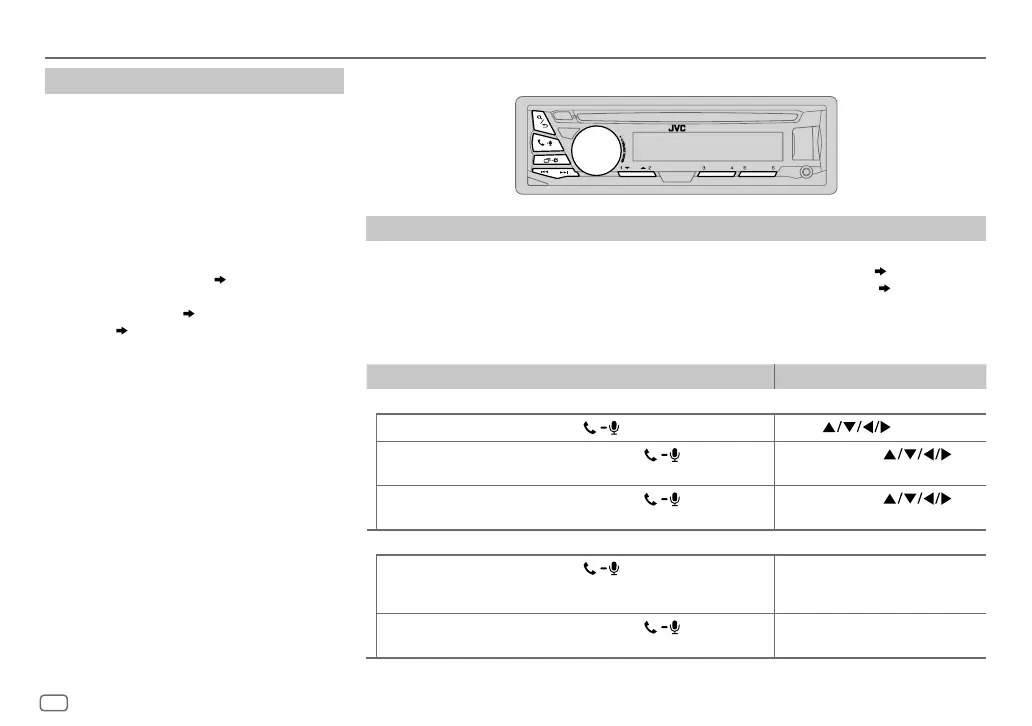
Receive a call
When there is an incoming call:
• The buttons will blink in the blinking pattern you have selected in [
RING ILLUMI
]. (
13
)
• The unit answers the call automatically if [
AUTO ANSWER
] is set to a selected time. (
13
)
During a call:
• The buttons stop blinking.
• If you turn off the unit or detach the faceplate, the Bluetooth connection is disconnected.
To On the faceplate On the remote control
First incoming call...
Answer a call
Press
or the volume knob.
Press
.
Reject a call
Press and hold
or the
volume knob.
Press and hold
.
End a call
Press and hold
or the
volume knob.
Press and hold
.
While talking on the first incoming call...
Answer another
incoming call and hold
the current call
Press
or the volume knob.
( Not available )
Reject another
incoming call
Press and hold
or the
volume knob.
( Not available )
BLUETOOTH®
JS_JVC_KD_SR82BT_K_EN_1.indd 12JS_JVC_KD_SR82BT_K_EN_1.indd 12 11/1/2016 9:03:48 AM11/1/2016 9:03:48 AM


 To Next Page