55
6
Settings Menu
Date & Time - Settings the Correct Date and Time
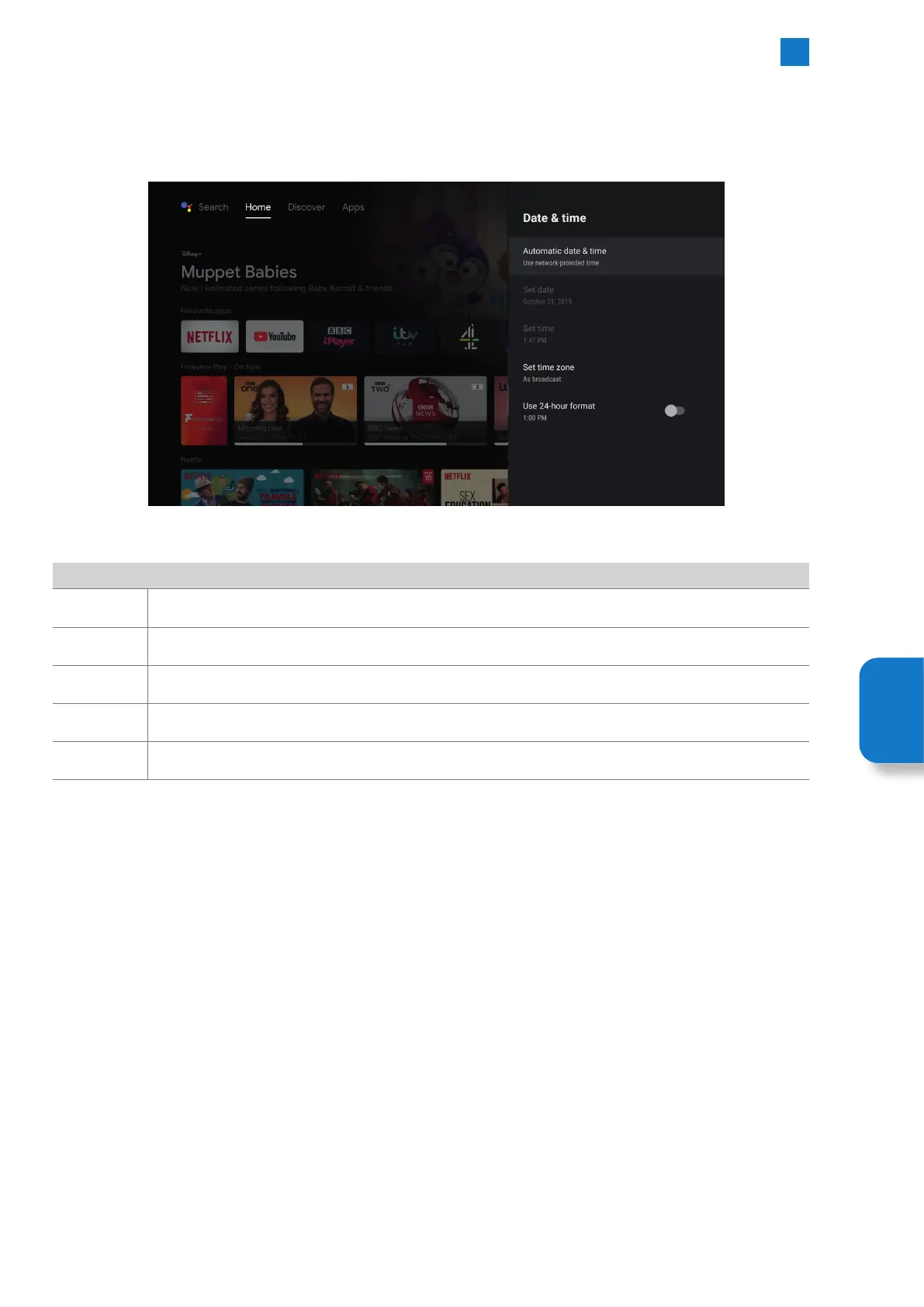
To select Date & Time go to SETTINGS - DEVICE PREFERENCES - DATE & TIME. Here you'll be able to set and adjust all the Date and
Time settings on your TV.
Date & Time
Automatic
date & time
Select if you want your TV to set the time automatically from the network or not.
Set date If you have switched Automatic date & time off you can manually set the date here.
Set time If you have switched Automatic date & time off you can manually set the time here.
Set time zone Select the time zone you are in, either use the broadcast-provided time zone of choose one from the list.
Use 24-hour
format
Select if you want the time to be displayed using the 24-hour format or 12-hour format.
Setting
Menu



 To Next Page