81
9
Connecting Devices
Connecting to the Internet (Wired)
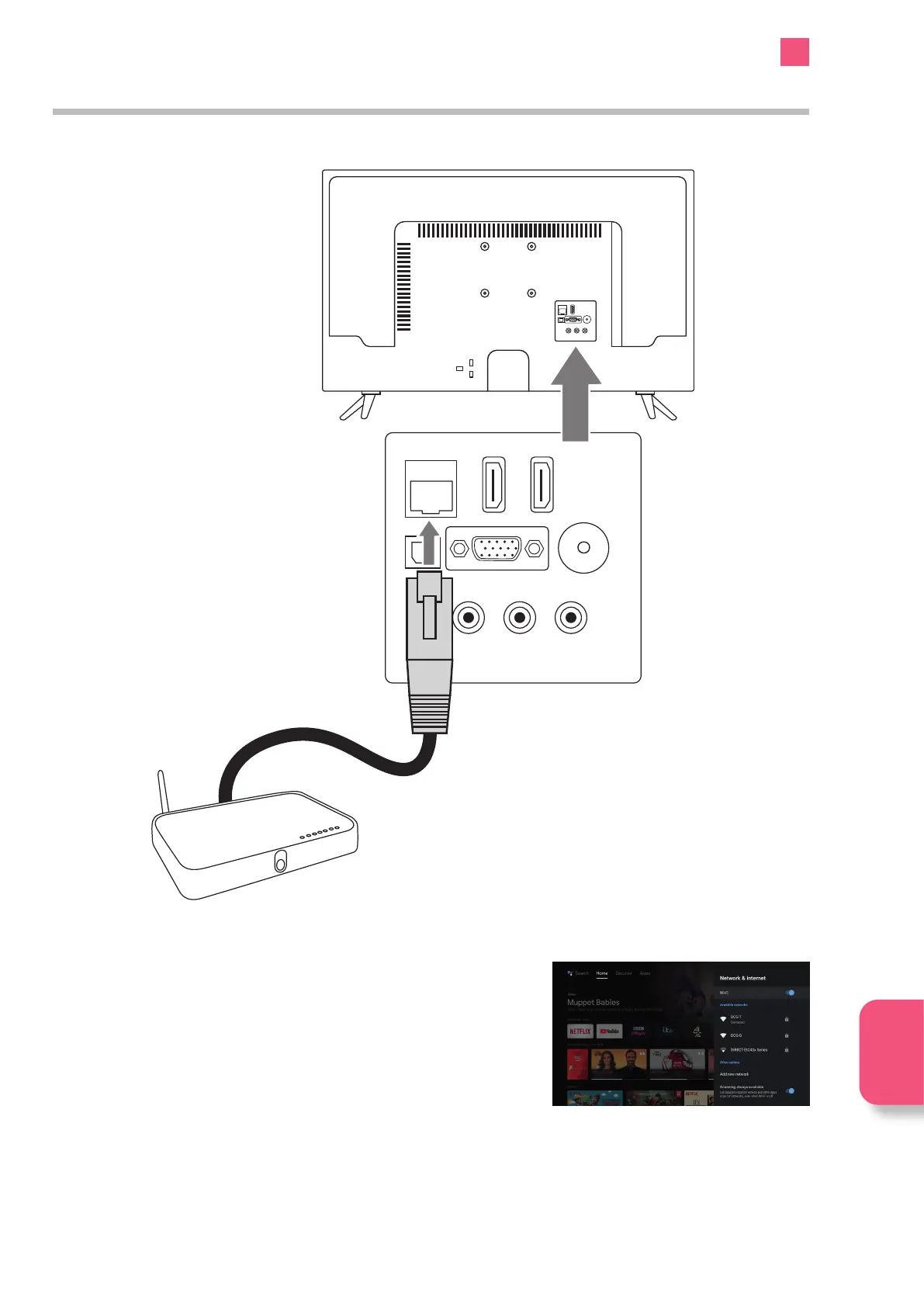
For the fastest and most reliable connection we recommend connecting your TV to the internet using an ethernet cable.
1. With the TV switched off connect an Ethernet cable from your Router to your TV,
plug it into the socket marked LAN. Your TV will automatically connect to your
network.
2. If you want to change any Network settings go to SETTINGS - NETWORK &
INTERNET and scroll down to the Ethernet settings.
Connecting
Devices
SPDIF
Optic.OUT
VGA
ANT.
HDMI 2
(ARC)
LAN
AV IN
SPDIF
Optic.OUT
VGA
ANT.
HDMI 2
(ARC)
HDMI 3
LAN
AV IN
Router
(not included)



 To Next Page