66
6
Settings Menu
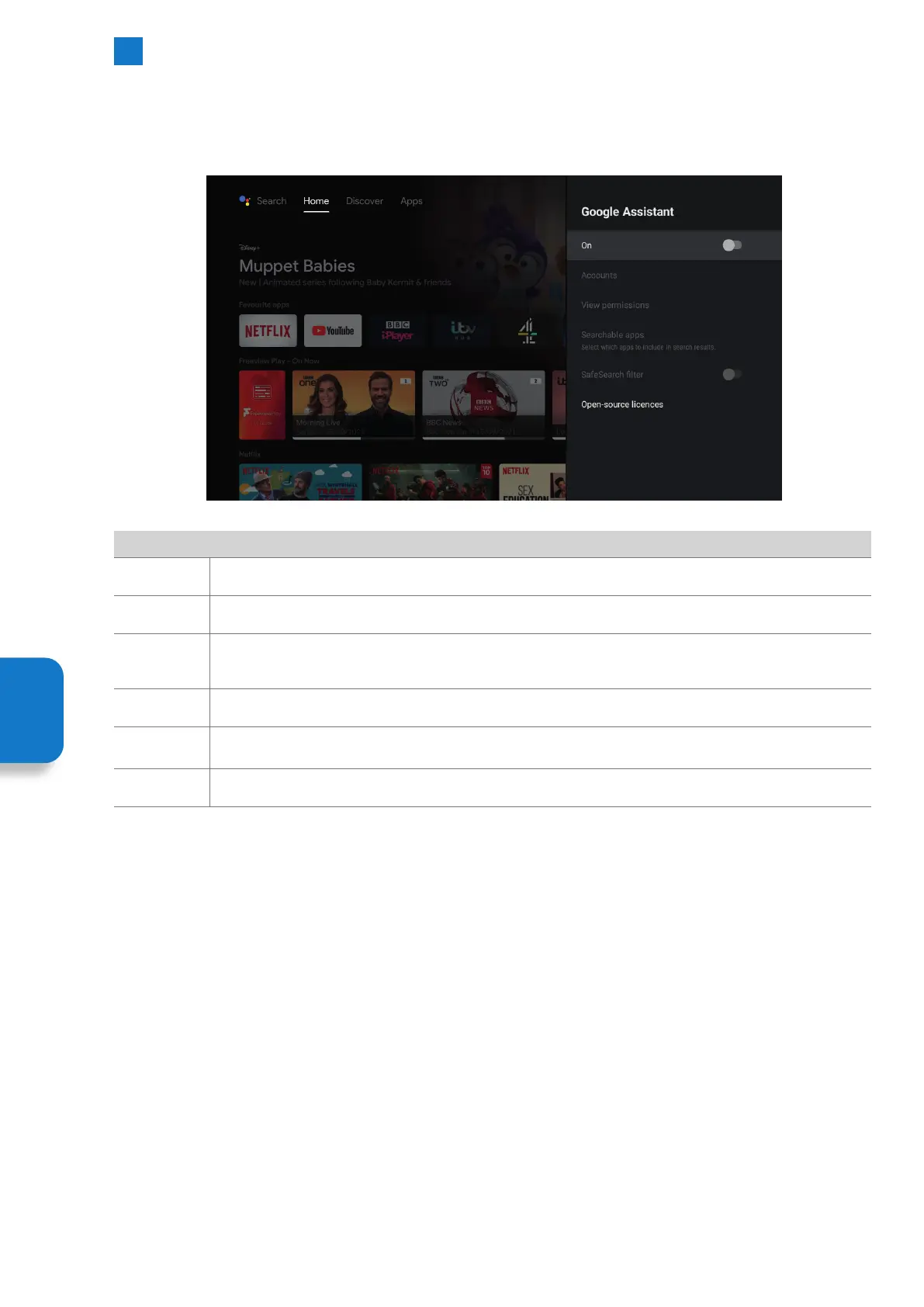
Google Assistant - Personalise Google Assistant Settings
To select Google Assistant go to SETTINGS - DEVICE PREFERENCES - GOOGLE ASSISTANT. See the Google account that's connected
to your TV and personalise your Google Assistant settings.
Google Assistant
On This switches Google Assistant on or off.
Accounts This shows the account that is connected to your TV.
View
permissions
This shows the Activity controls that you have on your account. You will need to enter your account email
address and password to see these setting.
Searchable
apps
Select the apps that you would like Google Assistant to add to its search results.
SafeSearch
filter
Turn SafeSearch filter ON or OFF.
Open source
licences
This shows the open source licences.
Setting
Menu



 To Next Page