EasyManua.ls Logo

JVC LT-40X776 - User Manual

JVC LT-40X776
96 pages
Print Icon
To Next Page IconTo Next Page
Loading...
Important Note:
In the spaces below, enter the model and serial number of your television (located at the
rear of the television cabinet). Staple your sales receipt or invoice to the inside cover of this
guide. Keep this user’s guide in a convenient place for future reference. Keep the carton
and original packaging for future use.
LCT1881-001B-A
0505TNH-II-IM
Model Number:
Serial Number:
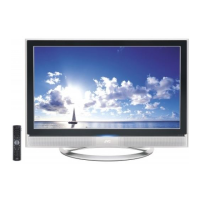
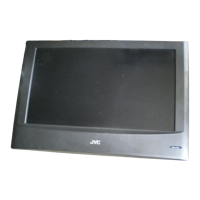
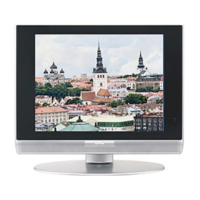
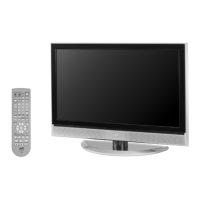
Illustration of LT-32X776 and RM-C14G
For Models:
LT-40X776
LT-37X776
LT-32X776
LT-26X776
LCD Flat Television Users Guide
LCT1881-001B-A ENG e 1 5/20/05, 4:29:04 PM

Table of Contents

Questions and Answers

  • T
    thomas14Aug 19, 2025
    Why is my JVC Flat Panel TV remote control not working?
    • S
      Shirley BlackburnAug 19, 2025
      If your JVC Flat Panel TV remote control isn't working, first check the batteries to ensure they are working and properly installed. Next, make sure there's a clear path between the remote and the TV. Also, verify that the TV/CATV switch is in the correct position. Finally, ensure you're within 23 feet (7 meters) of the TV.
  • J
    Joseph LewisAug 21, 2025
    How to troubleshoot no power on my JVC LT-40X776?
    • V
      Vanessa ShahAug 21, 2025
      If your JVC Flat Panel TV has no power, check if the power cord is securely plugged in. Also, check for a blown fuse, a tripped circuit breaker, or a power outage in your area.
  • A
    Amy HutchinsonAug 23, 2025
    Why is the picture on my JVC LT-40X776 snowy?
    • R
      Robin HunterAug 23, 2025
      If your JVC Flat Panel TV picture is snowy, the antenna might be damaged, disconnected, or misaligned. Check the antenna connection and replace the antenna if it's damaged.
  • K
    Kristen AllenAug 26, 2025
    Why is there no picture or sound on my JVC LT-40X776?
    • F
      Frances HerreraAug 26, 2025
      If your JVC Flat Panel TV has no picture or sound, the antenna might be disconnected. It's also possible that the input mode or the tuner (Auto Tuner Setup) is set improperly. The TV station might also be experiencing difficulties, so check if other channels are working.
  • N
    nancy36Aug 28, 2025
    Why does my JVC LT-40X776 Flat Panel TV power off by itself?
    • X
      xwilliamsAug 28, 2025
      If your JVC Flat Panel TV turns off by itself, ensure the power cord hasn't become unplugged. Also, check if the On/Off Timer or the Sleep Timer are set.
  • C
    curtispetersAug 30, 2025
    Why can't I select a channel on my JVC Flat Panel TV?
    • P
      Paul BullockAug 30, 2025
      If you cannot select a certain channel on your JVC Flat Panel TV, ensure that the channels have been programmed. Also, check to see if the channel is locked.
  • J
    Jason ChoiSep 1, 2025
    Why is the color quality poor on my JVC LT-40X776?
    • J
      johnwoodsSep 1, 2025
      If the color quality is poor on your JVC Flat Panel TV, the Tint and Color settings might be improperly adjusted. Also, the Video Status mode might be set incorrectly.
  • R
    Ronald CarterSep 4, 2025
    Why is the picture on my JVC Flat Panel TV spotted?
    • P
      Paul CookSep 4, 2025
      If the picture on your JVC Flat Panel TV is spotted, it might be due to interference from a high-wattage appliance operating nearby. Try moving the antenna away from the appliance or switch to a coaxial cable connection, which is less prone to interference.
  • P
    Penny BishopSep 6, 2025
    Why are there lines across the picture on my JVC LT-40X776 Flat Panel TV?
    • S
      Sharon HamiltonSep 6, 2025
      If you see lines across the picture on your JVC Flat Panel TV, it's likely due to interference from another electrical appliance. Move any such appliances further away from the TV.
  • N
    Nancy ParksSep 8, 2025
    Why does my JVC Flat Panel TV have double pictures (ghosts)?
    • M
      Megan JonesSep 8, 2025
      If you are seeing double pictures (ghosts) on your JVC Flat Panel TV, it might be caused by a building or passing airplane reflecting the original signal. Try adjusting your antenna position.

Summary

Important Safety Precautions

General Safety Rules

Essential safety rules for operating the television, including electrical safety and proper usage.

Warnings and Handling

Operational Warnings

Safety guidelines for TV operation, including avoiding ghost images, cabinet care, and screen care.

Moving the TV Safely

Instructions and warnings related to safely moving the television cabinet to prevent injury or damage.

Quick Setup Guide

Unpacking and Initial Setup

Steps for unpacking the television, identifying components, and initial setup procedures.

Connecting External Devices

Instructions for connecting various external devices such as VCRs, DVD players, camcorders, and audio systems.

Interactive Plug-In Menu Setup

Walkthrough of the initial setup menu for language, clock, and channel tuning upon first use.

Remote Programming

Programming Remote Control Codes

Instructions for setting remote control codes for cable boxes, satellite receivers, VCRs, and DVD players.

Search Codes Functionality

Procedure for using the search codes feature to program the remote when standard codes fail.

Initial Setup Procedures

Auto Tuner Setup

Configuring the TV to scan and memorize available analog and digital channels for optimal reception.

Channel Summary and Locking

Customizing channel lineups, managing channel lists, and enabling channel lock features.

V-Chip and Parental Controls

Setting up V-Chip ratings, blocking unrated programs, and managing parental control settings.

Picture Adjustments

Picture Settings and Optimization

Adjusting picture parameters like tint, color, brightness, detail, and applying special modes for image enhancement.

Color Temperature and Noise Reduction

Fine-tuning color temperature and applying digital noise clear for improved picture quality.

Sound Adjustments

Audio Settings and Modes

Customizing sound settings such as Bass, Treble, Balance, and understanding sound modes.

Clock and Timer Functions

Setting the Clock and Timers

Instructions for setting the TV's clock and programming the on/off timer for automated operation.

Button Functions and Operations

Remote Control Button Operations

Detailed explanation of various remote control buttons and their functions, including multiscreen and playback controls.

Switch Operations

Operation of slide switches for selecting TV/CATV modes and VCR/DVD control modes.

Digital Setup and Features

Digital Channel and Audio Configuration

Configuring digital channel reception, antenna level, digital sound output, and aspect ratios.

Media Card Viewer Usage

Guide to viewing photos, videos, and files from memory cards using the TV's media card viewer.

Troubleshooting Common Issues

Problem Diagnosis and Solutions

A guide to identifying and resolving common TV problems related to power, picture, sound, and remote control.

Warranty Information

Limited Warranty Details

Information on the product's limited warranty, coverage, exclusions, and service procedures.

Product Specifications

Technical Specifications by Model

Detailed technical specifications for different TV models, including dimensions, power, and connectivity.

JVC LT-40X776 Specifications

General IconGeneral
Smart TVYes
HDMI Ports3
USB Ports2
BacklightLED
Refresh Rate50 Hz
3D CapableNo
Built-in Wi-FiYes
Energy Efficiency ClassA
Screen Size40 inches
Resolution1920 x 1080

Related product manuals