5
ENGLISH
LT-Z32/26SX5 / LCT1869-002A / English
Setting up your TV
• When you install the TV on the wall, only use a JVC wall mounting unit (optional) which is
designed for this TV.
• Make sure that the TV is installed on the wall by a skilled installer.
Installation
Cautions for installation
• Install the TV in a corner on a wall or on the floor so as to keep cords out of the way.
• The TV will generate a slight amount of heat during operation. Ensure that sufficient space is
available around the TV to allow satisfactory cooling. See “Distance recommendations” on
page 2.
Using the stand
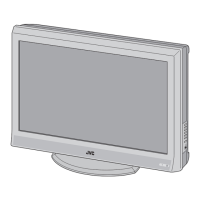
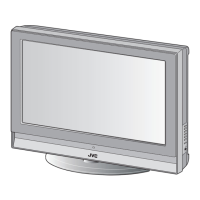
This TV comes with a table top stand already attached.
This stand can be used to adjust the direction of the TV screen 5° up, 10° down, and 20° to the left
or right.
Tilt the TV up and down:
While holding the bottom of the stand with one
hand, use your other hand to hold the middle of
the top of the TV and slowly tilt the TV up and
down.
• As a safety measure, the stand is
constructed so that it requires a certain
amount of force to tilt the TV.
Rotate the TV to the left and right:
While holding the bottom of the stand with one
hand, use your other hand to hold the edge of
the panel and slowly adjust the direction of the
TV screen.
LT-Z32&26SX5_Eng.book Page 5 Wednesday, May 18, 2005 5:54 PM



 To Next Page
 Loading...