10 EN
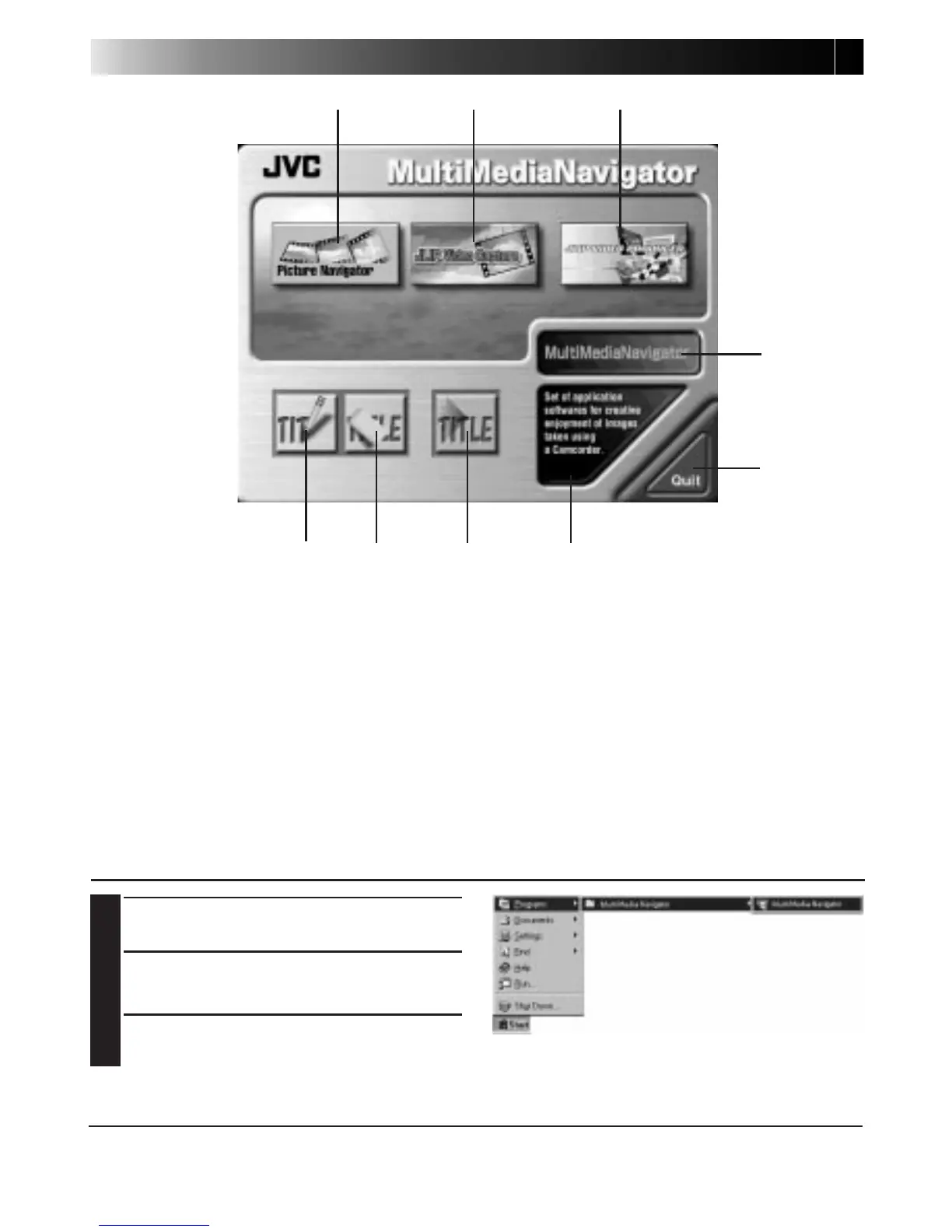
MultiMediaNavigator WINDOW DISPLAY
1 Starts up Picture Navigator.
2 Starts up JLIP Video Capture.
3 Starts up JLIP Video Producer.
4 Displays the name of the selected application.
5 Creates new Title/Frame Images.
6 Modifies Title/Frame Images.
7 Transfers Title/Frame Images to a video source unit.
8 Displays information about the selected application.
9 Closes MultiMediaNavigator.
HOW TO START UP MultiMediaNavigator
1
Turn on the PC.
2
Select Start — Program —
MultiMediaNavigator.
3
MultiMediaNavigator starts up.
HOW TO CLOSE MultiMediaNavigator
Click Quit in the MultiMediaNavigator window.
12 3
4
56 7
8
9



 To Next Page