–10 –
English
Reinforcing the Bass Sound
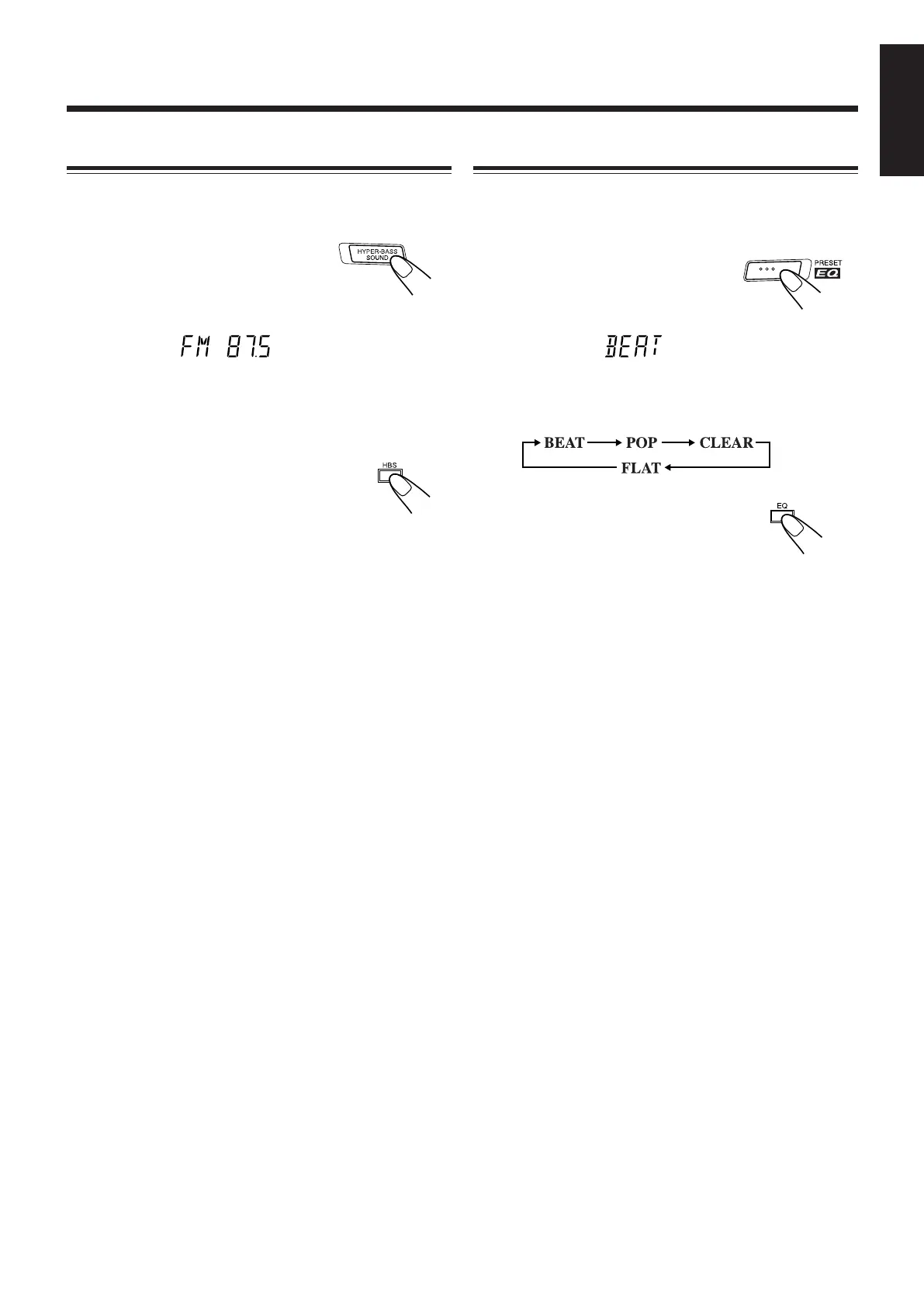
You can enjoy powerful bass sound with the Hyper Bass
Sound function provided for this unit.
To turn on the function, press HYPER-
BASS SOUND.
The HBS indicator appears on the
display.
To turn off the function, press the button again so that the
HBS indicator goes off.
When using the remote control, press
HBS.
Selecting the Sound Modes
You can select one of the 4 preset sound modes. The sound
modes can be applied only to playback sounds, and cannot be
used for recording.
To select the sound modes, press
PRESET EQ until the sound mode you
want appears on the display.
• Each time you press the button, the sound modes change as
follows:
When using the remote control, press
EQ.
BEAT: Set to this position for music with a heavy beat,
such as rock or disco music.
POP: Set to this position for light music including
popular and vocal music.
CLEAR: Set to this position for crisp and clear sounding
music with transparent highs.
FLAT: Set to this position when listening to classical
music.
EN01-22_PC-XC370[J]_2.p65 03.5.7, 6:13 PM10


 To Next Page