– 21 –
English
Maintenance
To get the best performance of the unit, keep your discs, tapes, and mechanism clean.
Handling cassette tapes
• If the tape is loose in its cassette, take
up the slack by inserting a pencil in
one of the reels and rotating.
• If the tape is loose, it may get
stretched, cut, or caught in the
cassette.
• Be careful not to touch the tape
surface.
• Avoid the following places to store the
tape:
— In dusty places
— In direct sunlight or heat
— In moist areas
— Near a magnet
Cassette decks
If the heads, capstans, and pinch rollers of the cassette decks
become dirty, the following will occur:
• Impaired sound quality
• Discontinuous sound
• Fading
• Incomplete erasure
• Difficulty in recording
To clean the heads, capstans, and pinch rollers
Use a cotton swab moistened with alcohol.
To demagnetize the heads
Turn off the unit, and use a head demagnetizer (available at
electronics and record shops).
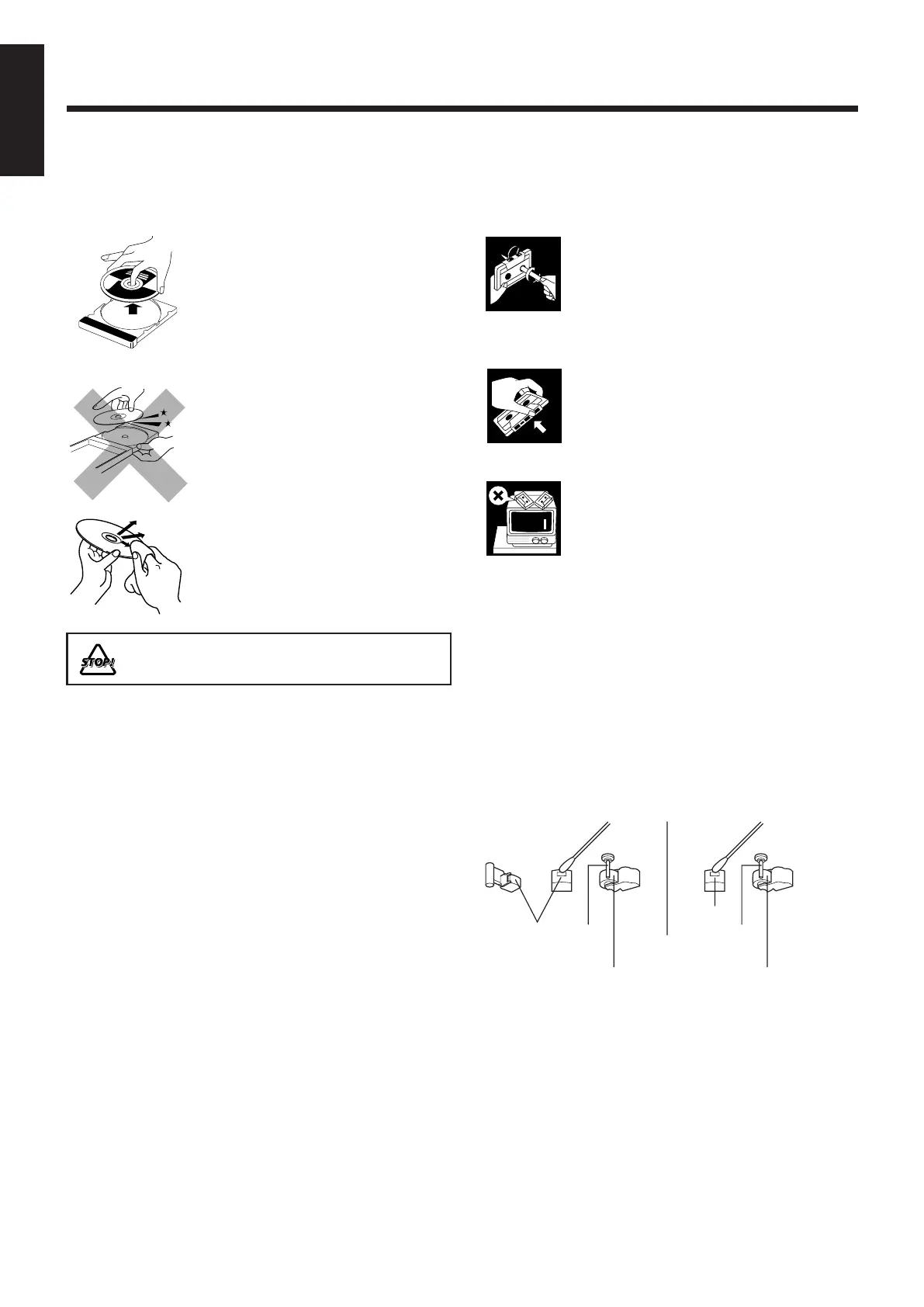
Handling discs
• Remove the disc from its case by
holding it at the edge while pressing
the center hole lightly.
• Do not touch the shiny surface of the
disc, or bend the disc.
• Put the disc back in its case after use
to prevent warping.
• Be careful not to scratch the surface
of the disc when placing it back in its
case.
• Avoid exposure to direct sunlight,
temperature extremes, and moisture.
To clean the disc
Wipe the disc with a soft cloth in a
straight line from center to edge.
DO NOT use any solvent — such as conventional record
cleaner, spray, thinner, or benzine — to clean the disc.
Heads
Capstan
Pinch roller
Heads
Capstan
Pinch roller
Deck A Deck B
EN01-22_PC-XC370[J]_2.p65 03.5.7, 6:14 PM21



 To Next Page