–4 –
English
See pages in the parentheses for details.
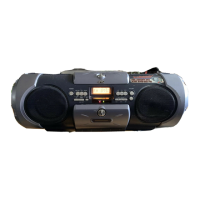
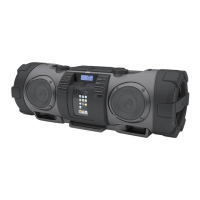
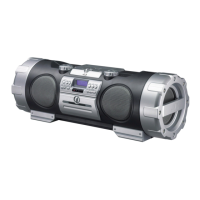
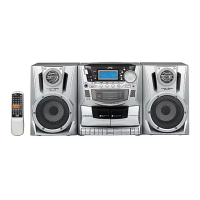
Front Panel
1 TAPE button (9, 16, 18)
Pressing this button also turns on the unit.
2 TUNER button (9, 11)
Pressing this button also turns on the unit.
3 REMOTE SENSOR (5)
4 TIMER button (19)
5 POWER button (9)
6 CLOCK button (9)
7 BEAT CANCEL button (18)
8 TUNING PRESET button (11, 12)
9 PHONES jack (9)
p HYPER-BASS SOUND button (10)
q Disc trays
w CD1 0/CD2 0/CD3 0 (CD tray open/close) buttons
(13, 14)
Pressing one of these buttons also turns on the unit.
e 0 ALL (All CD trays open/close) button (13)
r Deck A cassette holder (16)
t REC ¶ button for deck A (17, 18)
y PLAY 3 button for deck A (16)
u REW 1/FF ¡ buttons for deck A (16)
i STOP/EJECT § button for deck A (16, 17, 18)
o PAUSE 8 button for deck A (16, 17)
; AUX button (9)
Pressing this button also turns on the unit.
a CD 6 button (9, 14)
Pressing this button also turns on the unit.
s UP ¢/DOWN4 buttons (11, 14, 19)
d LONG PLAY button (14)
Pressing this button also turns on the unit.
f JOG-VOLUME control (9)
g STOP 7 button (14)
h PRESET EQ button (10)
j 3 CD1/3 CD2/3 CD3 (CD playback) buttons (13)
Pressing one of these buttons also turns on the unit.
k Deck B cassette holder (16)
l PAUSE 8 button for deck B (16)
/ STOP/EJECT § button for deck B (16, 18)
z REW 1/FF ¡ buttons for deck B (16)
x PLAY 3 button for deck B (16, 18)
Display window
1 (timer) indicator
2 STEREO indicator, MONO indicator
3
indicator
4 REPEAT/REPEAT ALL/REPEAT ALL ALL DISC
indicators
5 RANDOM indicator
6 Disc indicators
7 Main display
• Shows the source name, frequency, etc.
8 SLEEP indicator
9 HBS (HYPER-BASS SOUND) indicator
p PROGRAM indicator
q LONG PLAY indicator
Continued
EN01-22_PC-XC370[J]_2.p65 03.5.7, 6:13 PM4


 To Next Page