–12 –
English
Tuning in a Preset Station
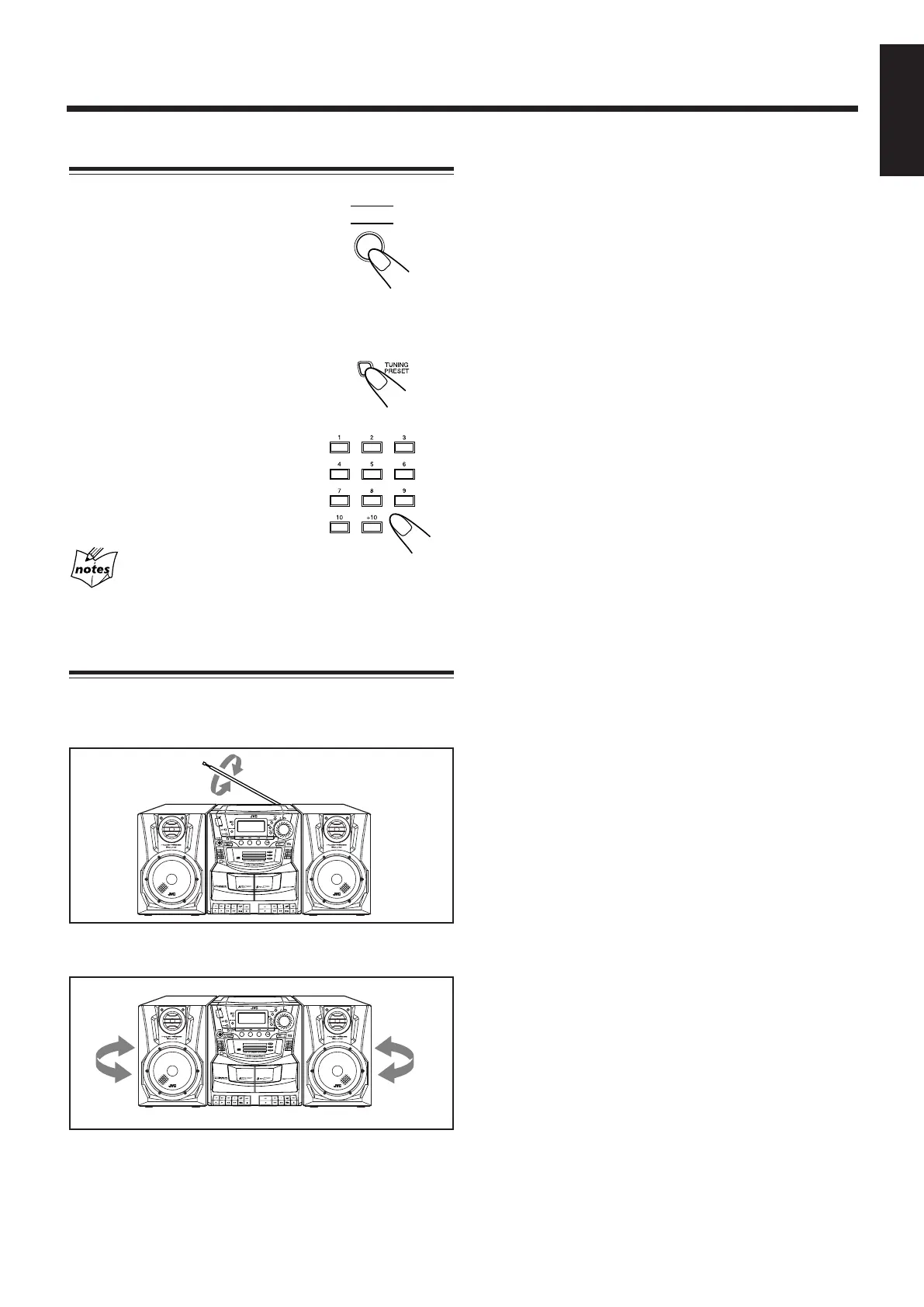
1 Press TUNER to select the
band, FM or AM.
2 Select a preset number.
On the unit:
Press TUNING PRESET repeatedly
until the desired preset number
appears.
On the remote control:
Press the number buttons.
For preset number 5, press 5.
For preset number 12, press +10,
then 2.
When you unplug the AC power cord or if a power
failure occurs
The preset stations will be erased in a few days. If this
happens, preset the stations again.
Using the Antennas
For FM reception, change the length and angle of the
telescopic antenna.
For AM reception, rotate the unit to change the position of
the built-in ferrite core antenna.
EN01-22_PC-XC370[J]_2.p65 03.5.7, 6:14 PM12


 To Next Page