Accessories
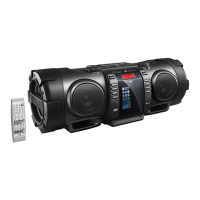
Check that you have all the following items,
which are supplied for the system.
0
Power cord (1)
0
Remote control RM-SRVNB100A (1)
0
Batteries (for the Remote control) (2)
0
Shoulder strap (1)
0
Buckle (2)
0
Stopper (2)
If any of these items are missing, contact your
dealer immediately.
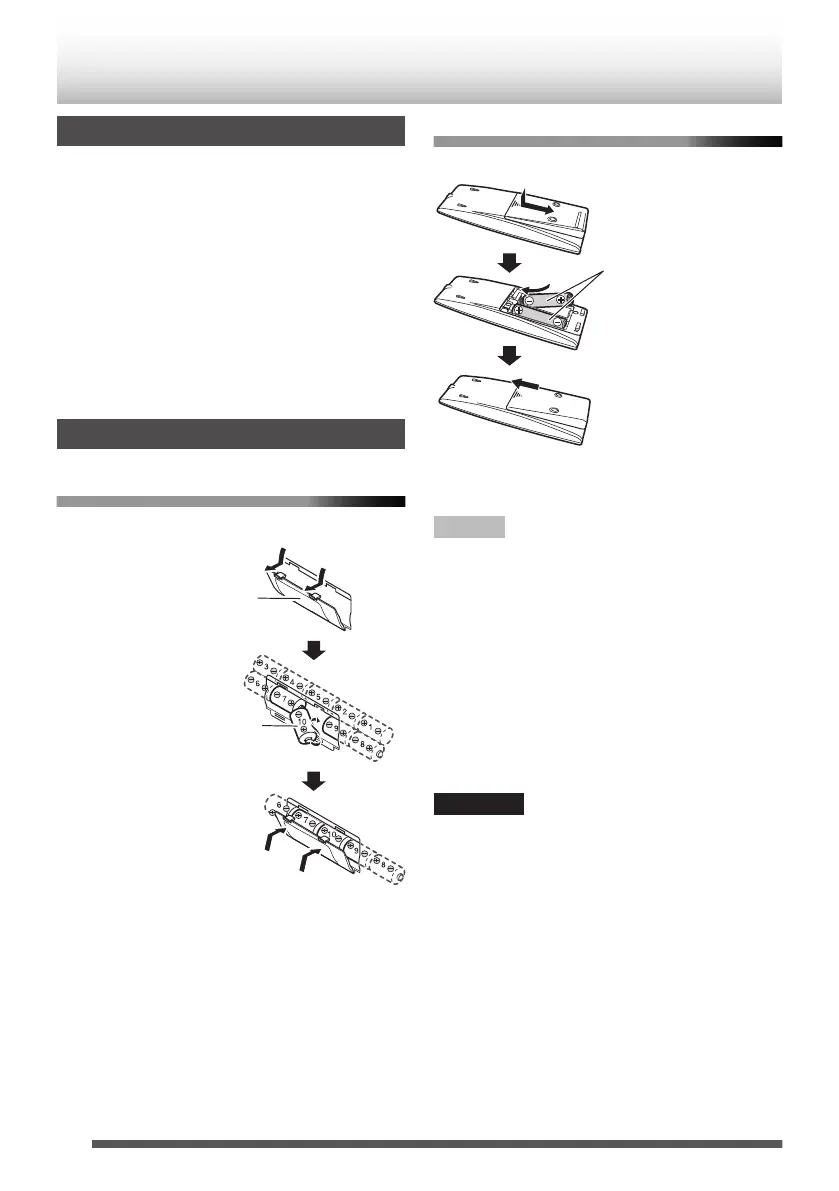
Inserting batteries
Main unit
0
Match the polarities (+ and –) of the batteries.
.
R20 (SUM-1)/D (13D) x 10
(not supplied)
Battery compartment
Remote control
0
Match the polarities (+ and –) of the batteries.
.
R6P (SUM-3)/AA
(15F) (supplied)
0
If the range or effectiveness of the remote control
decreases, replace the batteries.
NOTE
0
Store the battery in a place where children
cannot reach. If a child accidentally swallows the
battery, consult a doctor immediately.
0
The power will not be supplied through the
batteries when the power is supplied through the
AC outlet.
0
The battery is consumed more quickly than usual
when operating the System continuously or
operating it in a cold place.
0
When the power is supplied using the batteries, the
display will be blank when the System is turned off
(on standby) by pressing the [
D
] button. And, the
STANDBY indicator won’t be turned on.
CAUTION
To avoid battery leakage or explosion, handle
batteries properly.
0
If you are not going to use this System for a month
or more, remove the batteries from the battery
compartment.
0
Dispose of batteries in the proper manner,
according to federal, state, and local regulations.
0
Do not mix with batteries of different types or with
new and old ones.
0
Do not attempt to charge any batteries other than
rechargeable ones.
0
Discard leaky batteries immediately. Battery
leakage can cause skin burns or other personal
injuries.
0
If chemicals leak onto the System, clean the
System completely.
6
Preparation


 To Next Page