Listening to FM stations
1
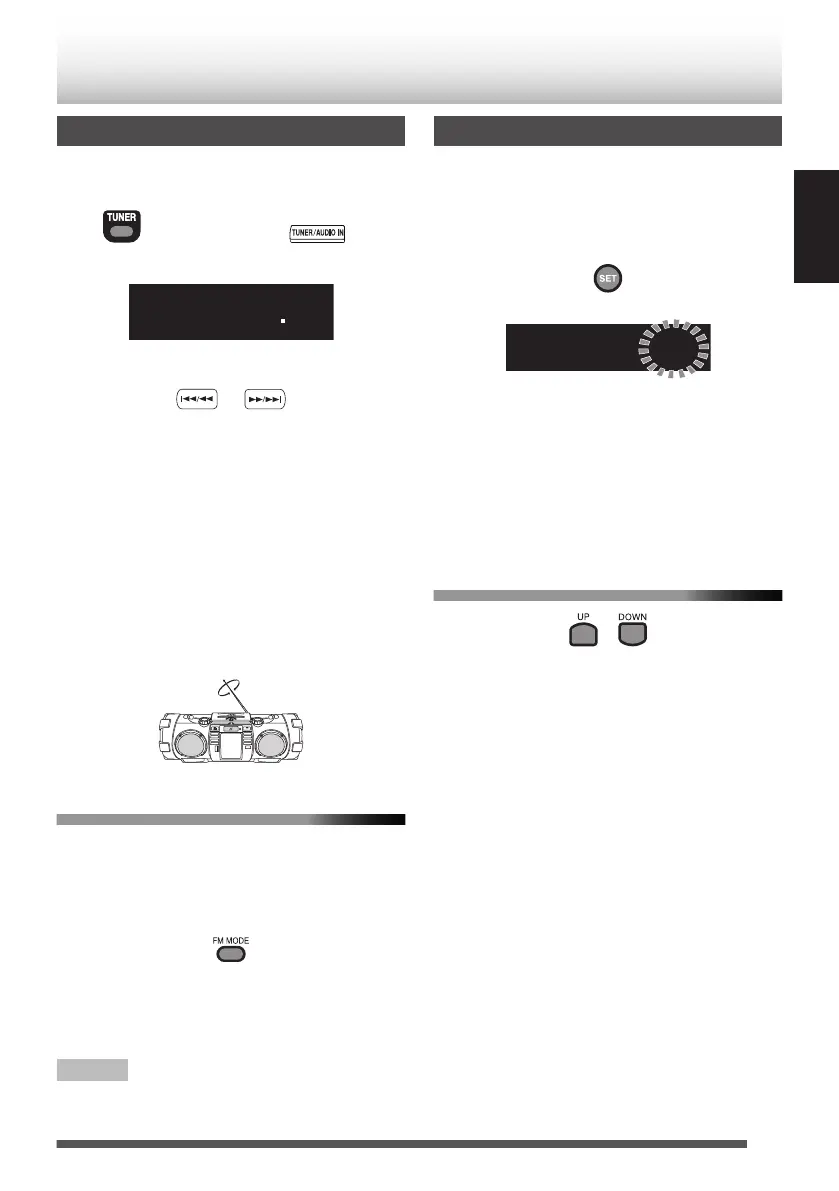
Press [TUNER] repeatedly to select “FM”.
.
(Press repeatedly)
Main unit
Remote control
.
2
Select the station.
.
Press and hold [
J
] or [
I
] to
change the frequency continuously until a
station of sufficient signal strength is tuned in.
0
To stop the search manually, press the
buttons again.
0
Pressing the button repeatedly changes
the reception frequency in steps of 50 kHz.
Adjusting the antenna
Adjust the DAB/FM telescopic antenna’s length,
angle and direction until the best reception is
obtained.
.
To improve the FM reception
When an FM stereo (FM) broadcast is hard to
receive or noisy, select the monaural reception
(MONO) mode.
Press [FM MODE].
.
Each time you press the button, the setting
changes.
“AUTO” : Stereo auto reception
“MONO” : Monaural reception
NOTE
0
Monaural reception improves the reception but
the stereo effect is lost.
Presetting stations
You can preset up to 30 FM stations manually.
1
Tune in to a station you want to preset.
2
Press [SET].
.
0
Perform the following steps while the
indication flashes.
3
Press [UP] or [DOWN] to select the preset
number you want to store.
0
To cancel the presetting, press [CANCEL].
4
Press [SET].
To tune in to a preset station
.
Each time you press the button, you can select a
preset station.
0
You can select the preset station directly using
the number buttons.
Examples:
0
To select number 5, press 5.
0
To select number 15, press +10 then 5.
0
To select number 20, press +10 then 10.
25
ENGLISH
FM


 To Next Page