EasyManua.ls Logo

JVC RX-5VBK - Page 42

JVC RX-5VBK
57 pages
Print Icon
To Next Page IconTo Next Page
To Previous Page IconTo Previous Page
Loading...
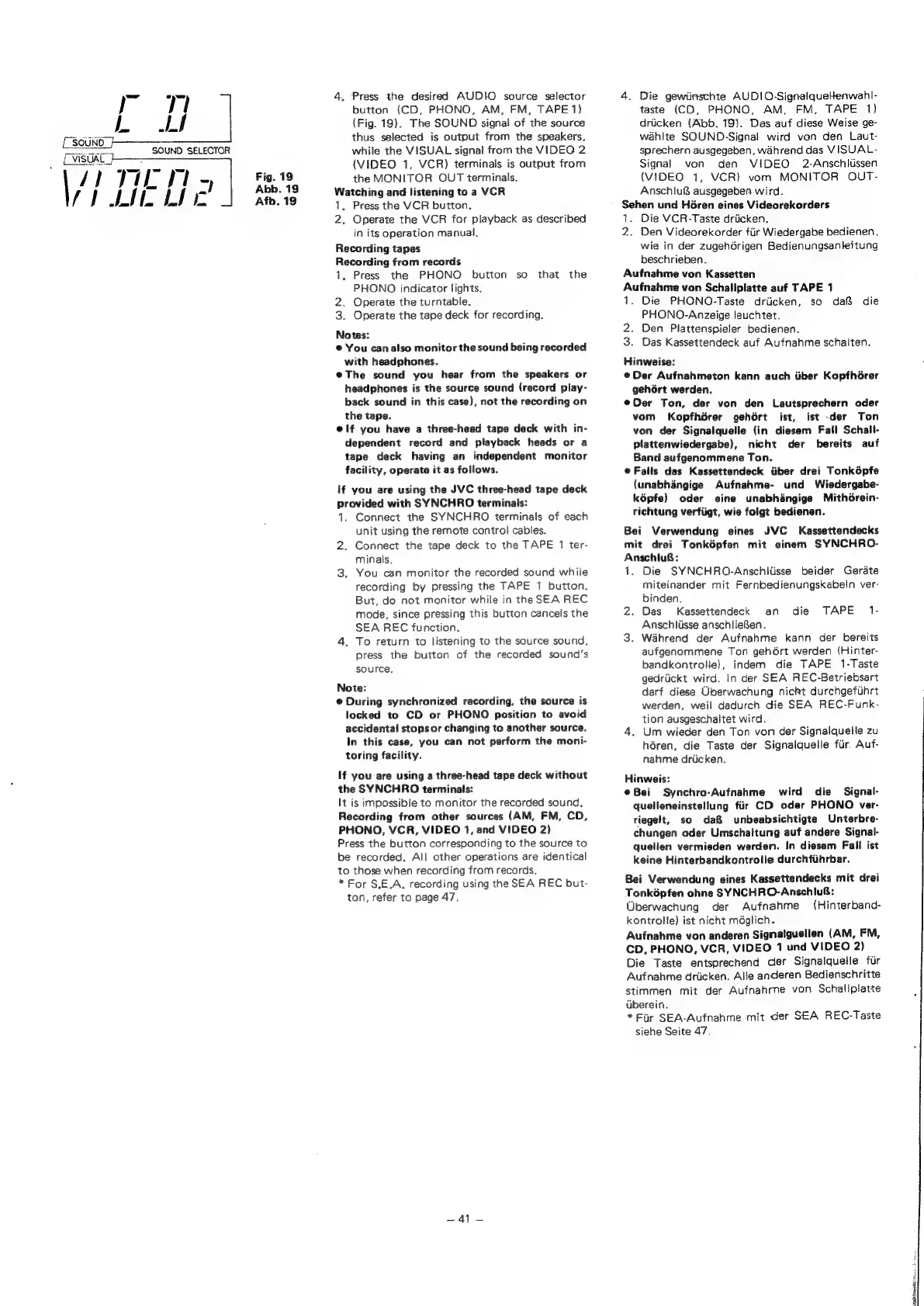
4.
Press
the
desired
AUD!O
source
selector
4.
Die
gewiinschte
AUDIO-Signalquetenwahl-
button
(CD,
PHONO,
AM,
FM,
TAPE
1)
taste
(CD,
PHONO,
AM,
FM,
TAPE
1)
(Fig.
19).
The
SOUND
signal
of
the
source
driicken
(Abb.
19).
Das
auf
diese
Weise
ge-
(S0UNe
thus
selected
is
output
from
the
speakers,
wahite
SOUND-Signal
wird
von
den
Laut-
wid
SOUND
SELECTOR
while
the
VISUAL
signal
from
the
VIDEO
2
sprechern
ausgegeben,
wahrend
das
VISUAL-
oan
(VIDEO
1,
VCR)
terminals
is
output
from
Signal
von
den
VIDEO
2-Anschitissen
17
1/7
i
a
Fig.
19.
the
MONITOR
OUT
terminals.
(VIDEO
1,
VCR)
vom
MONITOR
OUT-
Watching
and
listening
to
a
VCR
Anschlu
ausgegeben
wird.
1,
Press
the
VCR
button.
2.
Operate
the
VCR
for
playback
as
described
in
its
operation
manual.
Recording
tapes
Recording
from
records
1,
Press
the
PHONO
button
so
that
the
PHONO
indicator
lights.
2.
Operate
the
turntable.
3.
Operate
the
tape
deck
for
recording.
Notes:
©
You
can
also
monitor
the
sound
being
recorded
with
headphones.
@The
sound
you
hear
from
the
speakers
or
headphones
is
the
source
sound
(record
play-
back
sound
in
this
case),
not
the
recording
on
the
tape.
elf
you
have
a
three-head
tape
deck
with
in-
dependent
record
and
playback
heads
or
a
tape
deck
having
an
independent
monitor
facility,
operate
it
as
follows.
If
you
are
using
the
JVC
three-head
tape
deck
provided
with
SYNCHRO
terminals:
1.
Connect
the
SYNCHRO
terminals
of
each
unit
using
the
remote
control
cables.
2.
Connect
the
tape
deck
to
the
TAPE
1
ter-
minals,
3.
You
can
monitor
the
recorded
sound
while
recording
by
pressing
the
TAPE
1
button.
But,
do
not
monitor
while
in
the
SEA
REC
mode,
since
pressing
this
button
cancels
the
SEA
REC
function.
4.
To
return
to
listening
to
the
source
sound,
press
the
button
of
the
recorded
sound’s
source,
Note:
@
During
synchronized
recording,
the
source
is
locked
to
CD
or
PHONO
position
to
avoid
accidental
stops
or
changing
to
another
source.
In
this
case,
you
can
not
perform
the
moni-
toring
facility.
if
you
are
using
a
three-head
tape
deck
without
the
SYNCHRO
terminals:
it
is
impossible
to
monitor
the
recorded
sound,
Recording
from
other
sources
(AM,
FM, CD,
PHONO,
VCR,
VIDEO
1,
and
VIDEO
2)
Press
the
button
corresponding
to
the
source
to
be
recorded.
All
other
operations
are
identical
to
those
when
recording
from
records.
*
For
S.E.A,
recording
using
the
SEA
REC
but-
ton,
refer
to
page
47.
eat
Sehen.
und
Héren
eines
Videorekorders
1.
Die
VCR-Taste
driicken.
2.
Den
Videorekorder
fiir
Wiedergabe
bedienen,
wie
in
der
zugehdrigen
Bedienungsanleitung
beschrieben.
Aufnahme
von
Kassetten
Aufnahme
von
Schaliplatte
auf
TAPE
1
1.
Die
PHONO-Taste
drticken,
so
da&
die
PHONO-Anzeige
leuchtet.
2.
Den
Plattenspieler
bedienen.
3.
Das
Kassettendeck
auf
Aufnahme
schalten.
Hinweise:
@Der
Aufnahmeton
kann
auch
iiber
Kopfhérer
gehGrt
werden.
eDer
Ton,
der
von
den
Lautsprechern
oder
vom
Kopfhérer
gehért
ist,
ist
der
Ton
von
der
Signalquelle
(in
diesem
Fall
Schalt-
plattenwiedergabe),
nicht
der
bereits
auf
Band
aufgenommene
Ton.
©
Falls
das
Kassettendeck
iiber
drei
Tonképfe
(unabhangige
Aufnahme-
und
Wiedergabe-
képfe)
oder
eine
unabhangige
MithGrein-
richtung
verfiigt,
wie
folgt
bedienen.
Bei
Verwendung
eines
JVC
Kassettendecks
mit
drei
Tonképfen
mit
einem
SYNCHRO-
AnschiuB:
1.
Die
SYNCHRO-Anschitisse
beider
Gerate
miteinander
mit
Fernbedienungskabein
ver-
binden.
2.
Das
Kassettendeck
an
die
TAPE
1-
Anschlisse
anschlieSen.
3.
Wahrend
der
Aufnahme
kann
der
bereits
aufgenommene
Ton
gehért
werden
(Hinter-
bandkontrolie},
indem
die
TAPE
1-Taste
gedriickt
wird.
In
der
SEA
REC-Betriebsart
darf
diese
Uberwachung
nickt
durchgefihrt
werden,
weil
dadurch
die
SEA
REC-Funk-
tion
ausgeschaltet
wird.
4.
Um
wieder
den
Ton
von
der
Signalquelle
zu
héren,
die
Taste
der
Signalquelle
fir.
Auf-
nahme
driicken.
Hinweis:
@Bei
Synchro-Aufnahme
wird
die
Signal-
quelleneinstellung
fir
CD
oder
PHONO
ver-
riegelt,
so
da&
unbeabsichtigte
Unterbre-
chungen
oder
Umschaitung
auf
andere
Signal-
quellen
vermieden
werden.
In
diesem
Fall
ist
keine
Hinterbandkontrolle
durchfihrbar.
Bei
Verwendung
eines
Kassettendecks
mit
drei
Tonképfen
ohne
SYNCHRO-Anschlu6:
Uberwachung
der
Aufnahme
(Hinterband-
kontrolle)
ist
nicht
méglich.
Aufnahme
von
anderen
Signatguellen
(AM,
FM,
CD,
PHONO,
VCR,
VIDEO
1
und
VIDEO
2)
Die
Taste
entsprechend
der
Signalquelle
fir
Aufnahme
driicken.
Alle
anderen
Bedienschritte
stimmen
mit
der
Aufnahme
von.
Schallplatte
uberein.
*Fur
SEA-Aufnahme
mit
der
SEA
REC-Taste
siehe
Seite
47.

Related product manuals