EasyManua.ls Logo

JVC TH-P5 - User Manual

JVC TH-P5
44 pages
Print Icon
To Next Page IconTo Next Page
Loading...
TH-P5
LVT1523-001A
[B]
TH-P3
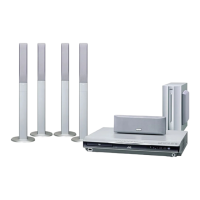
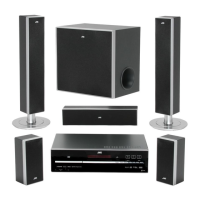
DVD DIGITAL CINEMA SYSTEM
INSTRUCTIONS
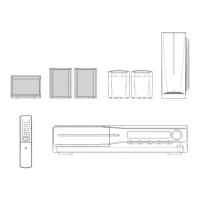
Consists of XV-THP5, SP-WP5,
SP-THP5F, SP-THP5C and SP-THP5S
Consists of XV-THP3, SP-WP5,
SP-THP3F, SP-THP3C and SP-THP3S
(Only for TH-P5)
THP5-P3[B]-f.book Page i Tuesday, December 27, 2005 3:39 PM

Table of Contents

Questions and Answers

  • Z
    Zachary WolfeAug 14, 2025
    Why is my JVC Home Theater System remote control not working?
    • V
      Vanessa WatsonAug 14, 2025
      If the JVC Home Theater System remote control isn't working, first, the batteries may be exhausted. Replace them. Also, sunlight shining directly on the remote sensor can interfere with its operation. Shield the remote sensor from direct sunlight.
  • J
    Jon WoodwardAug 18, 2025
    What to do if there is no sound from my JVC TH-P5 Home Theater System?
    • D
      David BlackAug 18, 2025
      If there is no sound from your JVC Home Theater System, it could be due to a disconnected speaker cord. Ensure that the speaker cord is correctly connected. Also, verify that the correct source is selected.
  • C
    Christopher Winters DVMAug 21, 2025
    How to fix JVC Home Theater System when power does not come on?
    • J
      Joshua StrongAug 21, 2025
      If your JVC Home Theater System isn't powering on, it might be due to the power cord not being properly connected. Ensure the power cord is correctly connected.
  • V
    Valerie DavisAug 25, 2025
    What to do if no picture is displayed on TV screen from JVC TH-P5?
    • M
      Matthew Landry Jr.Aug 25, 2025
      If no picture is displayed on the TV screen when using your JVC Home Theater System, the SCART cable might not be connected correctly. Ensure the cable is properly connected. Alternatively, the disc or file you're trying to play might not be a playable format. Use a playable disc or file.
  • K
    Katelyn GibsonAug 27, 2025
    Why are the video and audio distorted on my JVC Home Theater System?
    • M
      matthew75Aug 28, 2025
      If the video and audio from your JVC Home Theater System are distorted, it could be because the disc is scratched or dirty. Try replacing or cleaning the disc. Another cause may be a VCR connected between the center unit and the TV. Connect the center unit and TV directly.
  • B
    brownchrisAug 31, 2025
    What to do if JVC TH-P5 remote control does not work as expected?
    • R
      robynsandovalAug 31, 2025
      If the JVC Home Theater System remote control isn't working as expected, the remote control mode might not be set for the desired source. Before operation, press one of the source selecting buttons for the desired source.
  • S
    smithdennisSep 3, 2025
    How to fix noise when listening to broadcast on JVC Home Theater System?
    • M
      Michael ParkerSep 3, 2025
      If it's hard to listen to the broadcast because of noise on your JVC Home Theater System, the antennas might be disconnected. Reconnect the antennas correctly and securely.
  • K
    Karen WilliamsSep 6, 2025
    How to adjust picture to fit TV screen on JVC TH-P5 Home Theater System?
    • M
      martinezsharonSep 6, 2025
      If the picture from your JVC Home Theater System does not fit the TV screen, the monitor type might not be set correctly. Set “MONITOR TYPE” properly.
  • A
    Andrew HerreraSep 10, 2025
    Why does my JVC TH-P5 Home Theater System suddenly turn off?
    • J
      Jeffrey BeanSep 10, 2025
      If your JVC Home Theater System suddenly turns off, the playback level of the current source may be too high. Try playing back the source with a lower volume level.

Summary

Instructions

Warnings, Cautions and Others

General Safety Precautions

Covers electrical shock, fire risks, and appliance exposure to rain or moisture.

Laser Product Safety

Important safety information for Class 1 Laser Products.

Disposal and Ventilation

About Discs

Playable Disc Types

Details supported DVD, VCD, SVCD, CD, MP3, WMA, JPEG, ASF, MPEG, and DivX disc formats.

Playable File Types

File Type Specifications

Details supported file formats like MP3, WMA, JPEG, ASF, MPEG, and DivX with their parameters.

Remote Control Guide

Remote Control Layout and Function

Details the buttons on the remote control and their functions.

Connections

Antenna Connections

Instructions for connecting FM and AM (MW) antennas for optimal reception.

Speaker Connections

TH-P5 Speaker Setup

Guides connection of front, center, surround speakers, and subwoofer for TH-P5.

TH-P3 Speaker Connections

Speaker Installation Cautions

Important safety and installation advice for satellite speakers.

TV Connections

Component Video and SCART Connections

Instructions for connecting the system to a TV using component video or SCART.

Connecting Other Devices

USB Mass Storage Connection

How to connect USB devices and supported file types.

Power Cord Connection

Guidance on safely connecting the power cord to the system and outlet.

Basic Operations

System Power, Source, and Volume

Turning the system on/off, selecting sources, and adjusting volume.

Basic Operations Continued

Playback Functions

Basic Disc and USB File Playback

Steps for playing discs and files from USB storage.

Advanced Playback Navigation

Playback Details

Advanced Operations

Dolby and DTS Surround Sound

Details on Dolby Pro Logic II, Dolby Digital, and DTS Digital Surround formats.

Using Surround Modes

How to select and use various surround sound modes for enhanced audio.

Advanced Operations Continued

Playing from Specific Positions

Locating scenes from DVD menus or VCD/SVCD menus.

Locating by Time Specification

How to find a specific playback position by entering time.

Special Picture Playback

Playback Modes

Repeat Playback

Advanced Playback Features

Setting DVD Preferences

Setting DVD Preferences Continued

Tuner Operations

Tuner Operations Continued

References

Troubleshooting Common Issues

Solutions for common problems like power issues, remote control, sound, and picture.

Safety Instructions

JVC TH-P5 Specifications

General IconGeneral
Audio decodersDolby Digital, Dolby Pro Logic II, DTS
RMS rated power360 W
Audio output channels5.1 channels
Audio formats supportedMP3, WMA
Total Harmonic Distortion (THD)10 %
Satellite speakers RMS power40 W
Satellite speaker frequency range90 - 20000 Hz
I/O portsSCART (met RGB) \\t Component video uit \\t USB Host SCART (RGB) \\t SCART (composiet) \\t SCART (S-Video-Y) \\t SCART (S-Video-C) \\t Component (Y) \\t Component (Pb/Pr)
Power requirements230 V AC /50 Hz
Surround speaker weight510 g
Surround speaker dimensions (WxHxD)79.5 x 88 x 147 mm
Disc types supportedDVD-R, DVD-RW
Optical disc player typeDVD recorder
Power consumption (standby)1.4 W
Power consumption (typical)60 W
Weight and Dimensions IconWeight and Dimensions
Subwoofer weight3100 g
Center speaker weight820 g
Subwoofer dimensions (WxDxH)129 x 337 x 284 mm
Center speaker dimensions (WxDxH)250 x 85 x 91 mm

Related product manuals