EasyManua.ls Logo

JVC XP-A1000BK - Page 8

JVC XP-A1000BK
73 pages
Print Icon
To Next Page IconTo Next Page
To Previous Page IconTo Previous Page
Loading...
(Z900Z
‘ON)
9-L
REMOTE
CONTROL
UNIT
(RM-SX1000U)
BEFORE
USE
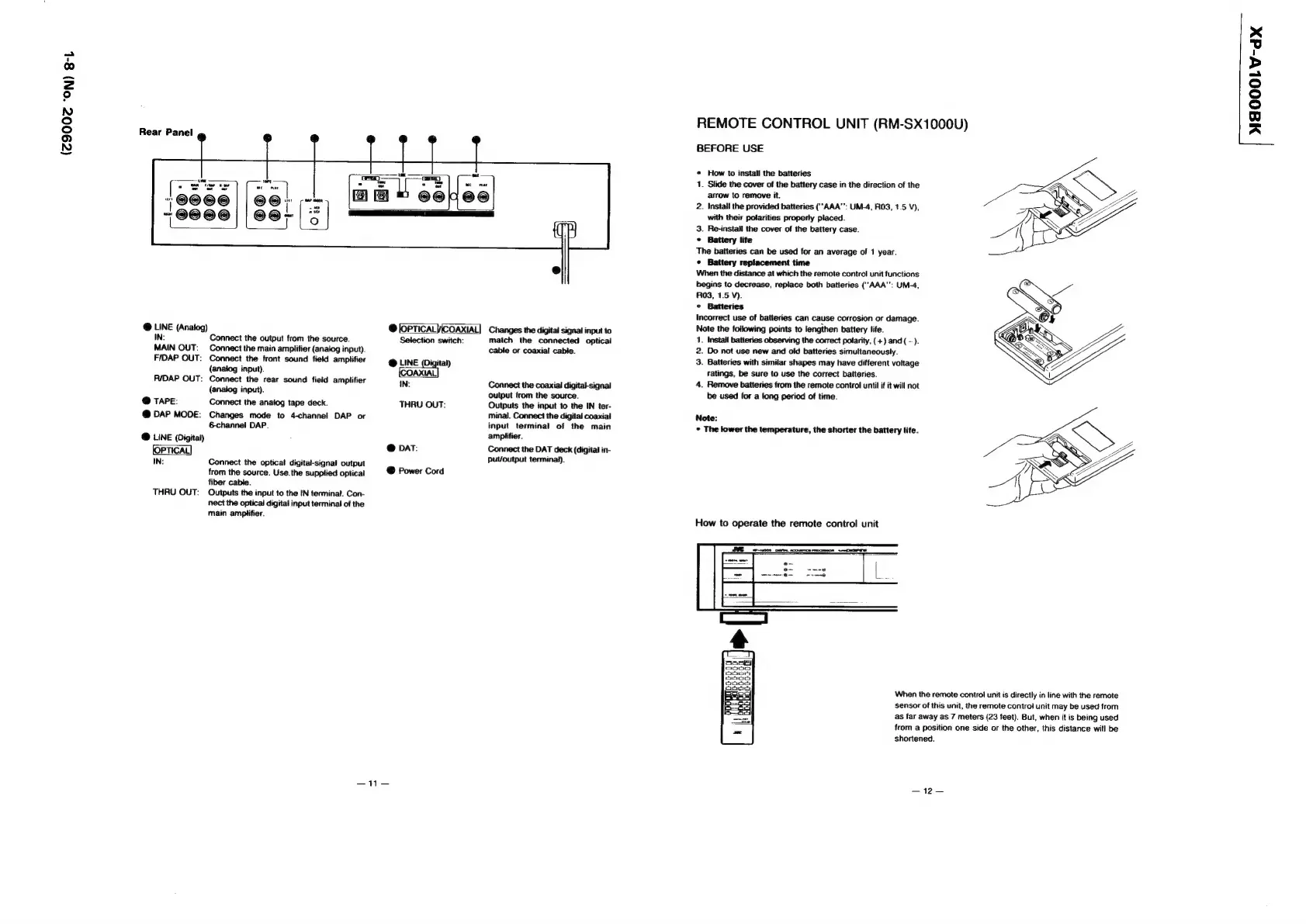
Rear
Panel
¢
«
How
to
install
the
batteries
1.
Slide
the
cover
of
the
battery
case
in
the
direction
of
the
arrow
to
remove
it.
2.
Install
the
provided
batteries
(‘‘AAA"’:
UM-4,
R03,
1.5
V),
with
their
polarities
property
placed.
3.
Re-install
the
cover
of
the
battery
case.
©
Battery
life
The
batteries
can
be
used
for
an
average
of
1
year.
¢
Battery
replacement
time
When
the
distance
at
which
the
remote
control
unit
functions
begins
to
decrease,
replace
both
batteries
(““AAA":
UM-4,
RO3,
1.5
V).
°
Batteries
Incorrect
use
of
batteries
can
cause
corrosion
or
damage.
@
LINE
(Analog)
e
Changes
the
digital
signal
input
to
Note
the
following
points
to
lengthen
battery
life.
IN:
Connect
the
output
from
the
source.
Selection
switch:
match
the
connected
optical
1.
Install
batteries
observing
the
correct
polarity,
(+)
and
(
-
).
MAIN
OUT:
Connect
the
main
amplifier
(analog
input).
cable
or
coaxial
cable.
2.
Do
not
use
new
and
old
batteries
simultaneously.
F/DAP
OUT:
Connect
the
front
sound
field
amplifier
@
LINE
(Digital)
3.
Batteries
with
similar
shapes
may
have
different
voltage
(analog
input).
O
ratings,
be
sure
to
use
the
correct
batteries.
RIDAP
OUT:
Connect
the
rear
sound
field
amplifier
IN:
Connect
the
coaxial
digital-signal
4.
Remove
batteries
from
the
remote
control
until
if
it
will
not
(anaiog
input).
output
from
the
source.
be
used
for
a
long
period
of
time.
@
Tare:
Connect
the
analog
tape
deck.
THRU
OUT:
Outputs
the
input
to
the
IN
ter-
@
DAP
MODE:
Changes
mode
to
4-channel
DAP
or
minal.
Connect
the
digital
coaxial
Note:
6
channel
DAP.
input
terminal
of
the
main
©
The
lower
the
temperature,
the
shorter
the
battery
life.
@
LINE
(Digital)
amplifier.
@
DAT:
Connect
the
DAT
deck
(digital
in-
Put/output
terminal).
Connect
the
optical
digital-signal
output
from
the
source.
Use.
the
supplied
optical
@
Power
Cord
fiber
cable.
THRU
OUT:
Outputs
the
input
to
the
IN
terminal.
Con-
nect
the
optical
digital
input
terminal
of
the
main
amplifier.
How
to
operate
the
remote
control
unit
When
the
remote
control
unit
is
directly
in
line
with
the
remote
sensor
of
this
unit,
the
remote
control
unit
may
be
used
from
as
far
away
as
7
meters
(23
feet).
But,
when
it
is
being
used
from
a
position
one
side
or
the
other,
this
distance
witl
be
shortened.
—i—
—12—
MAOOOLV-dx