Temperature
reduction
°C
°C
°C
°C
°C
°C
°C
°C
°C
°C
°C
°C
2
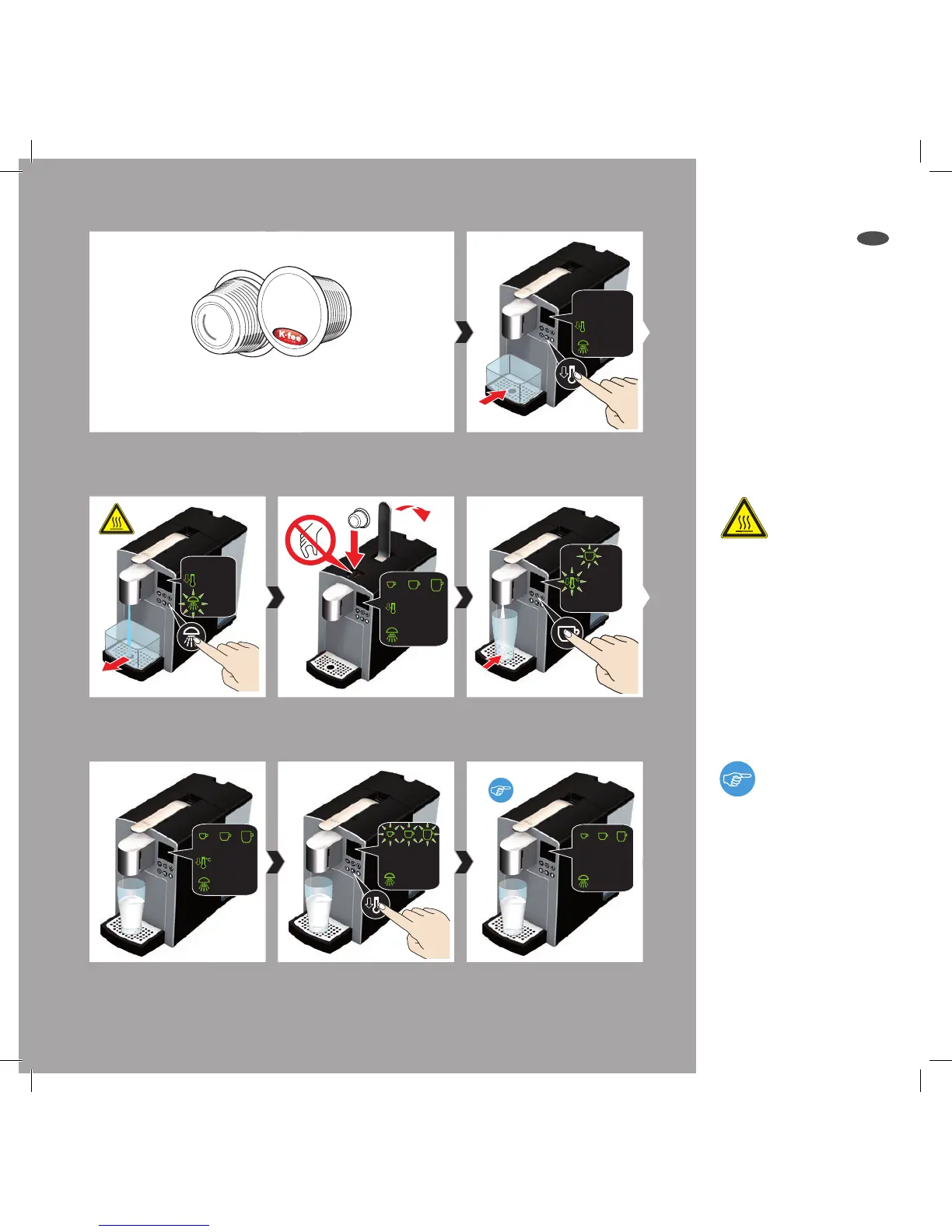
Open lever and insert milk
capsule, close lever again.
Press button for temperature
deduction again to switch o
function.
After the brewing process,
the appliance is ready again.
Press button for temperature
reduction. Use a container.
Temperature reduction is
switched o.
Use the temperature reduction button to optimise the
brewing temperature for capsules containing milk powder.
Place a suitable cup or glass on
drip tray. Select size of cup.
4
5
7 8
6
3
Press rinsing button. Remove
container after rinsing.
Now combine the hot milk
with another beverage cap-
sule.
Very hot water – risk of
scalding!




 To Next Page