Need help?
Do you have a question about the Kaadas S500-C and is the answer not in the manual?
Read and understand all instructions before using this smart lock. Damages caused by failure to follow instructions are not covered by the warranty.
Do not place battery close to fire in case of explosion. Do not short-circuit battery poles.
Understand local electronic product collection system and follow regulations for proper disposal of used batteries and products.
Lists all items included in the package for installation.
Diagram showing the three-dimensional assembly of the lock components for better understanding of its structure.
Explains how to check door open direction, noting the product fits all directions.
Step-by-step instructions with diagrams on how to change the direction of the latch bolt.
Instructions for changing the front panel handle direction.
Details the process of installing the mortise, key cylinder, and front panel assembly.
Final installation steps, including placing springs, shafts, batteries, and checking functionality.
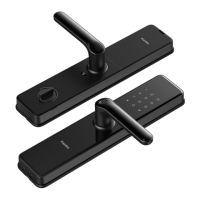
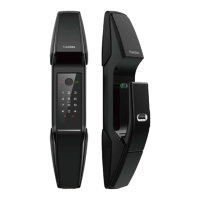
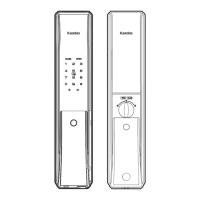
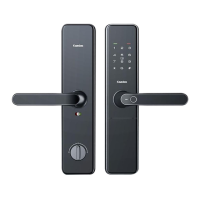
Details the components and features of the lock's outside panel, including keypad, sensor, and ports.
Details the components and features of the lock's inside panel, including handle, switches, and knobs.
Explains the two modes (safe, normal) and their default settings for Master PIN code and User PIN code.
Provides a table to fill in user information like PIN code, fingerprint, and card for management.
Guide on how to add a new user PIN code, including user number and PIN length.
Instructions for enrolling a new user fingerprint, including user number and scanning process.
Instructions on how to enroll a new user card by placing it on the card icon area.
Procedures to delete a single user PIN code or all user PIN codes.
Steps to delete a specific user's fingerprint or all enrolled fingerprints.
Explains how to set the lock to normal mode (single verification) or security mode (double verification).
Allows adjustment of volume and selection of language for the lock's voice prompts.
Instructions on how to enable and manage the Bluetooth feature on the smart lock.
Describes how to unlock the door from the outside using PIN code, fingerprint, or card.
Explains the procedure for using the mechanical key to unlock the door in backup situations.
Instructions on how to lock the door from the outside, inside, or engage the double lock feature.
Guide on resetting the lock to its original factory settings, deleting all user data.
How to restart the lock using the reboot button without deleting user data.
Instructions on enabling or disabling the safe handle feature, which locks the indoor handle.
How to power the lock using an external supply via Micro USB when the battery is low.
Details the type of batteries required and the process for replacing them.
Information about the network module for wireless communication and smart home integration.
 General
| Material | Zinc Alloy |
|---|---|
| Fingerprint Capacity | 100 |
| User Capacity | 100 |
| Power Supply | DC 6V |
| Communication | Bluetooth |
| Operating Humidity | 20% to 80% |
| Access Methods | Fingerprint, PIN Code, Mechanical Key |
| Fingerprint Sensor Type | Optical |
| Battery Type | 4 x AA batteries |
| Battery Life | 12 months |
| Emergency Power Supply | Micro USB |
| Color | Black |

 To Next Page