Need help?
Do you have a question about the Kaadas K9-5W and is the answer not in the manual?
Safety guidelines for using the smart lock, handling, cleaning, and installation.
Warnings on battery safety, power sources, short-circuiting, and warranty implications.
Guidance on local electronic product disposal and battery recycling regulations.
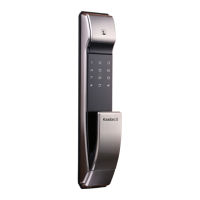
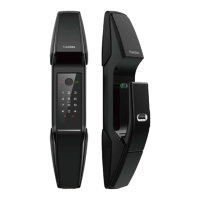
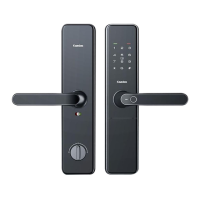
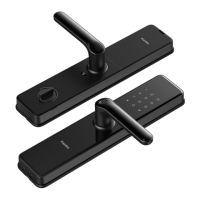
Lists all smart lock package components with corresponding images for user reference.
Detailed exploded view of lock components with numerical labels to understand assembly structure.
Instructions to check door opening direction before proceeding with lock installation.
Step-by-step guide to reverse the latchbolt direction for different door types.
Details drilling holes, installing the mortise, and tightening mounting screws as initial steps.
Guides on passing connectors, inserting the square shaft, and mounting the front panel.
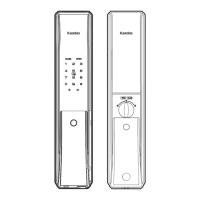
Identifies and labels components of the front panel of the smart lock.
Identifies and labels components of the back panel of the smart lock.
Instructions on how to enter the master mode using the keypad.
Guides on enrolling users by fingerprint, card, or password in master mode.
Instructions for adding temporary users or one-time passwords (OTP) in master mode.
Steps to change the master PIN code within the master mode settings.
Procedures for deleting single or all users, passwords, fingerprints, and cards.
Configuration of normal (single) and security (double) verification modes.
Instructions to turn on or off the automatic mode for the lock.
Options to select the user interface language for the smart lock.
Settings for network connectivity, such as joining or logging off the network.
Explains how to unlock the door from the outside using password, card, or fingerprint.
Instructions for unlocking the door using a physical mechanical key.
How to lock and unlock the door from the inside using buttons and privacy mode.
Describes using the emergency knob to unlock the door from the inside during system errors.
How to enable or disable the defense mode, which triggers an alarm if unlocked from inside.
Explains unlocking the door using the inside sensor handle.
How to adjust system volume, switch between voice and mute modes.
Steps to reset the lock to factory default settings, including using the reset button.
Method to restart the lock system using an emergency power source via Micro USB.
How to use an external power source via Micro USB for low battery situations.
Guidance on when and how to replace the batteries in the smart lock.
 General
| Type | Smart Door Lock |
|---|---|
| Connectivity | Wi-Fi, Bluetooth |
| Access Method | Fingerprint, PIN Code, RFID Card, Mechanical Key, Mobile App |
| Fingerprint Sensor Type | Semiconductor |
| User Capacity (Fingerprints) | 100 |
| User Capacity (PIN Codes) | 100 |
| User Capacity (RFID Card) | 100 |
| Material | Zinc Alloy |
| Finish | Matte Black |
| Battery Life | Up to 12 months |
| Door Thickness Compatibility | 35-55 mm |
| Operating Temperature | -25°C to 55°C |
| Warranty | 2 years |
| Lock Type | Mortise |
| Battery Type | Alkaline |
| Emergency Power Supply | Micro USB |
| Security Features | Auto-lock |
| Features | Real-time Alerts |

 To Next Page