WWW.KAARTA.COM 113
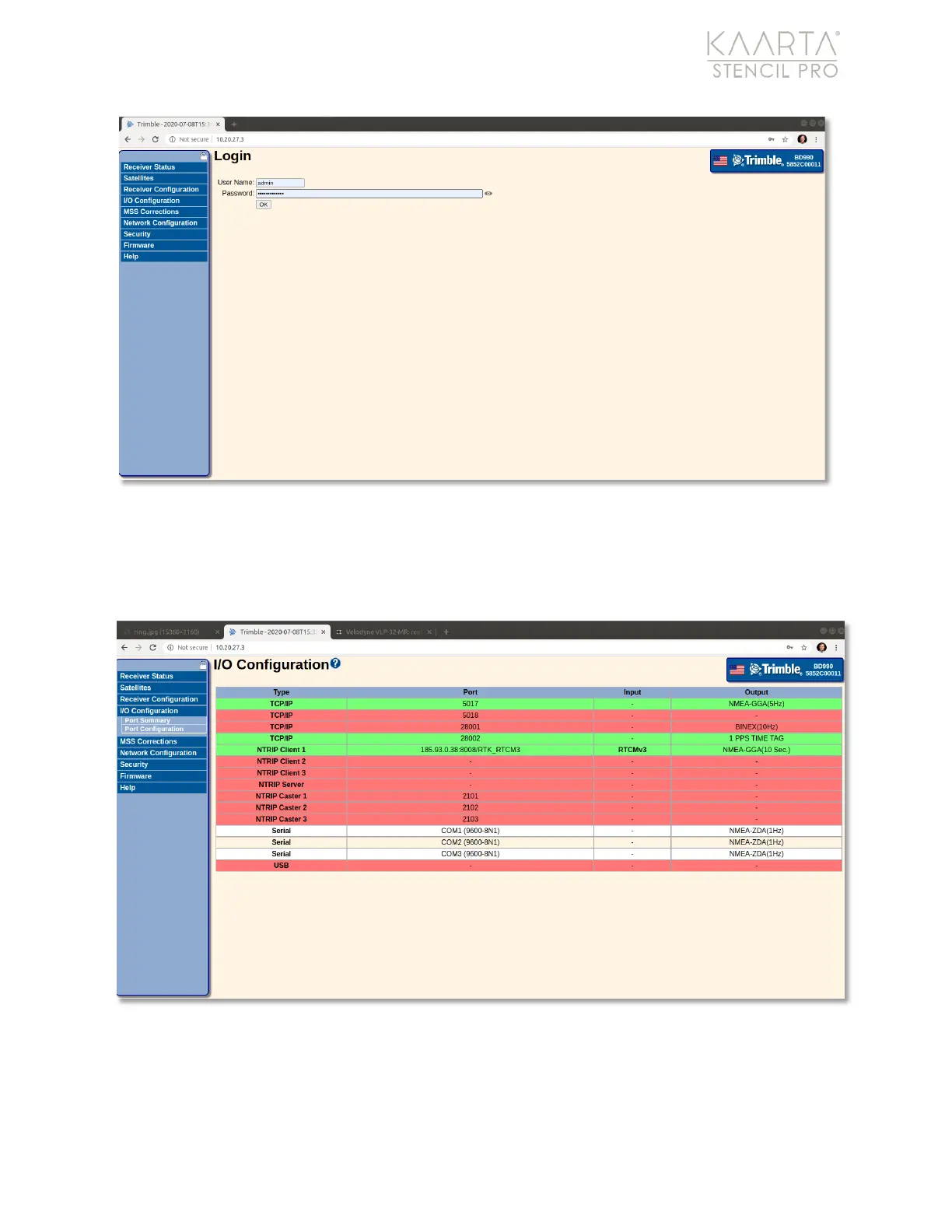
Figure 82: Trimble Admin page.
Select I/O Configuration in the main menu, along the left side of the screen. The I/O
Configuration page displays (Figure 83). Make sure both TCP/IP connections are green,
indicating that they are active.
Figure 83: I/O Configuration information on the Trimble admin page.



 To Next Page