WWW.KAARTA.COM 58
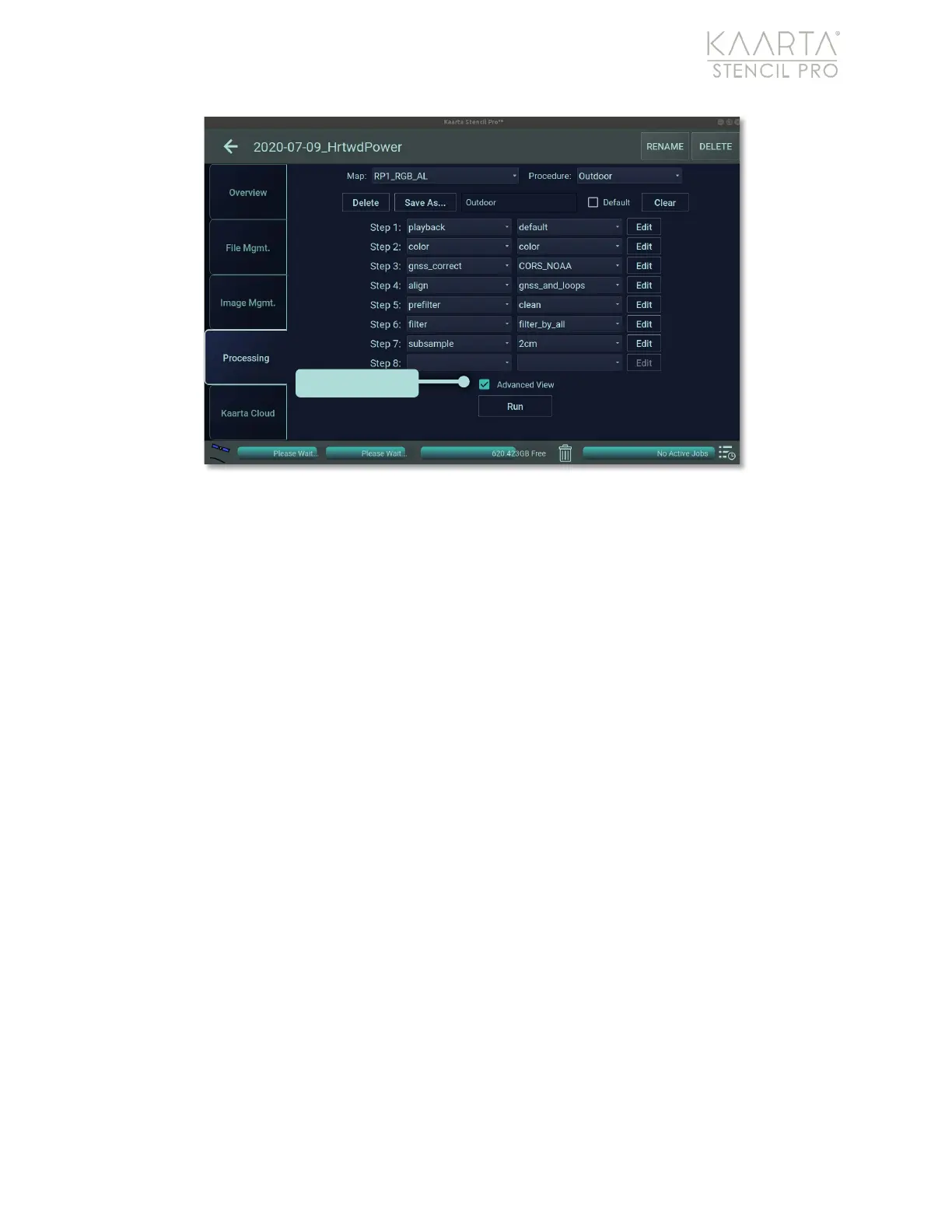
Figure 40: Processing tab of Scan Details, Advanced View.
Advanced View
Within the Advanced View of the Processing tab, there are two main columns to select the
Process (left column) and the Preset for that process (right column) (Figure 41). To add or
change the process in the left dropdown menu, click in the menu box and select from the
list of processes available. Within the right dropdown menu, the corresponding options
display for the selected task/process. Once a process and a preset are selected, if any
additional configuration can be manipulated, the Edit button to the right will be enabled.
Click Edit to change any preset configurations. If the Edit button is not enabled, the
parameters are fixed and cannot be further manipulated.
Add subsequent processes by continuing to Step 2 and repeating the previous steps. Click
the Run button at the bottom of the screen to begin processing.



 To Next Page