WWW.KAARTA.COM 73
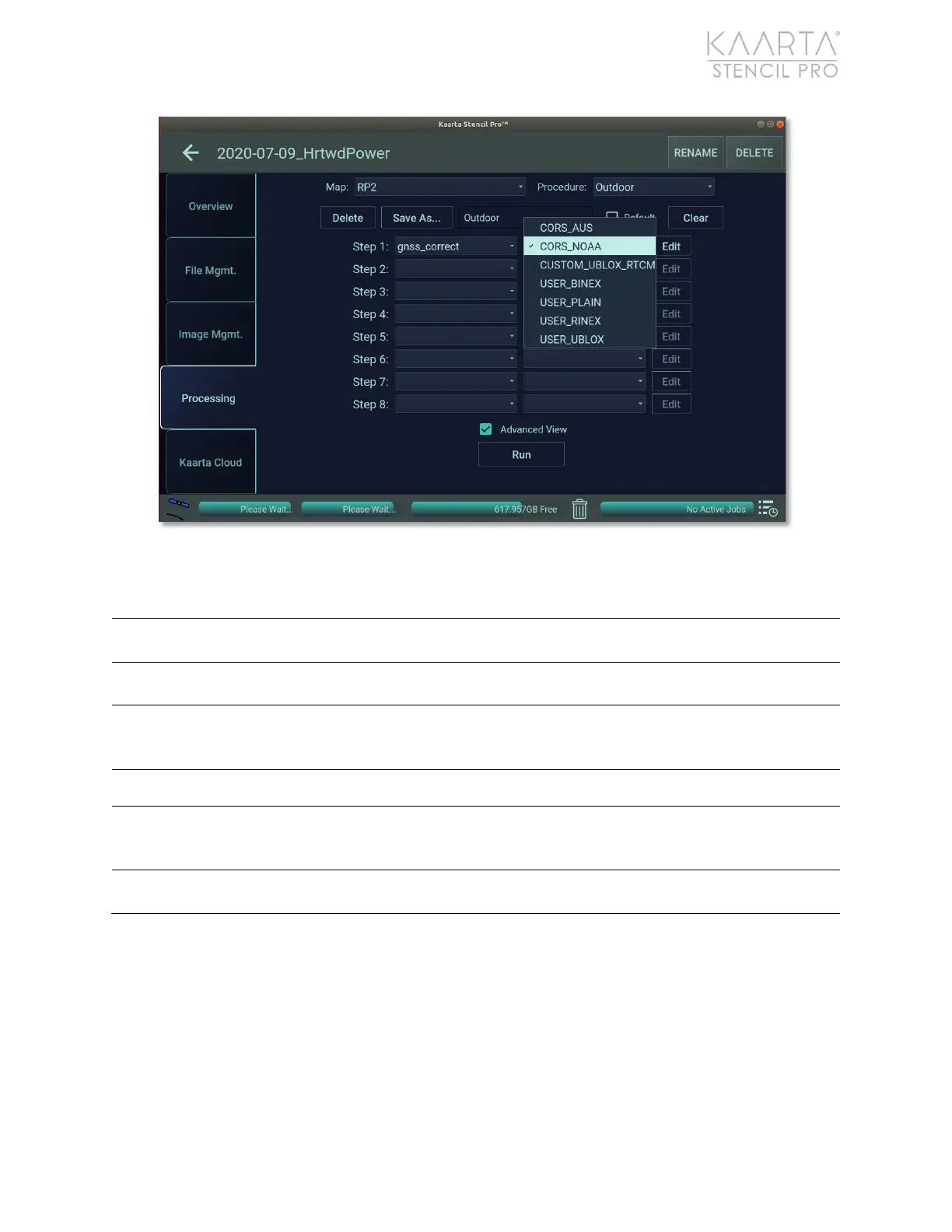
Figure 52: GNSS Correct presets.
GNSS CORRECT PRESETS
Uses the freely available CORS network data provided by the
Geoscience Australia GNSS data archive.
Uses the subscription based CORS network data provided by NOAA for
GNSS correction.
Uses the BINEX output file for correction. BINEX is an operational binary
format standard for GNSS purposes, and is used by many
manufacturers, including Trimble, Topcon, and Leica.
Uses custom plain text file for correction.
Uses RINEX file format, which is a receiver independent and open
source exchange format for a fixed reference station that stores
recorded satellite data in RINEX format.
Uses u-blox file format for correction, which is found in GNSS receivers
based on components by the u-blox company.
Once a GNSS Correct preset is chosen, click the Edit button to the right of the preset to
change Color configuration settings (Figure 53). Further editing may not be needed or
warranted if the correct preset was chosen. For example, Stencil Pro’s integrated Trimble
GNSS receiver is configured to use the BINEX (binary exchange) file format. Therefore, for
processing Stencil Pro datasets, the ROVER Importer file should be kept at USER_BINEX.
However, if importing datasets
created on other devices
for processing on Stencil Pro, the
rover file will need adjusted according to file format of the roving device (RINEX, UBLOX,
RTCM3, or PLAIN). Take caution when editing settings.



 To Next Page